I also added a couple more, and hoping to see some of them (if not all) implemented.
Top Ten as it currently stands (2026-01-05);
1 Dark Mode for PDM in Windows Explorer (40 likes)
2 Faster, Modern BOM Editor in a Separate Window in SW assemblies and drawings (27)
3 Desktop SOLIDWORKS: Focus More On Fixing Bugs (26)
= Option for Linear Dimension Between Two Non-parallel Lines (26)
5 Display States in Drawings (25)
6 SPR 807836 – Fillet all Concave Corners Connected to Start Loop (23)
= We want more flexible sheet metal functionality. (23)
8 Desktop SOLIDWORKS: Substantially increase stability in SOLIDWORKS (22)
= Ability to change type of pattern within its feature (22)
= Multi-instance of SolidWorks (22)
Top Ten as it currently stands (2026-01-08);
1 SPR 807836 – Fillet all Concave Corners Connected to Start Loop (42 likes)
2 Dark Mode for PDM in Windows Explorer (40)
4 MBD: Improve ability to manage DimXpert Tree and delete unused features (32)
5 Extend the DimXpert “Edit Feature” to edit collections, Intersect Circles, Surface of Revolution (30)
6 Faster, Modern BOM Editor in a Separate Window in SW assemblies and drawings (29)
7 SOLIDWORKS API Documentation - Improve the UI (28)
= PDM - API for Branch and Merge command (28)
= Multi-instance of SolidWorks (28)
10 We want more flexible sheet metal functionality. (26)
= Display States in Drawings (26)
= Option for Linear Dimension Between Two Non-parallel Lines (26)
= Desktop SOLIDWORKS: Focus More On Fixing Bugs (26)
Quite a lot of big moves now that voting is “open”.
How do you have a top 10 list for multiple products? I have to assume the “multi-instance” request is for online solidworks, because desktop already allows that.
I’m still floored that fixing all the bugs is last on the list.


I’m all for fixing bugs and making noise about it, but it pretty much impossible to fix all bugs in any complex software as fixing bugs will introduce new bugs. Also, bugs may not affect all users, so those users aren’t likely to vote for it.
I think the request NOT actually a separate instance of SW. As you say, a second instance is already possible, but the windows don’t share memory space so you can’t have a part open in one window and the drawing in another. What they really want is independent windows with all the toolbars etc duplicated so that it looks like another instance but it’s actually the same instance with its working memory.
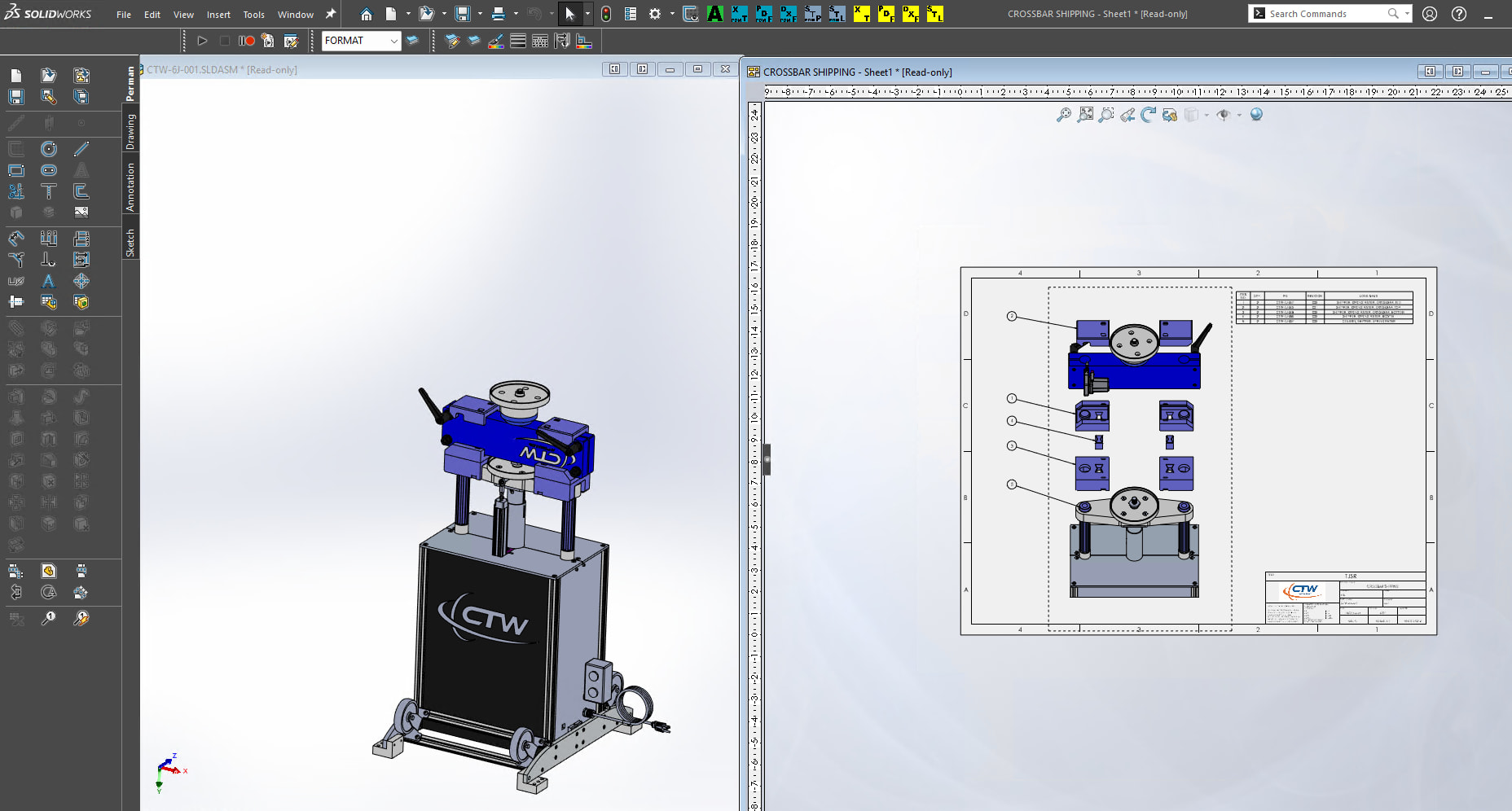
I think it is the feeling that SW would rather put effort into cramming in new features rather than fixing bugs. I know the software will never be 100% perfect, but it seems like the amount of effort expended to fix bugs is out of balance with the new features.
I know my frustration comes with the bugs / feature requests that have been around forever and feel like they could be fixed in minutes.
One of my frustrations is that an Axis can’t be used to mirror a sketch. I assume there aren’t enough requests for this, even though it seems like it should simple to implement. I’m sure we all have similar lists.
No… What they want is this:
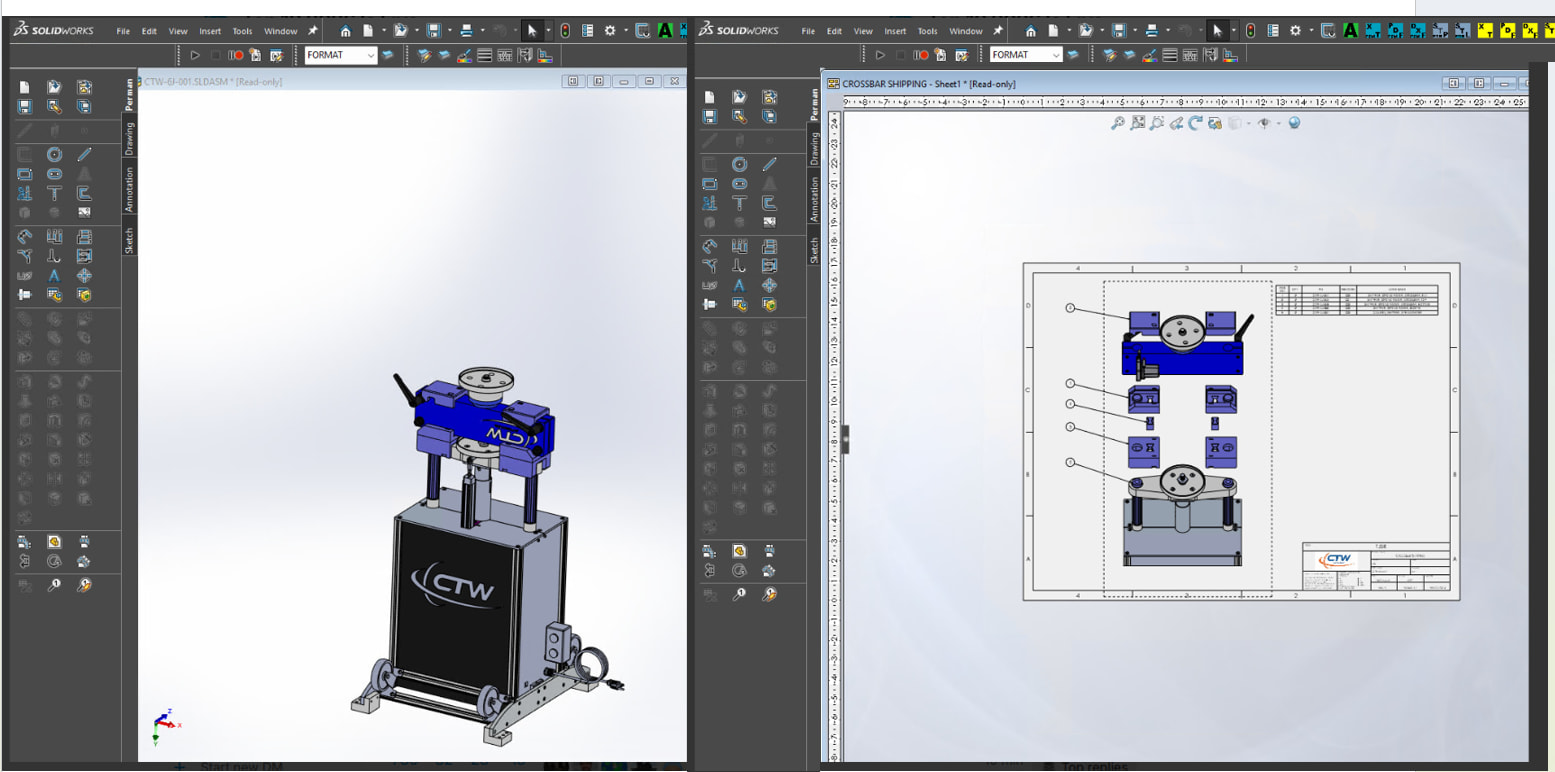
All toolbars and menu bars etc. duplicated on both windows so that everything is within the same “reach” of the modeling area. I always span SW across multiple displays. It means that some toolbars etc are on a whole different monitor than where I’m working. Of course, I get around this with judicious use of the “S key” shortcut menu such that I rarely use the toolbars or menu bar.
I believe it’s possible.
If they want to modify the model and get drawing update instantly, then no.
They need to save the model then refresh the drawing.
Exactly. As I said, they do not share memory space. It would be no different from working on a completely different PC. Additionally, as it works now if you have a drawing or assembly open, all the references are loaded into that memory space. If you wanted to open a part or component in that separate window, you would have to release write access, then go to the other SW instance and open the file instead of just right-clicking and choosing “Open Part”. The functionality they want is the appearance of two separate instances with the convenience and functionality of a single instance.
I have a macro that moves tiled windows around in the workspace. For a while, I toyed with having the macro “float” all the toolbars and move them relative to the active window. It quickly got too complex and cumbersome, especially since as I mentioned I mostly use the “S key” or other popup menus that appear at the cursor.
New features are sparse at this point. Seems we are getting neither features nor bug fixes as they funnel our maintenance dollars in the swamp. Maybe that should be the number one item, less 3dx and more desktop.
Top Ten as it currently stands (2026-01-12);
1 SPR 807836 – Fillet all Concave Corners Connected to Start Loop (58 likes)
3 MBD: Improve ability to manage DimXpert Tree and delete unused features (52)
4 Extend the DimXpert “Edit Feature” to edit collections, Intersect Circles, Surface of Revolution (48)
5 PDM - API for Branch and Merge command (45)
6 SOLIDWORKS API Documentation - Improve the UI (43)
= Dark Mode for PDM in Windows Explorer (43)
7 New Standard Display State for Rendering Work Smart, Render Beautiful (41)
8 Centralized Materials & Coatings Management in PDM: Empower Teams, Eliminate Chaos (40)
Here we go again. Number two just jump up and it was submitted by a Polish VAR and the other VAR members upvoted it.
Top Ten as it currently stands (2026-01-13);
1 SWE/ESX: Ability to create manufacturing documentation for harnesses without using Electrical 3D and SOLIDWORKS CAD (66 likes)
2 SPR 807836 – Fillet all Concave Corners Connected to Start Loop (65)
3 MBD: Improve ability to manage DimXpert Tree and delete unused features (61)
4 Extend the DimXpert “Edit Feature” to edit collections, Intersect Circles, Surface of Revolution (58)
5 PDM - API for Branch and Merge command (51)
6 SOLIDWORKS API Documentation - Improve the UI (49)
7 New Standard Display State for Rendering Work Smart, Render Beautiful (47)
8 Intelligent Assembly Driven MBD (46)
9 Centralized Materials & Coatings Management in PDM: Empower Teams, Eliminate Chaos (45)
10 Dark Mode for PDM in Windows Explorer (43)
Still time for a big push on Fillet all Concave Corners Connected to Start Loop please!
And 1 day later, a product used by a tiny fraction of the SW community jumps to #1.
I would be concerned if I thought this top 10 list had any impact on the development team’s priorities.
It’s not even a product. They are asking for Solidworks to create a 2d only wire harness layout tool that doesn’t require a 3d model. There are already mature products out there like AutoCAD Electrical. Solidworks doesn’t do 2d only well. It will never happen, unless they add something to Draftsight.
They are asking for new functionality inside SolidWorks electrical. As SPerman said, small fraction of the SW community. So small that apparently you didn’t even know that it exists! 
They are actually asking for something that already exists, they just don’t like the fact that it requires a SOLIDWORKS license. SOLIDWORKS Electrical consists of two parts: SWE 2D Schematic and SWE 3D. The 3D package already does everything they want, but requires SOLIDWORKS. They want to be able to do it in 2D Schematic without SOLIDWORKS.