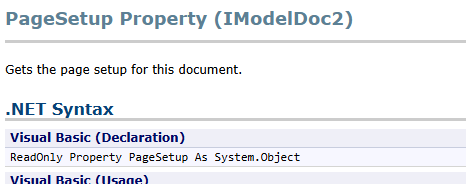
Anyon have any luck getting a macro to set the page setup options (specifically the drawing color option)? I found these two items in the help, but i am unable to get either to actually do anything to the page setup…
good to know it’s probably just me - I am no wizard at VBA…
feel free to ignore the extra variable and such - when this wasn’t working in our update/reset macro, I saved out a copy and trimmed out the other functions to focus on just the printing color…
user preference version:
Sub main()

Dim swApp               As SldWorks.SldWorks
Dim swModel             As SldWorks.ModelDoc2
Dim swDraw              As SldWorks.DrawingDoc
Dim swSheet             As SldWorks.Sheet
Dim swTree              As FeatureManager
Dim vSheetProps         As Variant
Dim vSheetName          As Variant
Dim vTemplateName       As Variant

Dim boolstatus          As Boolean
Dim longstatus          As Long
Dim longwarnings        As Long
Dim nErrors             As Long
Dim nWarnings           As Long
Dim color               As Integer
Dim i                   As Long

'\*\*\*\*\*\*\*\*\*\*\*\*\*\*\*\*\*\*\*\*\*\*\*\*\*\*\*\*\*\*\*\*\*\*\*\*\*\*\*\*\*\*\*\*

On Error Resume Next

Set swApp = Application.SldWorks
Set swModel = swApp.ActiveDoc

' Check to see if a file is loaded.
If swModel Is Nothing Then
MsgBox "There is no active SolidWorks document"
Exit Sub
End If

' Check to see if file is a drawing.
If swModel.GetType <> swDocDRAWING Then
MsgBox "This Macro is for Drawings only"
Exit Sub
End If

Set swDraw = swModel

boolstatus = True
'Value = instance.SetUserPreferenceIntegerValue(UserPreferenceValue, Value)
boolstatus = swModel.SetUserPreferenceIntegerValue(swUserPreferenceIntegerValue.swPageSetupDrawingColor, 3)

MsgBox boolstatus

Set swDraw = Nothing

End Sub
pagesetup version:
' \*\*\*\*\*\*\*\*\*\*\*\*\*\*\*\*\*\*\*\*\*\*\*\*\*\*\*\*\*\*\*\*\*\*\*\*\*\*\*\*\*\*\*\*\*\*\*\*\*\*\*\*\*\*\*\*\*\*\*\*\*\*\*\*\*\*\*\*\*\*\*\*\*\*\*\*\*\*
' C:page setup.swb - macro created on 09/21/21 by jfeist
' \*\*\*\*\*\*\*\*\*\*\*\*\*\*\*\*\*\*\*\*\*\*\*\*\*\*\*\*\*\*\*\*\*\*\*\*\*\*\*\*\*\*\*\*\*\*\*\*\*\*\*\*\*\*\*\*\*\*\*\*\*\*\*\*\*\*\*\*\*\*\*\*\*\*\*\*\*\*
Sub main()

Dim swApp               As SldWorks.SldWorks
Dim swModel             As SldWorks.ModelDoc2
Dim swDraw              As SldWorks.DrawingDoc
Dim swSheet             As SldWorks.Sheet
Dim swTree              As FeatureManager
Dim vSheetProps         As Variant
Dim vSheetName          As Variant
Dim vTemplateName       As Variant

Dim boolstatus          As Boolean
Dim longstatus          As Long
Dim longwarnings        As Long
Dim nErrors             As Long
Dim nWarnings           As Long
Dim color               As Integer
Dim i                   As Long
Dim drawing             As PageSetup

'\*\*\*\*\*\*\*\*\*\*\*\*\*\*\*\*\*\*\*\*\*\*\*\*\*\*\*\*\*\*\*\*\*\*\*\*\*\*\*\*\*\*\*\*

On Error Resume Next

Set swApp = Application.SldWorks
Set swModel = swApp.ActiveDoc

' Check to see if a file is loaded.
If swModel Is Nothing Then
MsgBox "There is no active SolidWorks document"
Exit Sub
End If

' Check to see if file is a drawing.
If swModel.GetType <> swDocDRAWING Then
MsgBox "This Macro is for Drawings only"
Exit Sub
End If

Set swDraw = swModel
Set drawing = swDraw

drawing.DrawingColor = 3

Set swDraw = Nothing

End Sub
i wrote an example on Codestack that toggles the color of the drawing background between white and the current color. Ther is also a TIP on how to set another color of your choice. codestack article
Hope it helps you out!
drawing is declared as a PageSetup object (terrible variable name by the way, it’s a PageSetup object; name the variable something like pSetup). Then here you are setting it to a DrawingDoc object.
You should be setting it to the PageSetup property of the ModelDoc:
Set drawing = swModel.PageSetup
drawing.DrawingColor = swPageSetup_BlackAndWhite 'Use the name instead of the magic number for clarity
This code will set B&W for the active document, as well as forcing the page setup to use the document setting rather than the Application-wide setting.
I’d also recommend never using “On Error Resume Next” unless you have a specific error that you are intentionally creating and trapping for. Otherwise, your macro will crash and you have no idea what line caused the error or how to debug it.
Sub main()

    Dim swApp As SldWorks.SldWorks
    Dim swPgSet As SldWorks.PageSetup
    Dim swDoc As SldWorks.ModelDoc2

    Set swApp = Application.SldWorks
    Set swDoc = swApp.ActiveDoc
    If swDoc Is Nothing Then Exit Sub
    If Not swDoc.GetType = swDocDRAWING Then Exit Sub
    Set swPgSet = swDoc.PageSetup
    swPgSet.DrawingColor = swPageSetup_BlackAndWhite
    swDoc.Extension.UsePageSetup = swPageSetupInUse_Document

End Sub
System / Application Page Setup
This is the application-wide page setup. It is not specific to the active drawing document. If a drawing is set to use the application page setup, then changing the document page setup may appear to do nothing.
Document Page Setup
This belongs to the current document and can be accessed through ModelDoc2.PageSetup. For example:
Set pSetup = swModel.PageSetup
pSetup.DrawingColor = swPageSetup_BlackAndWhite
But it is also important to make sure that the document is actually using the document page setup:
Sheet Page Setup
Drawings can also have sheet-level page setup information. This can be useful when different sheets need different print settings. However, not every Page Setup option behaves the same way at sheet level, and some settings are controlled by the document or application page setup instead.
Ummm… you may have to clarify. You can’t print anything without using SOME kind of Page Setup. What end result do you imagine being described as printing without using “the” Page setup?
There are three different page setups: Application level
-Overrides doc and sheet settings when selected Document level
-Overrides Application settings, and allows the additional selection of: Individual sheet level
-Overrides Application settings and allows some settings (although not all) to be specified on a sheet-by-sheet basis. Sheet size is customizable per sheet. The color setting that originally prompted this thread is one of those that cannot be specified per sheet.
Unfortunately, in my limited testing, it seems like the App vs Document level is not stored in the document. The Page Setup dialog only remembers the last-used option, even though the API to change it is document level.
When you say “PDF Print”, that’s also a little ambiguous. You can get a “PDF Print” by either printing to a PDF print driver, or with a “Save as” operation. I believe the “Save as” version always exports to the sheet size, with no ability to save a D-size print as a B-size PDF. The options for “Save as” PDF are set in Tools->Options->System Options, Export category. Using a PDF print driver will use the Page Setup options, which can be specified to use whatever paper size you want.
There are still slight differences in the print quality of print-PDF and save-as-PDF routes, though save-as is better than it used to be. The problem with page-setup is that is does not appear in the workflow and it keeps the last used setup for the document, not last used for the user. So some problem-child changes the page setup to print a D-size drawing on 8.5 x 11 paper, and later, when the drawing is automatically made a PDF and saved in our SAP system, it goes out to vendors in its horrible 8.5 x 11 form.
To avoid such problems, a reliable method is to save PDFs using a macro that checks all parameters according to predefined settings templates in this macro before each save.
Any time that there is a right way to do things and a wrong way to do things, especially if you cannot completely disable the wrong way, you get the best results by making the right way the easiest way. A macro that actually saves people time and steps in their workflow (proper naming, right save location, etc) will usually result in people doing it the right way.
Of course, a macro could be used to ensure correct settings whether you use the PDF Print Driver method or the Save As method.
We’ve used the Save-As route for a number of years without issue, although our drawings are fairly simple. I’m a bit curious what sort of quality differences you run into?
I’m also curious about this key difference in the quality of the image on paper, and how much does it affect the use of the drawing?
Modern methods of producing and interacting with design documentation have negated all structural requirements for beauty (many smart and courageous people who kept an eye on the size of arrows have lost their jobs).
Or are you talking about something else?
 - I am no wizard at VBA…