Thoughts on color prints.

We use color on our drawings and the also create the associated PDFs in color. Dimensions, hidden lines, notes are all a different color while the part itself is black. We also show shaded views in some cases if it helps.

Our global parent company is trying to standardize all divisions worldwide and the other countries insist that everything should be black and white line drawings. I can’t find anything in ASME standards regarding color, not sure about ISO standards. Since CAD systems now allow shaded views, it seems like printing in color is acceptable and enhances readability IMO. We do choose darker colors that print well on white paper and also print well on black and white printers.

What does your company do?

Example:
image.png

We solely print in black and white and are trying to be environmentally friendly by printing on both sides of the sheet whenever possible. Conversely, I do agree that color does improve the readability of complicated and busy drawings. I believe that line width (thickness) is part of the CAD standards, but don’t know about color printing/plotting.

We’ve been using colors for a long time.

notes/dims/annotations in blue
edges in black
hidden and rev balloons in red
sometimes iso view in color

Shop floor production used to >view< the actual drawing file (solid edge .dft) in full color but now we had to switch to pdfs, also color.

Hard copies are uncontrolled docs and for ref only.

Back in the 90’s my autocad prints had color. I still think it makes it easier to read. Then I spent 20 years at a company that did only black and white. I always assumed that was driven by a standard, so that’s what I’ve adopted here, although shaded views are in color.

Until two weeks ago I had been using a fairly dark for dimensions, and any annotations with a leader going to the drawing view. Everything else was black. I believe that made the drawings easier to decipher when you can tell at a glance waht’s a model edge and what’s a dimension leader.

I only use shaded views to show rebar, and not always then, but it’s occasionally difficult to decipher what’s going on with rebar without an isometric view with the bars different colors (notes are black for those views). I don’t like to use colors unless it’s necessary because of the mean nasty things it does the the file size when saving as PDF.

Now everything has to be black for 508 compliance. It torques me off, but whatcha gonna do?

I saw a drawing in previous forum several years back. The moment I saw the drawing, I was convinced we should go for colored drawing. Now all of our drawings are colored.

This is a copy of the drawing I saw in previous forum.

12.png

Color is not part of ASME standard AFAIK

my 3cents:

I tend to avoid color whenever possible.

The only 2 situation where i used color (that i can think of now) is:

  1. Calling out surface finish requirement on a specific surface (both in CAD and drawing, normally is a separate view in drawing)
  2. Use to indicate 2nd shot/overmold material

In both case, i always make sure the constrast/color is well adjusted so that they can still be interpret regardless whether the drawing is printed in black and white or color

The last thing you need is to send some supplier your color pdf and they misinterpret it because they print in black and white.

Also, you never know whether the one reading your print is having any color vision deficiency (colour blindness) or not (sometimes even they themselves dint realize they are color blind)

<()>
First setup lineweight properly.
Dimension lines are thinner then model edge. 0.005 and 0.010 works good.
Change the SW gray to black. It’s difficult to read in color or B/W.

Mostly black and while. Color when needed.
Make sure it’s black and white compatible. Whoever received the drawing may not have color printer.

I like using color to help separate dimensions and notes from geometry. BUT, a drawing should always be readable if rendered in black-and-white.

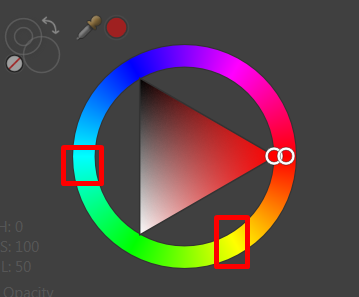
I like to use colors in these ranges for my annotations:
image.png

20 years ago, color printing would have been too expensive! Technically today the cost of color printing really hasn’t come down that much!

There are many reasons not to use color in legal engineering documentation. Let’s just cover a few quickly.

  1. Color blindness- Statistics show 1-12 male humans have a form of color blindness. With a heavy male dominated industry color blindness is an even higher ratio.- Someone can miss content on drawings.

  2. Color does not reproduce well and will lead to loss of information on a legal document. Photo copying or printing to b/w or grayscale will cause loss of emphasis and this can lead to dimensions or other information being lost. Think of printing yellow text or lines to a grayscale print..then copy that print.

  3. Cost of color printing is still quite high compared to B/W and grayscale.

  4. Prety sure but someone else can confirm- you need to use b/w prints for all patent work- for all the reasons above.

Either go b/w or go paperless and implement MBE (enterprise). Then you can do what you want to the PMI. :slight_smile:

I was dealing with that with Autocad today. The layer I was using was yellow and it wouldn’t print to pdf in B&W. It was completely illegible on the screen, let alone printed.

I use a few colors and I think it helps. Costs more to print, but in the lifecycle of a drawing, that doesn’t even register.

If I want to learn something, I find a resource in color. If I want to teach something, I present the concepts with color. If a reader has a hint of doubt about a drawing, I want it to look like it came from a human and for the question to get asked.

For example, if you ever want to teach someone the Discrete Fourier Transform, start here: https://blog.revolutionanalytics.com/2015/09/because-its-friday-visualizing-ffts.html

For me the drawing is a tool that communicates intent, not a legal document. I do respect color blindness in my color choices for lines/notes, and I pick colors that are readable on white paper if any one of the black, cyan, magenta, and yellow are busted.

If I ever needed something more rigorous, I’d use colors from Paul Tol’s “bright” palette (https://cran.r-project.org/web/packages/khroma/vignettes/tol.html#references), list the colors with their RGB codes in the title block, and make some handwavy statement that the use of the document implies the ability to distinguish those colors, and otherwise to request a more accessible version.

Black model, red dimensions, blue notes covers most of our drawings.

More colours sometimes get added if multiple cables need to be shown where to be routed around the product.

Full model shaded views are a rarity.

Getting hung up on how it looks printed black and white seems to be a bit too pandering to anyone clinging to the past. They receive the document in colour to quote and base the purchase order on, if their processes get something wrong after that, that’s on them.

This doesn’t negate the use of color printing. This only shows the lack of sense of choosing correct color.

Drafting standards evolve over time. We also are curmudgeonly sticks in the mud (or maybe that’s just me) who dislike change.

In the ancient of days prints were INKED because pencil wasn’t dark enough to be reliably copied many times using the technology of the day. It produced cleaner, crisper copies. So standard were developed to facilitate the inking process.

Then the copy technology improved and pencil drawings were accepted as good enough if they were on quality material like mylar or vellum. To help differentiate, varoius line thickness standards were adopted to assist readabilitly. This was partially a carry over from inking as well.

Then CAD came along, first in large companies and then with AutoDesk gving away copies to schools everywhere it became common place across the industry. (This is where I came in with the transition from AutoCAD R11 with a digitizer pad imitating a Unix based CAD system to R13 and a completely Windows based/toolbar interface. So, I learned hand drafting with manual drafting tables AND new-fangled CAD. Quick history note, my grandfather helped establish the first EVER CAD system by Computervision at Babcock & Wilcox. They chose a computer guy and a shop guy to help with implementation. He was the shop guy. Cool stuff).

I’m not sure about other CAD systems at the time, but none that I used could emulate line weights so drafting standards for layers and colors were developed. But, then printing technology didn’t lend itself to easy or cheap color reproduction. Enter pen plotters. They brought along other standards designed to improve plotting efficiency and eliminate retrace. Color prints were everywhere.

Printing tech improved, plotters began to wane and CAD standards evolved to B&W to match the printing tech. Often it was considered a “waste” of toner to print with lineweights so standards (perhaps not officially) moved away from lineweights. This era sees a lot of unnecessary part detail and the creep away from traditional standards on view spacing, dimensions spacing, etc. It was not a happy time for crotechety old men like me.

3D Parametric Modelling became the norm, .pdfs became ubiquitoius and CAD standards continue to adapt to what is considered best practice.

The moral of my long-winded post? The goal is always two-fold. First, convey design information in an accurate and understandable way. Second, convey that information in a way that is reproducible and distributable to a wide variety of contracts, vendors, suppliers, customers, fabricators, etc with a minimal amount of rework.

So, when deciding on whether using colors in prints is right for your business, you should use these two principles regarding your internal processes and then again regarding your external processes. For us, we know that our end users will not be using large format printers and will not likely be using color and will also be receiving said documents in pdf format. So our drawings reflect those realities (max drawing size is 11" x 17" and we format in B&W with occasional color where it seems appropriate, usually on a shaded 3D view).

I think the globalisation of this industry makes hard and fast standards on an international scale difficult to justify (unless you are in a specific field that has expectations) as what makes sense in one geographic area may not make sense in another. Anyway, enough of my incoherent ramblings…
This thread reminded me of this…
https://www.solidsmack.com/cad/multi-colored-macro-paint-rainbow-on-solidworks/

Cool. Is there one for drawing? Color each character different color?
**

I have found that colored shaded views works better than hatching for for many things. The one we use it for the most is what area of a plastic part are textured.

I have also used color shaded views on complex machined manifolds. The outside surfaces were transparent and each hole was a different color. The machinist loved this because it was easy to see which holes connected together. Service and manufacturing could also understand the plumbing better.