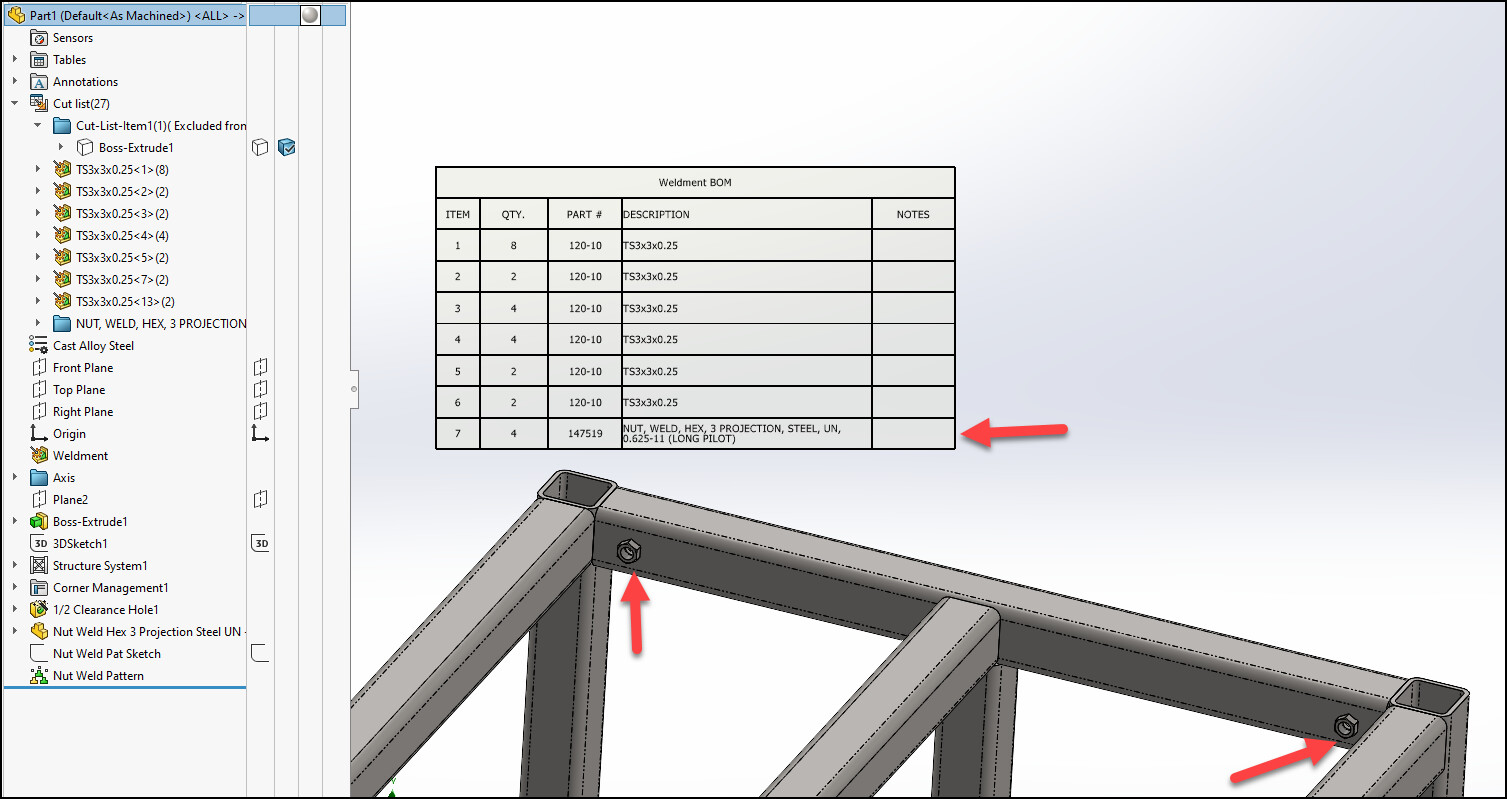
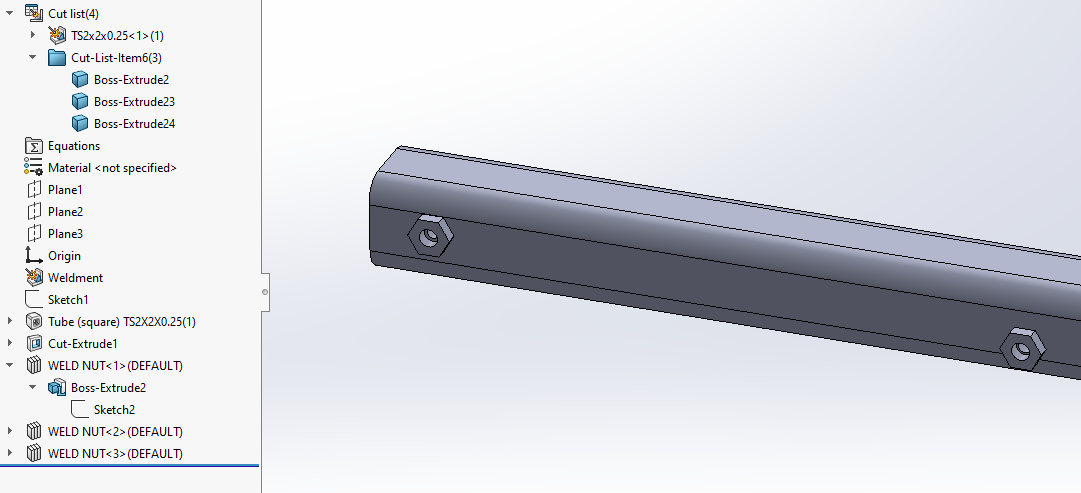
I have been looking on the internet on how to to add fasteners to the structure system to weld in place some nuts . as the customer want flush fit flanges
do you any tips on how to achieve this.
I have been looking on the internet on how to to add fasteners to the structure system to weld in place some nuts . as the customer want flush fit flanges
do you any tips on how to achieve this.
Two ways:
Here I inserted the weld nut as a part inside the structure part.
Third option is a library feature. Quicker to place than an inserted part, but since custom properties of the library feature don’t get passed along as cut list properties, there’s some manual work to get the cut list in order.
You know, I was actually surprised when I dragged our weld nut from the design library, which has mate references, and it actually snapped/mated itself to the hole in the multiple body weldment/structure part.
I should add that depending on the settings a part inserted inside another is not in synch, but rather copied inside the main part file, especially with PDM involved latest version must explicitly loaded otherwise the internal data takes priority.
I did the insert nut using the fasten library parts, I really hate the way SW implemented weldments and structure systems in part. As you have to faff about with the cut list to generate a accurate bom and the remember you have to faff with the cut list when you do a revision change
In SE you do the frame sketch in the assembly create the frame add the parts to the assembly using assembly mates, finish it off and then, the part list generated comes directly of the the custom properties of the parts and the bom is designed for hybrid combinations of frames parts and fasteners. it is so much easier.
I am the last person to defend SW, but once you get used to the multibody logic it is quite easy to make very complex frames.
No mates and no assembly needed.
It has drawbacks, and SW system could be abused at the point the data is a complete mess.
I tried for fun SE at home, and it is more difficult to get used with it coming from SW.
don’t mind multibodies I have used to do 2 3 shot molded parts. But for frames it is a pain to set the bom up it the same issue but worse for inventor as well. The bom for making it is key to smooth production.
Define “pain to setup”? Out of the box there is definetely work to do. You need to finish the library and add properties like part numbers. And you need to build cutlist/bom templates that suppport it.
THIS see link
What I do is put all the details in part via custom properties revision operations description part number etc, when we insert it into the the weldment we have to edit the cut list to match the custom properties in the part.
It is a pain and when you do revisions up have to edit the part then update the multibody then update the cut list, if you are working on complex frames it a lot quicker to insert the weldment into an assembly fit your sheet metal and bought out parts and hack the BOM in the drawing to suit reading the custom properties. So when you do an edit or revision change you only have to do the change in one place the custom properties and not two places.
The other issue with muti bodies is saving out the sheet metal to flat pattern profiles, I use a macro to do this it quick than me doing it manually, Solid works cannot flatten the parts to dxf in a multi body.
if you have time to kill multi body is fine if you don’t you have to do it as above.