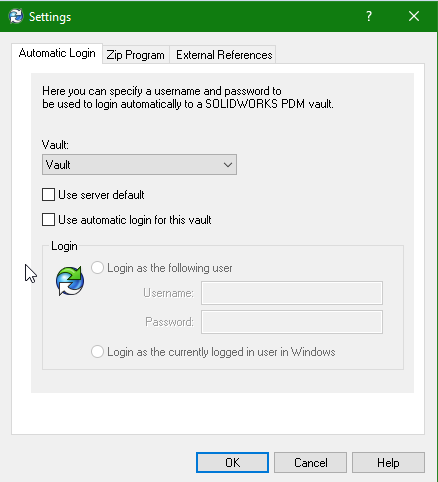
I have this setting on for admin and all users group.
I would like to cache two folders: toolbox (that we keep mainly for backward data compatibility and hole wizard customizations) and our template folder.
I noticed that “refresh cache during login” sometimes works, but almost fails.
If I log in with the admin account it works often, but still failing from time to time, On different machines, In a inconsistent way.
There is a way to have a user getIng the latest version of a folder at every login In the vault In a consistent way.
Another alternative: it is possible to create a dispatch that trigger getting the latest version of a FOLDER and all the files inside its hierarchy?
I also put the templates and toolbox in PDM and refresh the cache when I log in. I’ve only had trouble with the update not working reliably on one client. But the problem was probably because that client had WIN 11 installed.
When do you start the PDM on the clients? I put the PDM in the autostart folder on all clients and set it to log on automatically. This ensures that the cache update is done before SWX is started.
Is autologin set for all the clients?
image.png
I’ve found that when presented with this box:
image.png
Most users click the close dialog X and quickly click Yes on this one:
Some of the more “advanced” users will unknowingly end up in offline mode.
By not refreshing, what exactly are you not seeing? Client still showing that it has old version? Or file(s) not even in local cache?
There was an old bug where if you launched the “Search.exe” and PDM prompts for login, it wouldn’t trigger the cache. You had to login by accessing the vault directly. Never tested but sometimes I get prompted by PDM to login on Windows boot up. Not sure if the cache works in that case.
These posts explain behaviors I’ve seen in my current user group. They favor Search.exe over Explorer.exe for accessing vault files; and I have seen an unusually high rate of “blue folder issues” with this group.
The automatic login sounds like it should help with the caching issue
My undestanding is that automatic login will take immediately a license: that would be not feasible for us as many users use pdm only when needed. we track the license statistics and our current licenses are less than the users and still more than sufficient.
more than 100 licenses for pdm and cad combined, which IMHO are alrrady too much expensive considering maintenance costs the zero added value from the support contract with the VAR etc.
The license is returned after a set time of no vault actions. That time can be set in the flex lm settings file. Trouble is that the combination of Windows “quick access” behavior the vault path is getting pinged all the time. I intentionally leave automatic login off on my machine. Outlook is usually the process that hits vault path first. Sometimes opening explorer does it. I’m guessing both are hitting the recent file list. Anyway, if you can get all the windows “help me be more distracted efficient” stuff to stop hitting vault path(S) all the time, PDM will release licenses. I think ours is set to 15 minutes, default was 30 IIRC.
Windows Registry Editor Version 5.00

[HKEY_CURRENT_USER\Software\SolidWorks\Applications\PDMWorks Enterprise\Namespace]
"EnableAutoFileRefresh"=dword:00000001
Attached you can find the regedit, se at your own risk.
We are currently testing it, and it seems to work fine with no drawbacks. I hope it helps.
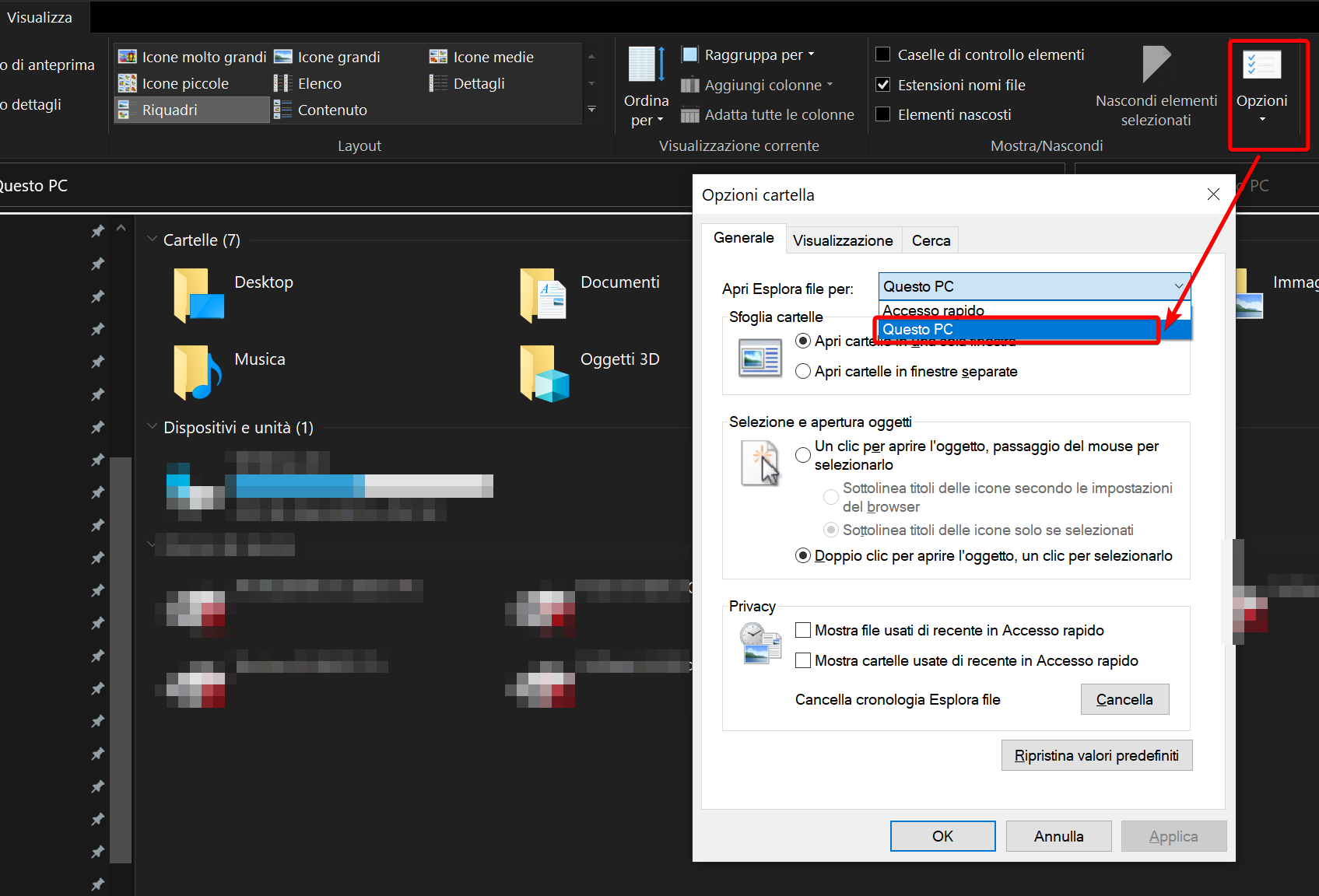
With further tests I was able to resolve the issue by setting the windows explorer options to open to “This PC” and not to “Quick access”, see the screenshot below (sorry in italian).
Since switching to W11, I have also been struggling with the problem that the cache is not being updated on some clients.
I have now discovered that the cache is not being updated because the autologin does not work as it did under W10.
I have created a separate thread on this topic. →
In PDM2023 there is a bug and the cache is not updated when the login dialog suppression is activated, unless you login manually from the blueberry icon.
That was a new feature introduced with pdm2023 and I got confirmation from the pdm dev team to keep it off otherwise it breaks the cache on login.
It was almost 2 years ago and since then MS was able to break windows OS and explorer.exe even more.