If you would hover over those buttons that stayed on the screen they would disappear. There was no other solution.
So now they disappear quickly?

If you would hover over those buttons that stayed on the screen they would disappear. There was no other solution.
So now they disappear quickly?
There was a time where they would (sometimes) stay on the screen until you restarted the software. It was a bug.
When I mate two components, the floating buttons (Lock rotation, change alignment etc) are displayed under the mouse pointer. It will stay there until I click it or move my mouse a little bit
After one day on the brand, new computer, I just got my first crash (SW2022, SP5). One a day is a major improvement, which is an appalling thing to have to say.
We should be moving from 2019 SP5 to 2022 SP5 soon. When it is done, I’ll report back here.
Have been on SW 2022 (SP4) for about a month now.
About the only issues that I am experiencing are new horrible behavior of the Datums attaching to GD&T Frames in drawings.
Also (and this is not SW 2022 specific…I came from SW 2018, so it is new for me), I am finding out that the new coordinate systems are still limited. They are nice, but would like more functionality from them. Like the ability to use the 3 virtual planes and the 3 virtual axes in sketches. But so far, you have to create additional reference geometry to get that functionality.
Dan,
Have you considered making your templates with these features already in place?
I don’t have 2023 installed but maybe they are closing the gap:
I have considered it. And that is what I ma doing. But would like more functionality from the Coordinate System.
Me too. Currently you cannot use it i.e. to define bounding boxes, to link it to appearances etc.
It might take until 2024 until this is implemented correctly…
I’m having one critical problem with SW2022 SP5.0. Can someone test if it is only me or is it a real BUG?
I have same kind of Hose Assemblies (own file each) listed in BOM. They used to be in one line, but now each Hose Assembly takes own row, even if the setup is to collect them in one row (same name). This looks very bad for us!
Went back to SP 4.0 and looks fine again!
I found a minor bug today. I had enhanced graphics set to off. In this condition, transparency became binary. It was either solid or invisible. Once I turned enhanced graphics on, it behaved properly.
Similar bugs I encountered with 2021 SP4 AND 2022 SP5:
Some drawings would simply not show the model anymore if you saved it while the sheet was active.
Switching enhanced graphics to on/off would solve it.
This problem is not consistently reproduceable across our workstations (which have different graphics cards/drivers). Sometimes enhanced graphics on solves the problems - sometimes it’s the other way around…
Had this problem with 1 of 3 of our seats, had to call our VAR, they gave us a new link to use for the download.
One of a problem I have, and it was also in 2022 SP4 when you have a more complex assembly with configurations a circular pattern would always reset back the value of the degree you type in to its initial. So, you need to delete this circular pattern and then recreate it and again for every value change 
After a couple of months of 2022, I can definitively say I wish I were still on 2020. I’m crashing several times a day, doing simple things like adding a view to a drawing. Yes some of the little annoying things have been fixed, but new ones have taken their place. I’m considering rolling back to SP4, I had fewer crashes with it (but I wasn’t doing much with drawings, which is where I’m experiencing all of the problems.)
There are things that don’t look proper with “enhanced graphics” off, but there are other things that only look correct with it on.
I don’t have any empirical data to support this opinion, but I feel like working with large assemblies is slower than in 2020. (When will I stop believing that hype?) There are times where “solidworks is busy” but there is little in the task manager to indicate what is going on.
This is in my opinion the same in 2021 for us:
This still happens from time to time. The breadcrumb that will only disappear by restarting the software.
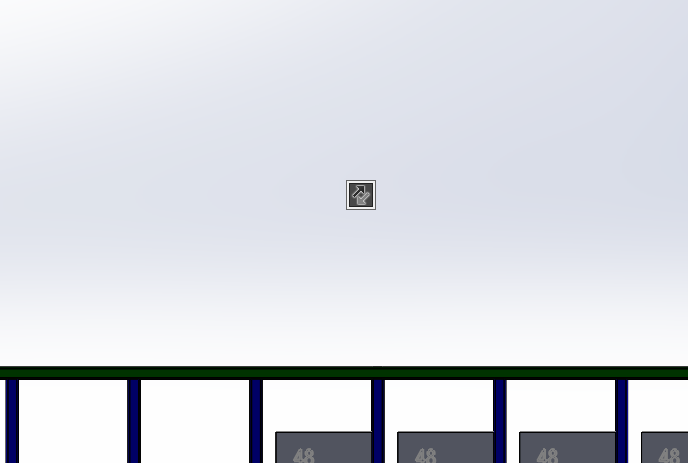
hovering over it does not solve the problem?