So, we’ve been trying to let go of our dependancy on old softwares and are trying to do everything with SolidWorks right now, that includes creating stickers and other things that would most likely be better adressed by a design department with PhotoShop/Illustrator at hand. From my understanding, one of the issues we’re unable to solve is that our supplier cannot use what we send him as the text comes out choppy. Our suppliers answers that they need non vectorized text or else the quality is choppy. This is what we send him, we’ve sent it as a DXF, as a PDF, as a .AI, none of them worked.
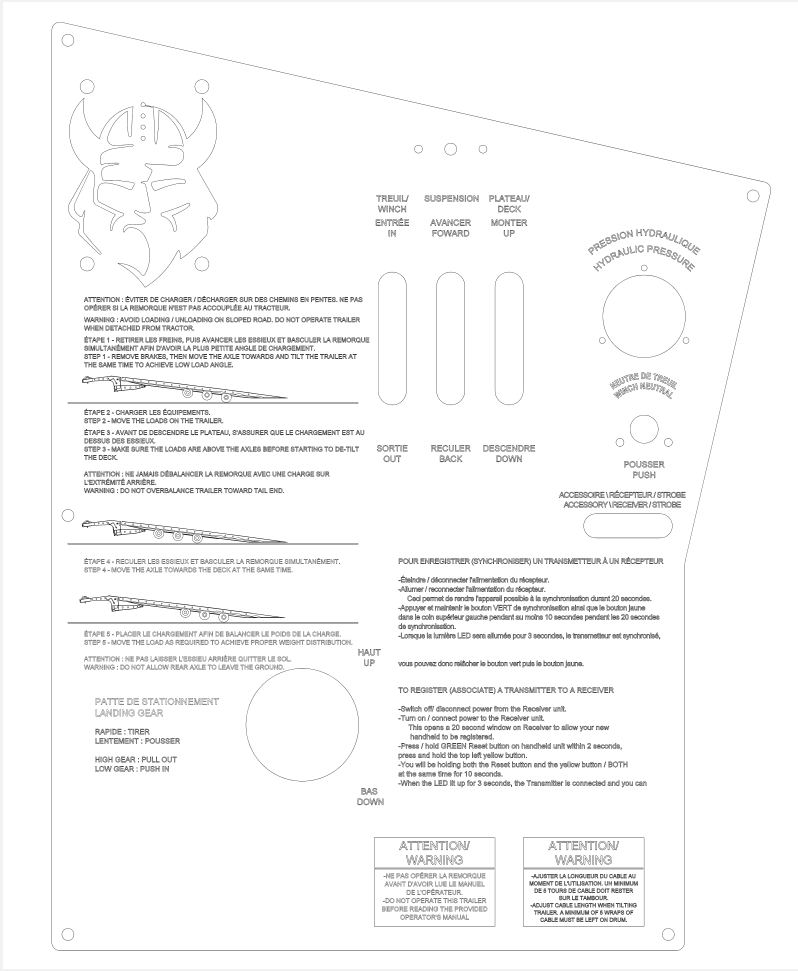
This is the image he gave us to try and display the issue:

What is your image quality in the part?
image.png
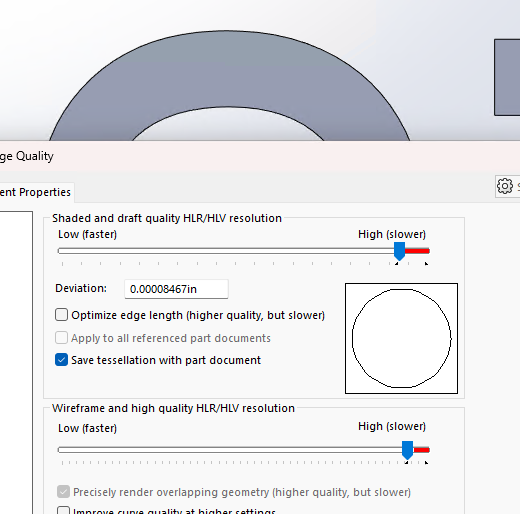
Regarding the PDF. Have you adjusted the export settings?
image.png
Maxed out and those settings are on, we’ve been trying everything we can come up with
You try to laser cut/mark it? Silk screen?
The letters are extrude cut? In SolidWorks?
Can you share the file?
In terms of methods of creating the text, we’ve tried extruded cuts, surfaces, text inside a sketch with the sketch being shown.
In terms of exporting, we’ve tried exporting as .DXF, .DWG, .AI, .PDF.
We’ve tried exporting from a drawing and from the part.
Awaiting response for sharing.
Could be the font.
Some font use spline which CAD will estimate with segment because there many spline types and CAD only use a few.
Here’s the .SLDPRT, in this case it’s only sketch.
2023 SP4.
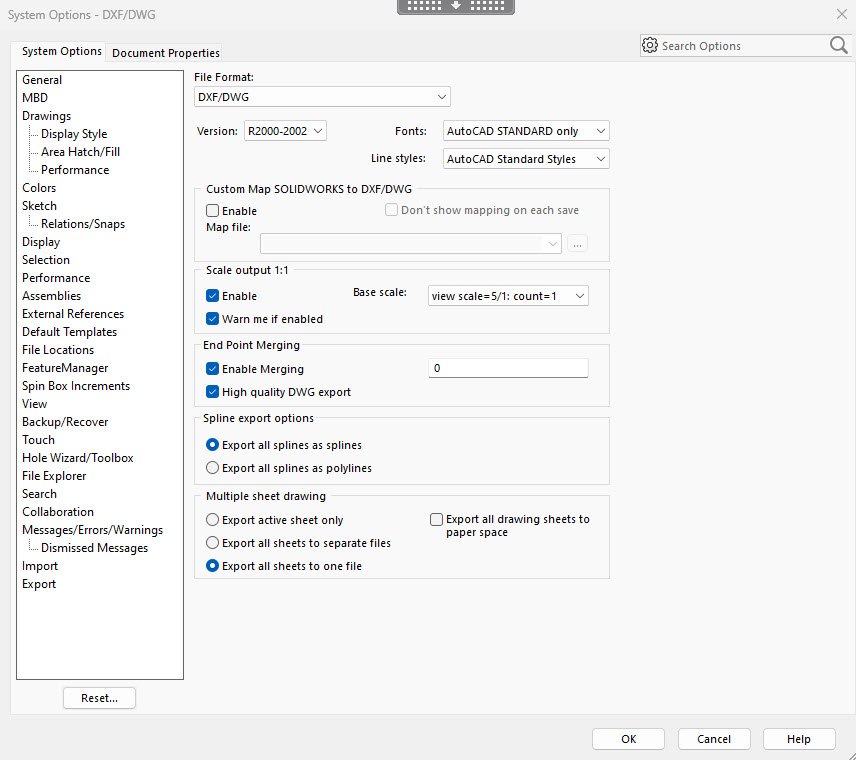
My setting SW2022:
2025-02-11_15-33-02.jpg
Damn, can’t attach DXF file.
SWExport-Test-01.SLDPRT (136 KB)
I pushed the image quality on both the part and the drawing up to the red line. I set the scale in the drawing at 30:1 and generated a PDF.
image.png
The DXF also looks pretty good. (I can’t attach the DXF file.)
image.png
FINE–.pdf (399 KB)
It looked pretty good on our end too but it didn’t work on the supplier’s end because of the formatting. If I am understand things correctly, the text needs to remain as text and not become simply lines/splines.
When they try to do whatever manipulation it is they need to do, the center of letters like O or the hole in p or q will fill up, as if there was either an open border or they were doing a filter selection by colors to fill and then are stuck there with imprinting going wrong. Sounds to me like they don’t know how to use their programs, but then again I don’t know what program they use.. AND, it’s the third company that gives us basically the same answer about vector issues
I use Lightburn with my laser:
https://lightburnsoftware.com/
What are you doing? Engrave the letters? Cut them out?
You can let them pick their font, type it out and do whatever they want.
I remember a similar problem exporting DXF’s from NX 10+ years ago. Things looked fine on our end, but the manufacturer saw something similar to what you are dealing with when they imported it. There was some setting in the DXF export that solved it. (I think there was a setting for the spline export that limited it’s length, or it’s angle change.)
At the end of the day, it is extremely difficult to troubleshoot a problem that you can’t replicate. I’m pretty sure the real problem lies with their software. It is not like eDrawings is doing some sort of magic to take a bad DXF and make it look good.
You’ve flipped every switch possible in SW. They’ve either got to fix their software, you your company needs to invest in Illustrator, or similar.
I’ve been very subtly pointing in that direction for a while 
It was engraved at first, then it was as a label to stick it on a plate to make the plate lighter, then it was changed as sorta mixed metal/plastic plate that has prints on it.
As far as I’m aware, we want it engraved in a stainless steel plate. I’ve been hinting at getting an engraver also but I need to justify it. I think all the trouble we’re going through every time is enough justification but I guess to others it isn’t.
They’re thinking a 2 mil Trumpf fiber laser cut.
Not a $3000 diode/co2 laser engraver.
BTW I can engrave stainless at home, how many do you need?
LOL
I’d create all that text in Inkscape, not in Solidworks. It’d be easier and the text would stay as text.
Dwight
My boss said we’ll just continue doing it on AutoCAD 2000 and when our Windows XP sessions die we’ll buy a dedicated license of either ACad or DraftSight for these purposes. We were seeing if we could do without. We can achieve what we desire, we were just trying to get the results from SolidWorks rather then from an alternate program. It’ll be more useful in the end for the company then a PhotoShop/Illustrator license.
IMO, that is like plowing a field with your Honda, because you already own it and a tractor is too expensive.
I know you aren’t making these decisions, but sometimes management can’t see the forest for the trees.
In this case, I can understand the preference to remain with a dedicated licence to another CAD Software rather then a dedicated licence to a graphic editor. It sort of keeps these things in the hand of the engineering department rather then assigning it to someone who might need to be nurtured in order to accomplish the desired task.
The CAD Software also allows us to access our archive files and also continue certain tasks which have remained on AutoCAD. Being a rather small company, the engineering department is sort of the heart of the company so these decisions are somewhat important in the sense that the engineering department continues to help the company prosper by developping those inside the company who aspire to.