Today I needed a model of a threaded rod for a small project, and I happened to remember seeing some in our standard parts library, so I copied one to my project folder and opened it to make some edits.
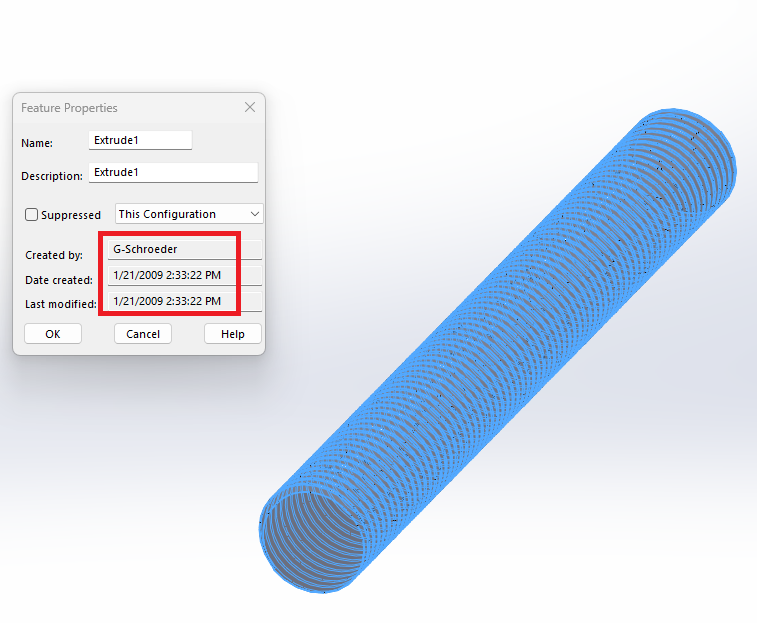
One of those edits consisted of placing a hole down the center of it. When doing it I was surprised to see that it was modeled with the origin on one edge instead of down the center. Of course I thought “Who in the hell did that?”, so I went to the feature properties to find out. Guess what I discovered?
That was about three months after I first heard of Solidworks, and about five months before I was moved from the construction crew to drafting full time, and would just fool around with SW when I wasn’t busy building forms, or tamping guardrail posts, or pouring concrete, or some similar fun activity.
Going through old projects always reminiscises memories of how far we’ve come along in the past 10 years. I started in 2D on AutoCAD 2000 and was in charge of the transition from 2D to 3D. Of course I had a few training courses under my belt when I was thrown into the project, but I was very motivated and excited to have the opportunity to do so.
Looking back on our first SolidWorks projects and going through not only how the parts/assemblies were built but also the drawings and seeing how far not only the technical department has ‘evolved’, but also the rest of the company as a whole. It truely is contrasting to see when it’s all layed out.
Technical department introducing the Skeleton Method was a major upgrade for us in efficiency and design intent and also somewhat forced a semi-standardisation inside the company.
Then, Engineering department introducing Lean manufacturing and ‘Toyota way’ practices brought people to think differently inside the department and be more proactive.
Spreading the Lean Manufacturing and ‘Toyota way’ across other departments including the production line is where we’re at right now. Still as excited as the first day, even though I have no affiliation with the production project, it’s still awesome to see the company grow in such ways.
FWW, I had 5 students share files in my CAD course, they had to submit their printed assembly pack. While grading 100 of these I came aross one that I thought I had already graded so I went back thru to ones I graded and found the the exact same drawing, you see they were so bad (didn’t follow the directions from my examples) that they stood out.
so I set those aside, found 3 more … long story short I used this to show them that I can find who modeled the parts and features via the properties. One student did all the parts all the others did was add the names on the part so so it show in the drawing.
so I hope that they learned to do there own work… but now theres frikin AI???
EDIT: Oops, I attached the wrong file!! See later post…
I know this is about forgetting stuff that you’ve done, but just in case you ever want to figure out who did any feature in any type of document (rather than just modeling features in part documents) you can use this macro. It will output the feature properties of drawing views, mates, components, etc. to either the immediate window of the VBA editor or to Excel. These properties exist for all feature tree items, they’re just not accessible in the UI for anything but part features for some reason.
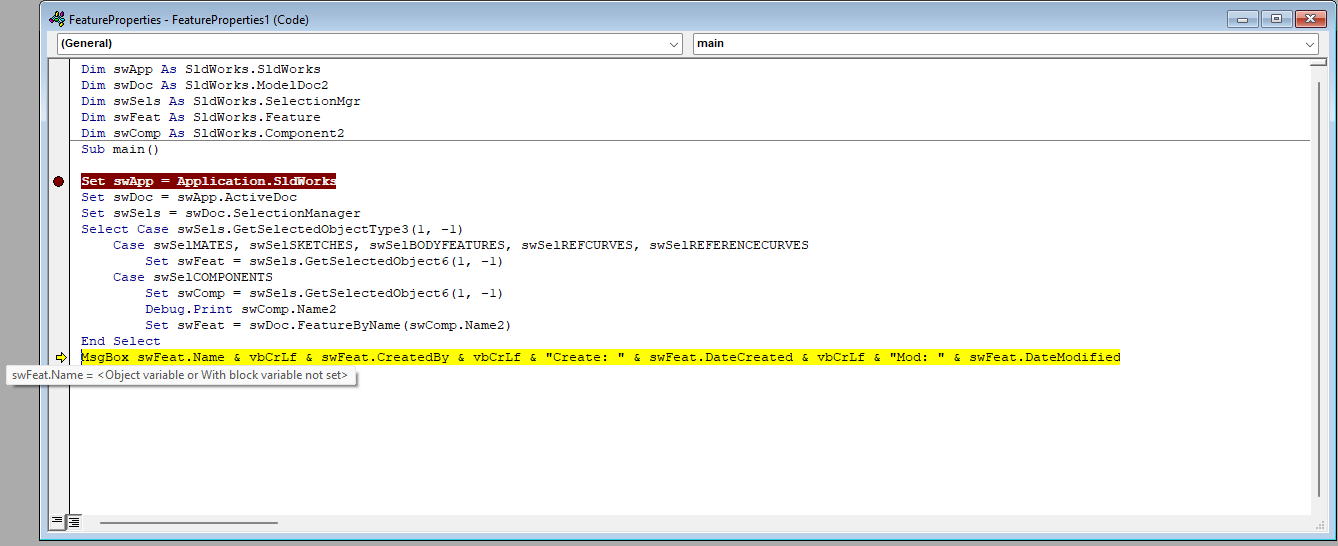
Tried the macro with a part, assembly, and drawing and get this error. I stepped thru and it runs by each CASE statement but doesn’t process anything under them.