Not new to solidworks or PDM(use) but I am new to trying to set up workflows(states and transition).
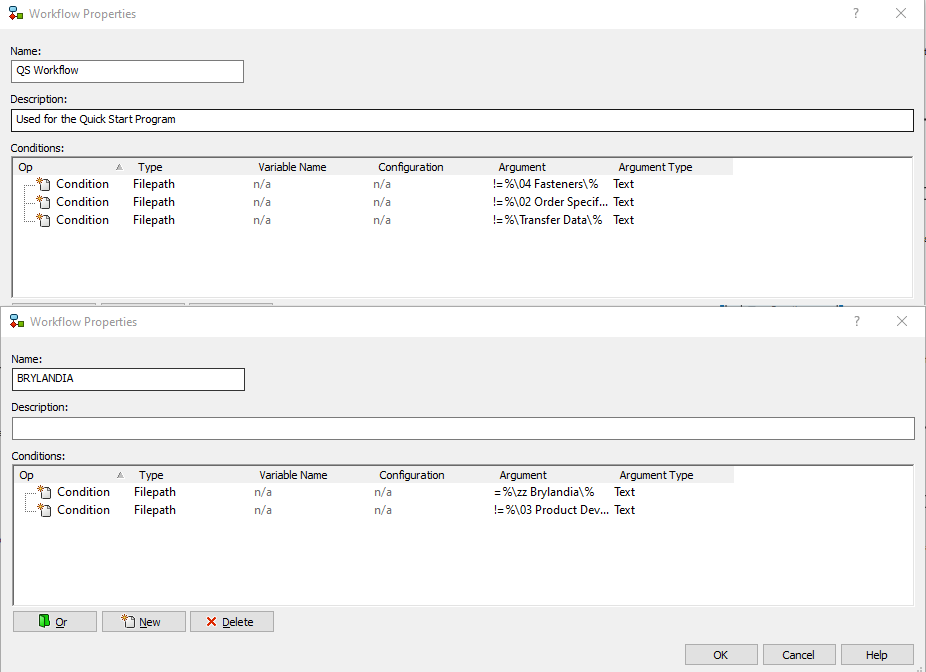
I’ve created a new workflow and set in the properties a file path condition “=%\zz Brylandia%”
I assumed that this would apply this workflow to any part created in \Brylandia
However on check in, it enters a previously created QS workflow.
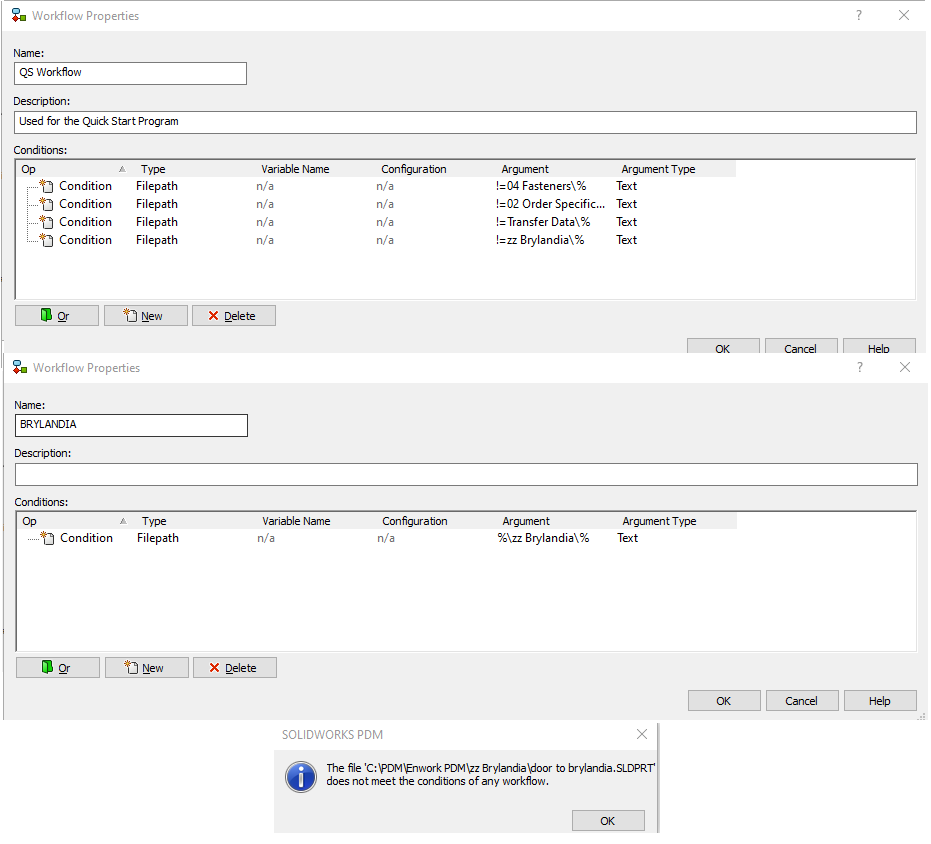
I added to the QS workflow “!=%\zz Brylandia%” hoping this would exclude anything in zz Brylandia but then on check in I get a “does not meet the condition of any workflow”
Is there something I am missing!
I would like any file created in a particular folder to be added to the workflow for that folder.
The workflow properties are the only thing that determines where a file goes. If two workflows aren’t set up to be 100% mutually exclusive, there is no guarantee which workflow will get the file. Can you post a screen shot of the properties page for you QS workflow and your new workflow?
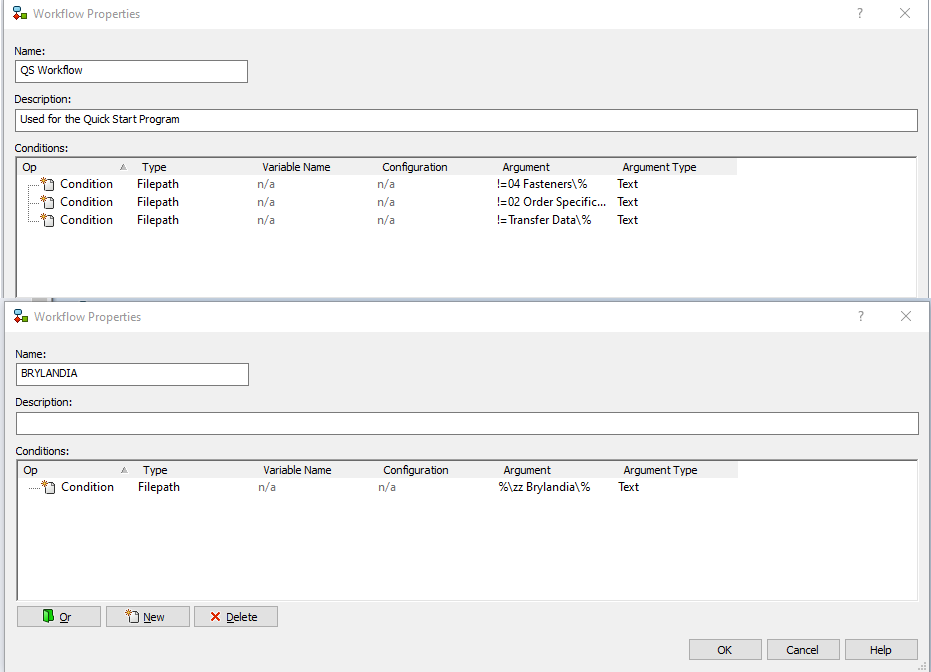
Get rid of the ‘=’ in your BRYLANDIA condition. Also, FYI if your 04, 02 and Transfer Data folders are at the top of your vault, you don’t need the leading ‘%\’. Having it there could potentially cause a problem if someone created a subdirectory somewhere with the same name.
Same results (it enters the QS workflow)
Would it make it scent to added the file path conditions to ALL the workflows and simple add an “ON” (“%”) or “OFF” (“!=”) to each, to ensure they are all mutually exclusive?
These conditions aren’t the mutually exclusive. The top one will exclude files in a folder named zz Brylandia only if it is a top level folder just below the vault root. The bottom condition will match files in any folder named zz Brylandia. So a folder in some deep down subdirectory named zz Brylandia will match both conditions and PDM will choose one (most likely the workflow created first). Try changing tyhe top condition to:
I took a better look at the post and @JimSculley is right.
If you have a default workflow without conditions and another with conditions they are not evaluated at the same time, but there is a priority during runtime.
The problem is that with multiple possible workflows they must mutually exclude each other or the evaluation results could be unpredictable.
As @mp3-250 mentioned, any worflows without any conditions will get selected seemingly at random.
We have all workflows setup with a “bogus” condition that will never be true, except for one WF called “Initiated”. Then we filter all files through the “Initiated” workflow that has WF transitions to all other workflows. the transitions have the rules, some are automatic, some not.