Well I thought when you make an assembly all the part files get saved in the assembly, I have apart that was made virtual and I added a few dozen configurations to a few parts.
when I look at component properties of the mia component it gives some folder location:
C:\Users\jmoses\AppData\Local\Temp\swx532\VC~~\TMP-SD-200-1147-VIrtual\Copy of TMP-SD-200-1149^TMP-SD-200-1147-VIrtual.SLDPRT
vs a part that is there:
Copy of TMP-SD-200-1150^TMP-SD-200-1147-VIrtual-@TMP-SD-200-1147-VIrtual-
I was closed my solidworks and saved a version for my coworker and removed the configurations in that assembly and now none of my original files even ones placed in zip files prior to the change have the given components, so what gives or what am I doing incorrectly.
I even went through and deleted all my temp files and still all gone….
Yes, doesn’t look promising, I must have like 12 zip files of the assembly of all my iterations and everyone seems to be defaulting to whatever the location is that is MIA.
I even zipped it out on a network drive and would think it would be there in that virtual assembly but nope.
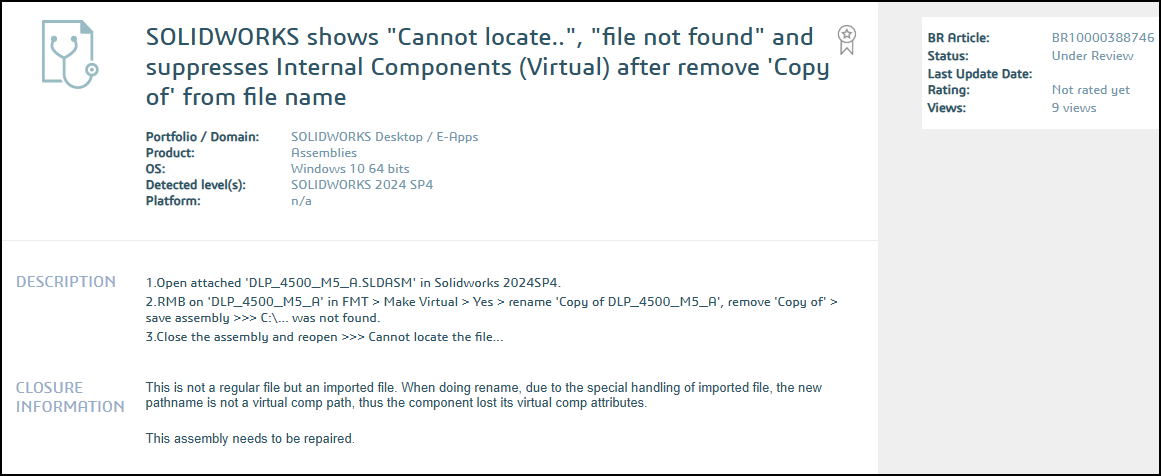
Which version of SolidWorks are you on? I’ve seen this a bit in the past, its a bug that loses the internal files. The location its showing is the usually hidden temp location where the assembly unpacks the files when loading. Its a Windows temp folder and some programs clean it out, however that shouldn’t normally affect Virtual Components as it will recreate them when opening the assembly again.
The bugs causing this have been mostly addressed over various versions since its introduction, although there may still be a few. We are on 2023 and don’t see it near as often.
Agreed. I had something like this happen only twice since Virtual Parts were introduced. And I use them extensively. Also, I’m still using SW2017 and haven’t seen it happen in many years.
on SolidWorks 2024 SP3.1 so not sure the root cause as I like many of you have been using Virtual Assemblies for years with very little issues, until now.
Nothing like recreating 12 versions of everything you did over the past month, what a PIA.
Guess any parts I update are going to be saved externally to the assembly and see how that plays with things.
FWIW.. i notice that virtual components become “lost” more often, when you do a couple of things:
Make copies of copies
Leave virtual components inside a virtual sub-assembly
For me, i always save the assembly file externally at a minimum. I also try to limit the copies i make of any specific part, while also making sure I give them a unique name.
We use virtual componetns extensively, in all kind of ways. Vendor imported assemblies, everything is virtual, sub-assemblies upon sub-assemblies, and parts.
Then we have in house built products, where we create virtual sub-assys that don’t exist as part numbers. They make sense from how things go together, but the factory doesn’t build it that way, or its kitted, etc. and they want the BOM structured different. We set these to “Promote” the children in the BOM. They can contain regular parts, virtual parts or sub-assys, etc. Biggest problem we have with them now is PDM, renaming a part that exists in a virtual sub-assy doesn’t get updated in PDM. Which is strange because the DB does know they exist, they are stored in there just like regular parts.
Note the directory in the path that starts with swx. The number is the process ID of the Solidworks session that put the file in that folder. It’s usually emptied out after closing SW. I think if SW crashes it leaves the folder, and possibly the files you’re looking for. If your current SW process ID is different than the folder that contains the files you want, sometimes you can copy them to the current folder. I was able to retrieve a few “lost” virtual files this way. No promises.