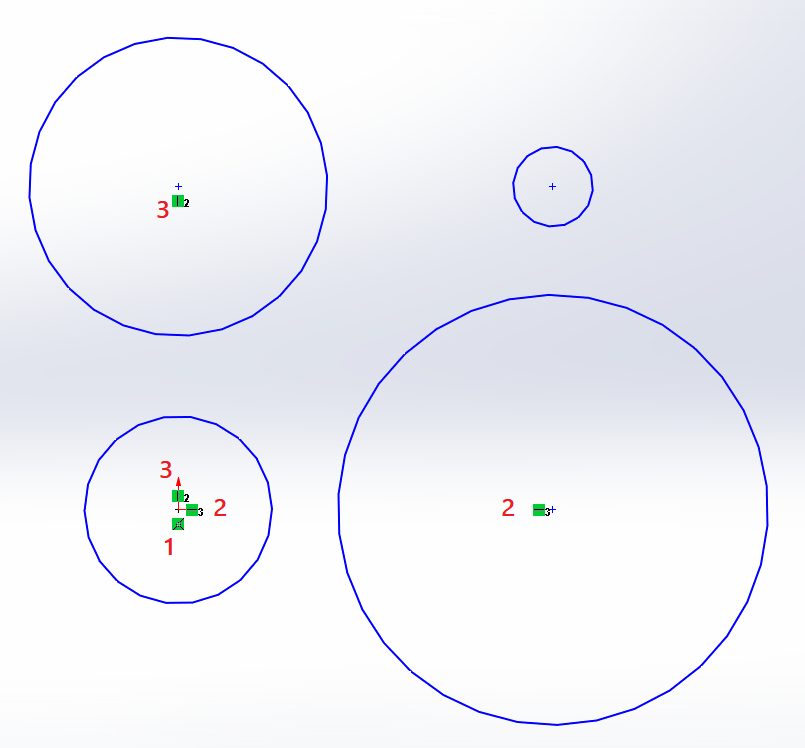
If I have a .SLTPRT sketch that has a fully constrained (x, y, and diameter) circle and I click on the circle itself, I only see the diameter relation under “Existing Relations”.
How would I see the x and y relations?
In other words, why aren’t the circle’s center point relations displaying?
If I click on the center point, sometimes I see the relation I need to, and sometimes I don’t.
I feel like clicking on the circle itself should show all relations.
Top left circle is constrained vertically to origin (#2)
Top right circle is constrained to nothing
Bottom left circle is constrained coincidently to the origin (#1)
Bottom right circle is constrained horizontally to the origin (#3)
If there isn’t a relation, it isn’t constrained as far as I know. Do you have examples where that is not the case?
I have seen the same behavior. The center point and the circumference are treated as two different entities.
I typically use the “Display Relations” button and try and use the filters to narrow it down from there. ( Worst case I just scroll through the available options until I find the one I am looking for.)