I’ve hit my first major stumbling block with 2022 SP4, and it’s a good one.
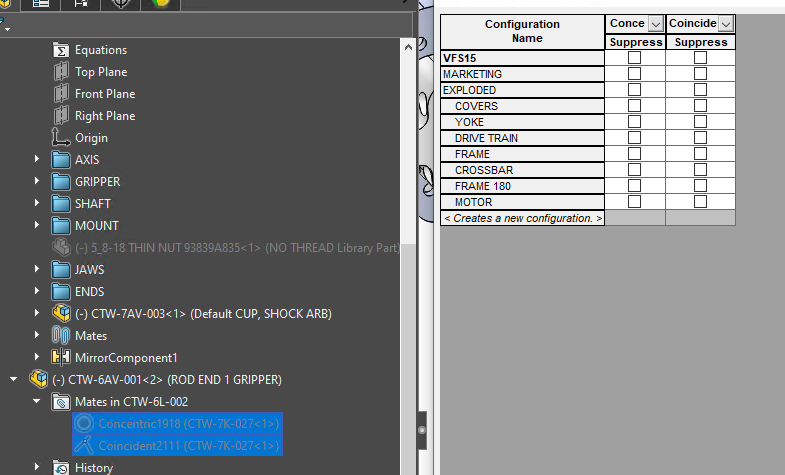
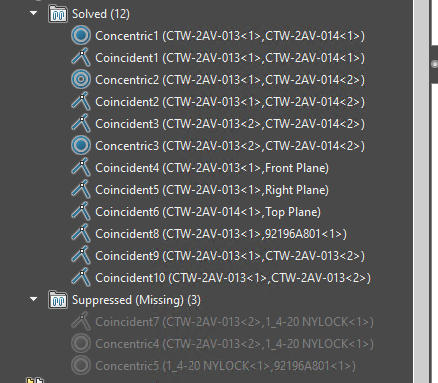
Solidworks shows a couple of restraints in my assembly as suppressed. But when I try and unsuppress them, it only give me the option to suppress them.
image.png
Any idea how I’ve gotten my assembly into this condition, or how to resolve the problem?
So many times…I wish they would give it a different indicator. Need mate icons for Suppressed, Unsuppressed, and Unsuppressed but component suppressed.
Thanks Glenn, I keep forgetting about that darned setting too haha, which reminds me I have to toggle that setting on one of my colleague’s workstation so that they show up as errors because he’s been leaving mates with missing references everywhere.
Yeah, be careful with those settings. You then get users screaming that the software sucks because the new version has mate errors that weren’t there before. Not that doesn’t happen but this settings makes our mistakes much more visible and the truth hurts.
IIRC, somewhere around 2003-2005 mates wouldn’t show any error when a reference was lost. Then they fixed it in a new version and the users were upset. Had to explain that the error was there before, it just didn’t tell us. Didn’t matter as they now had to fix it and it was more work in their minds. I guess ignorance was bliss. Looks like the complaints resulted in this new option to ignore the errors again.
I tell everyone I work with that there has to be no errors in their tree for the program to work optimally, so I sometimes see some turn that off so that lost mates do not show as errors. Okay sure, they don’t show as errors, but the problem still persists that SolidWorks has to calculate that missing reference mate.
It’s what’s hard to get people to understand. It’s not really noticeable until it’s exponential. You don’t notice it in an assembly with one missing reference mate, but you notice it in a master assembly that has 10+ sub-assemblies with missing reference mates in each of them.
The easiest way I got people to understand it, was to let them toggle it and once their line of products get rather heavy, I go and toggle that back on and then “fix” the mess that has been created and show them the noticeable difference in efficiency.
It’s funny, because they then notice that if they had replaced the missing references rather then recreating mates to replace the “missing reference mates”, there are times where they could apply the reference to multiple mates just by editing one.
DanPihlaja I don’t know…even for conceptualizing I think it will still bite you in the ass. If you didn’t want the mate errors…you could always delete the mates and fix everything.