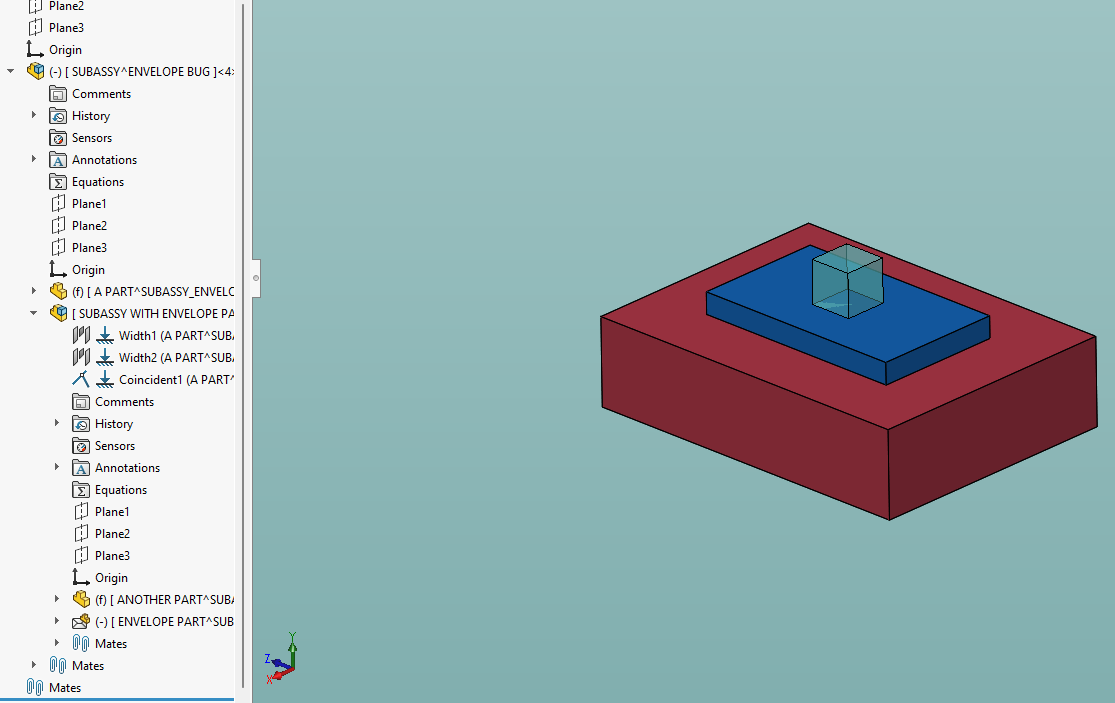
I have a two users with fairly complex assemblies that are behaving strangely. I distilled the issue down to an extremely simple example and the behavior is a sight to behold. Here’s the complete feature tree:
The top level assembly has a single subassembly in it, which is not fixed. There are no mates at the top level.
In this subassembly, the red component is fixed and mated to a second subassembly that consists of the blue plate mated to the cube which is an envelope part. FYI: the mates are actually irrelevant. The strange behavior occurs even with no mates applied anywhere.
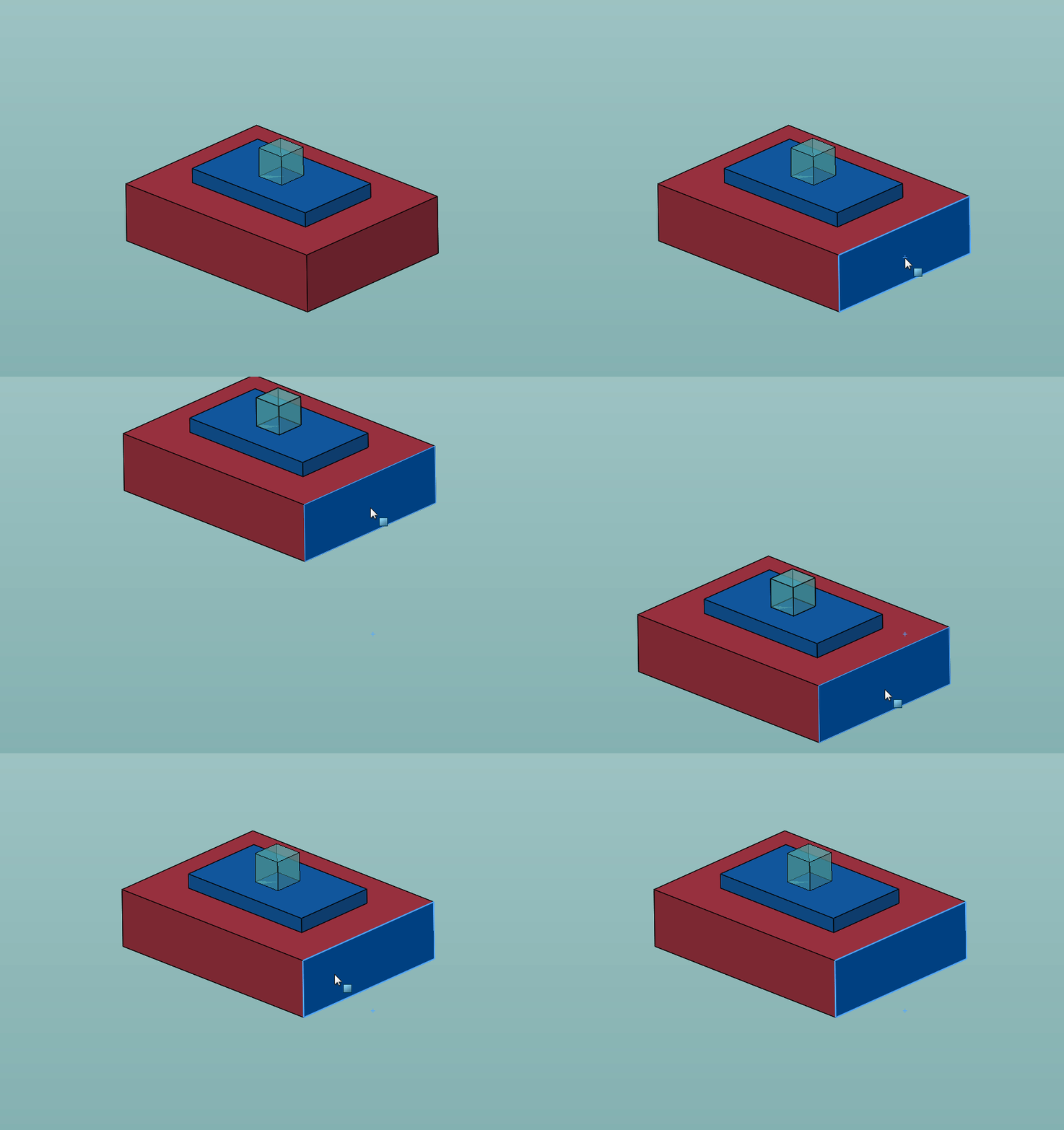
In the top level assembly, if you drag the part, the entire subassembly moves as a unit as expected:
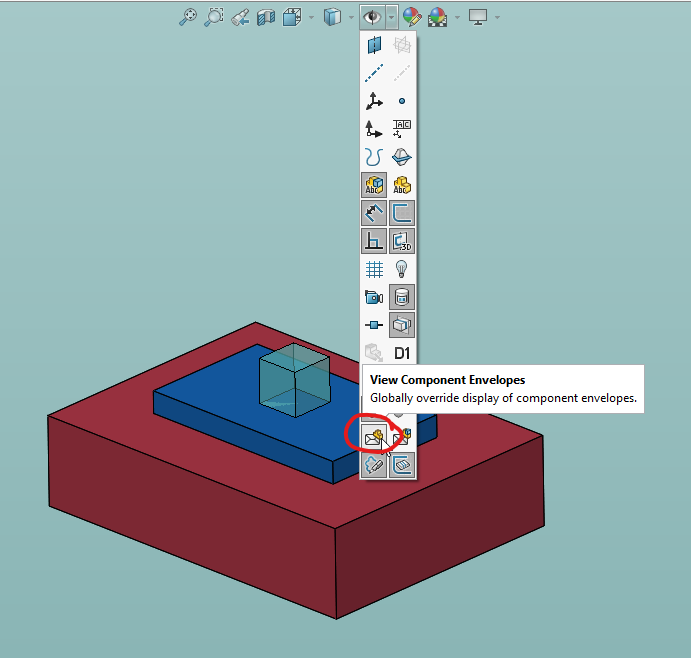
Now the fun part. Turn off the ‘View component envelopes’:
Now try dragging the red block again:
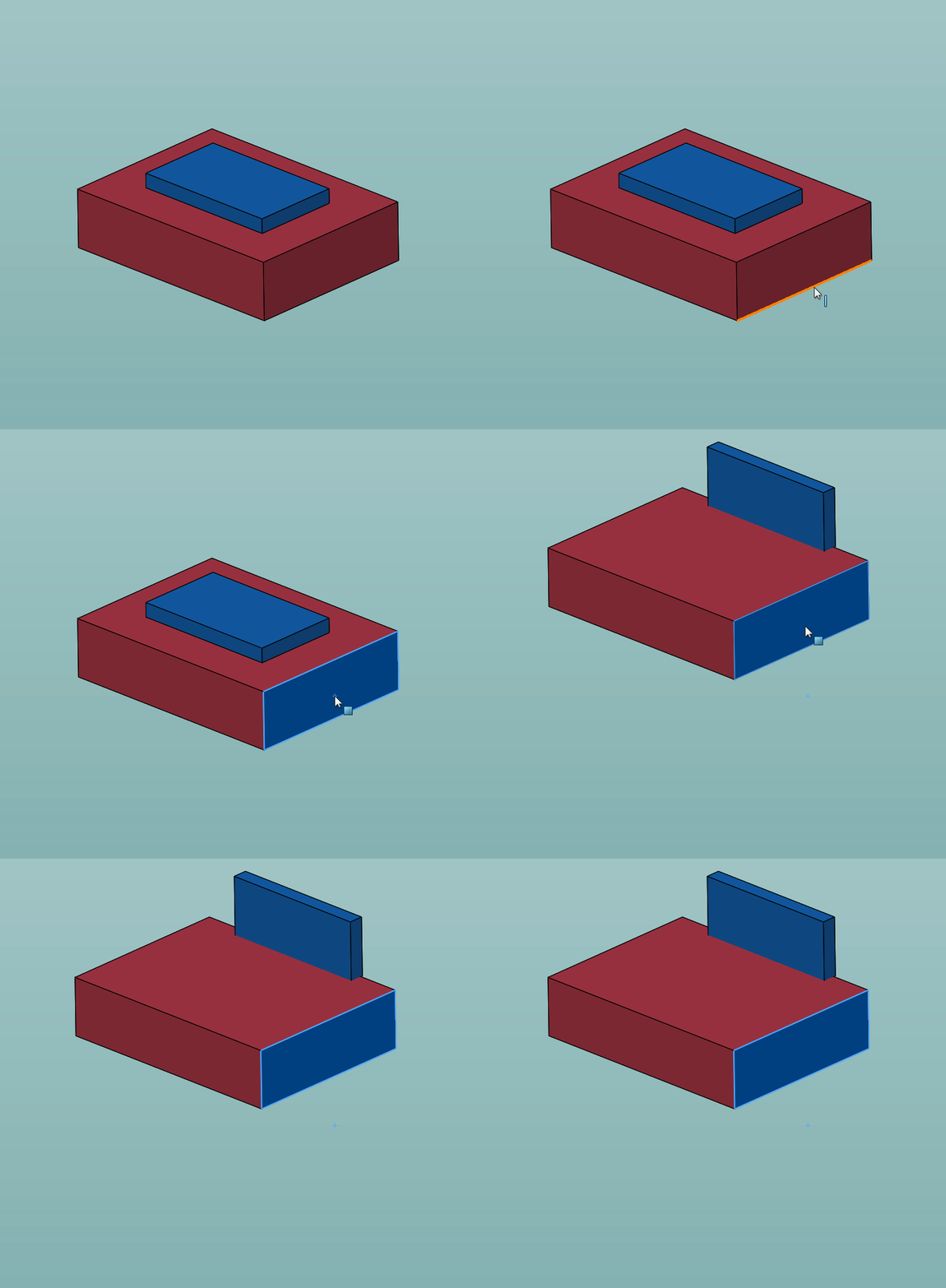
The subassembly reorients itself. Users had entire subassemblies flipping all over the place. A rebuild puts everything back to normal. If you turn the envelopes back on, it behaves again. I’ve also noticed that it will happen when mating parts as well.
Here’s the assembly if you want to see it for yourself:
ENVELOPE BUG.SLDASM (400.6 KB)
Once I boiled it down and found the cause, I went to the KB and found this open BR which describes the same problem:
Assembly display issue due to Hide/Show View Component Envelopes, needs a rebuild
FWIW, working correctly in 2026sp0.
That is an odd bug. I can’t even imagine what is happening codewise to do that.
The knowledge base link doesn’t work for me. (This isn’t unexpected. I struggle finding things in the SW KB.)
Looks like the sub-assembly is set to “flexible” (in Inventor term) which allow movement in upper assembly.
The report number is BR10000361289 if you want to search for it directly.
Nice. Here’s the report content:
=================================================================
 |
Assembly display issue due to Hide/Show View Component Envelopes, needs a rebuild |
| Portfolio / Domain: |
SOLIDWORKS Desktop / E-Apps |
| Product: |
Assemblies |
| OS: |
Windows 10 64 bits |
| Detected level(s): |
SOLIDWORKS 2023 SP2 |
| Platform: |
n/a |
| Description |
Reproducible Steps: 1. Open Top Assembly in resolved mode 2. In the Feature Manager Tree, expand the Mates for subassembly 3. Suppress “Concentric” mate 4. In the Graphics area, select the component “X” and move it, see the display is fine. 5. In the Heads-up View Toolbar, click the dropdown arrow to Hide/Show Item > Deselect “View Component Envelopes” 6. In the Graphics area, select the component “X” and move it, Actual Results: Some components are not in the correct position. A rebuild is required to update the display. Observations: 1. Currently this issue is observed with two file sets on the customer end. 2. The user is unable to identify the workflow to re-create this scenario on other file set. |
| Closure Information |
This issue is reported to Dassault Systèmes development team. |