Thanks for offering to look at it.
It’s actually any file I create now. Even just a simple cube. I create it, save it, quit SolidWorks. Launch SolidWorks again, try to open it, SolidWorks crashes.
Will try resetting Custom Settings now (resetting the SolidWorks registry).
Not using PDM. Found the problem though. There was a 3rd party Add-In that was seemingly the culprit.
Clearing my User Registry Settings allowed the system to throw up the Error message pertaining to that.
(So good idea AlexLachance , but just un-checking the Dismissed Messages did not allow that particular message to appear. I had to completely reset the SolidWorks registry in order to see it - following instructions in this Link).
Then I restored all my custom settings EXCEPT “System options”.
And now I can open all my old files it seems.
(Restoring System options would make it crash again)
image.png
I had no idea the SolidWorks Custom Settings could become corrupt! (What will they think of next?)
So instead I saved out 7 versions of my custom settings.
One with all the settings intact. And one with each of settings type removed. Meaning one without System Options. One without Toolbar Layout. One without Keyboard Shortcuts, etc. And I tested each settings package to see which ones worked / didn’t work. That’s how i found it was just the System Options that was causing the error. So now, I fixed the error and have ALL my other settings in tact! (And backed up…)
Once you have it, save one that will never change that will become a start-up template, and one that will be ‘yours’. This way, you ensure having a custom settings that is proper for all the company and that never corrupts itself and one that is the same as the company but with it’s customization that belong to you.
Mine are always changing it seems. Tweaking one setting here, another setting there occasionally.
I’ll have to save out a new Custom Settings file any time I modify any setting at all.
Otherwise I’ll never have the latest one if it gets corrupted again.
Incremental backups.
Tweaking one setting here and there isn’t too bad compared to recreating an entire setting file But yeah, incremental backups is a good alternative too, it is how we used them here at first. setting_user_date was our “incrementing”. We stopped doing these because we’d end up carrying over the corruption. So, we have the main setting that is the “standard” where I work, and then we tweak that setting to change things at our preference and save it in a new file with our name.
Reason we stopped also is that we noticed that the corruption sometimes came from an even earlier save that hadn’t caused issue up until now. SolidWorks Registry wipe is done just about every 6 months on our computers to reduce risk of corruption.
You can “test” which part of setting cause the crash.
When you restore, don’t restore everything. Only restore one group. Until you find one that crash.
Let’s not forget I’m also “assuming” a bit here too. Maybe the registry setting wasn’t affecting the setting that was corrupted too, all I can say for certainty is that:
-Restoring settings did not fix the issues when they began.
-Saving a corrupt setting and trying to partially restore it to find the source of the issue did not change anything as the issue arose as soon as the settings were partially reloaded.
-Doing a registry wipe fixed the issue
If I remember correctly, I got the casual “Template corruption” excuse from my VAR when I reached out to them about this issue, without further any explication as to how to fix or work around the issue.
I recreate my entire settings from scratch every year I upgrade, just because SolidWorks is so great at causing issues just because they “remodeled” something. To do so, I take screenshots from all my settings tab and then recreate it in the new version. It’s also a good exercice to notice the new settings and what has changed.
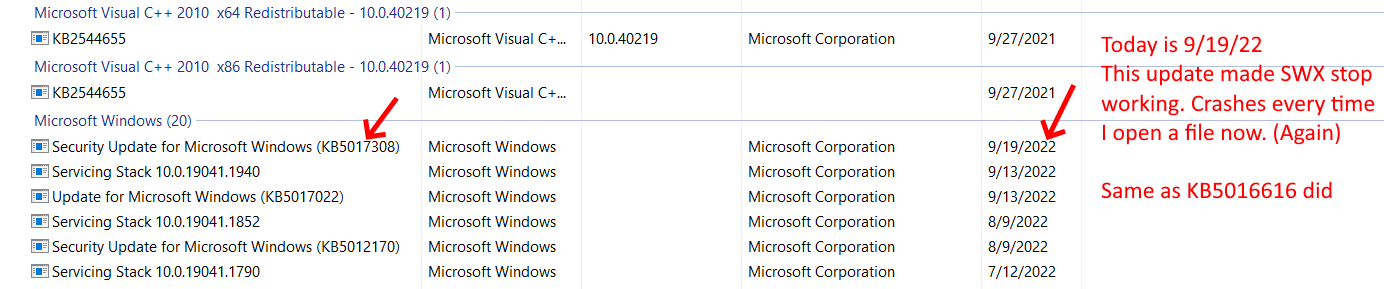
Wiping the SolidWorks part of the registry fixed my problem for a short while. However Microsoft updates seem to have broken it again.
It seems like the Security Update for Windows is the culprit.
My SolidWorks worked fine on 9/17/22
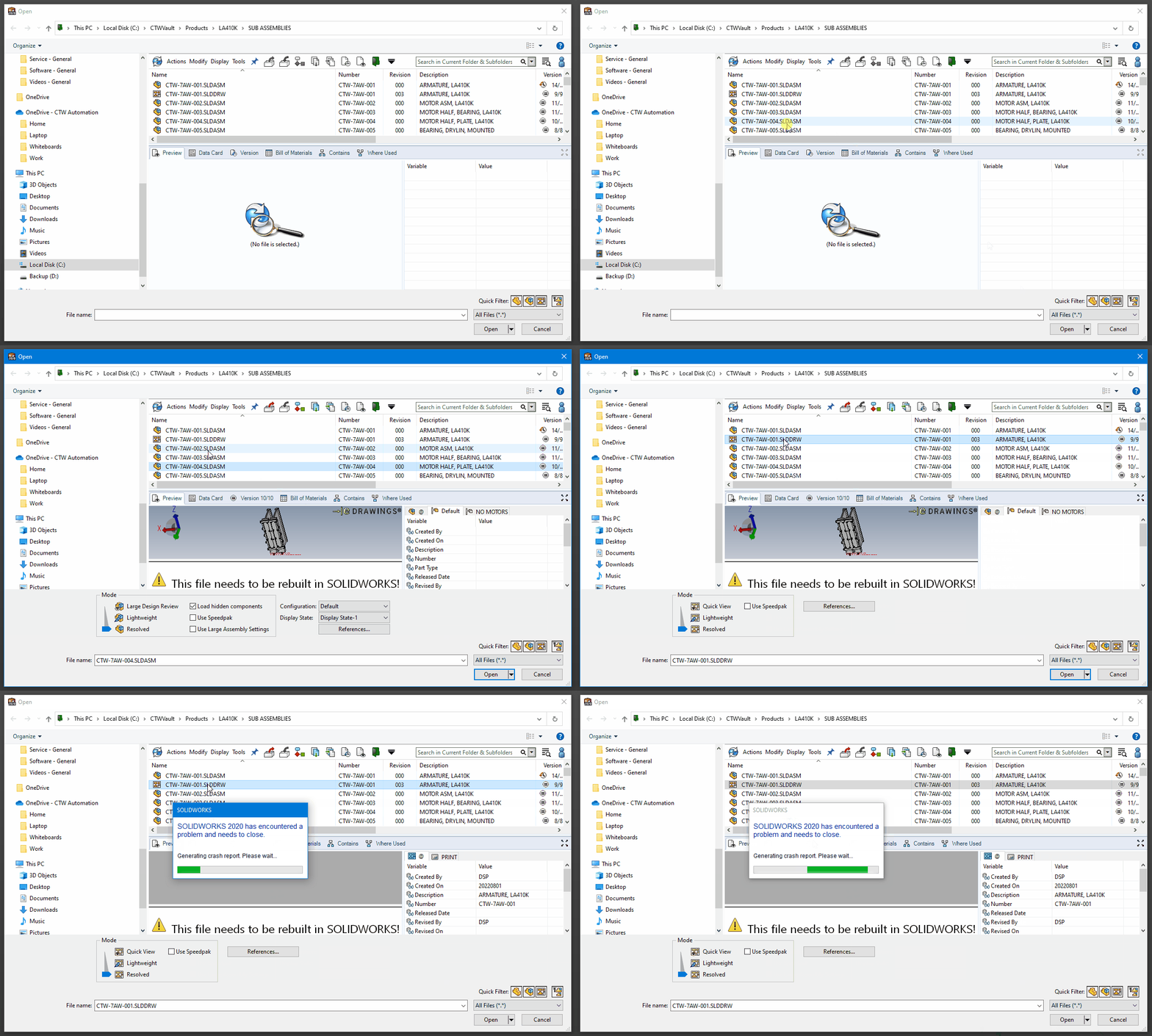
9/19/22 I logged in, Microsoft did their forced updates, and voila. SolidWorks doesn’t work anymore. Back to crashing on File->Open.

 But yeah, incremental backups is a good alternative too, it is how we used them here at first. setting_user_date was our “incrementing”. We stopped doing these because we’d end up carrying over the corruption. So, we have the main setting that is the “standard” where I work, and then we tweak that setting to change things at our preference and save it in a new file with our name.