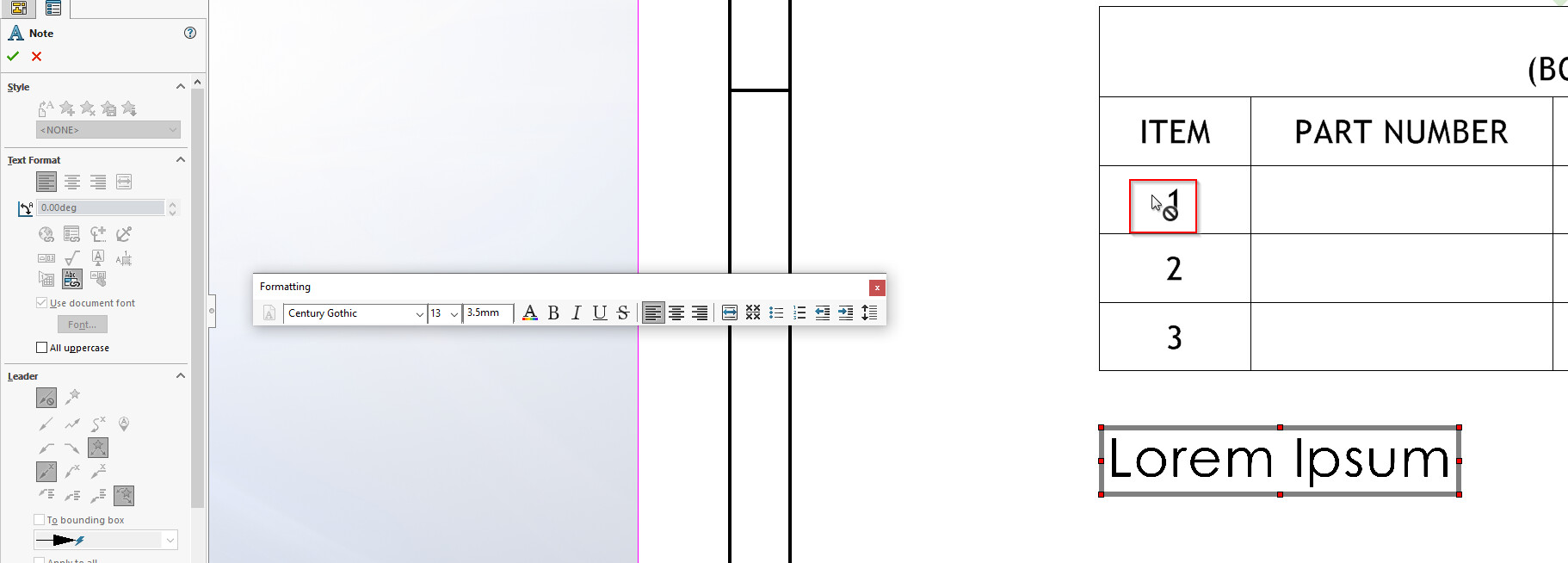
For some reason, i could not seem to link the bom cell to note in solidworks 2021
The cursor show a stop sign and nothing happens after clicking on the cell
The functionality is working fine in solidworks 2022
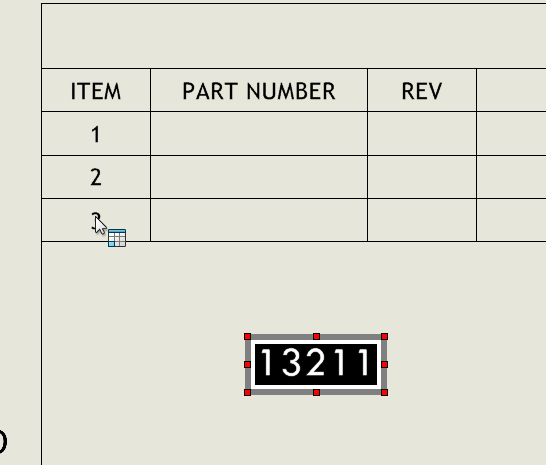
Anyone has similar issue before?
For some reason, i could not seem to link the bom cell to note in solidworks 2021
The cursor show a stop sign and nothing happens after clicking on the cell
The functionality is working fine in solidworks 2022
Anyone has similar issue before?
I do not think you can do it since the numbers can change based on the BOM order and are not attached to the part
But, you can attach a balloon to the part and set the balloon style to none (so the circle, square, trainagle, ect is gone).
image.png
Then double click on the cell and then single click on the number to link to it in the note.
image.png
Then hide the balloon if you don’t want to see it.
To link to the BOM cell number, you must use a balloon or annotation that links directly to what it is attached.
Posted this without reading TTEvolve’s reply
I tried to test this asi recall having an issue with this ages ago. I wished i could do this how the OP shows in v2022 (testing using 2024SP1). It’ll show the ITEM Number in the note as it is displayed. So i thought, okay i’ll create another balloon with just the text showing with no border etc and hide it as explained by TTevolve. Only to find out as soon as you hide the Balloon, the reference hides in the note. WTF D.S. - this isn’t the first time i’ve had to fight with very illogical behavior like this.
So i can’t get this to work with the OP’s v2022 claim by clicking directly in the BOM and it will work using the mainstream known method of clicking an item balloon (as long as you accept it’ll show exactly as the balloon is, so you can’t have a tidy digit-only).
I tried with both Hide/Show Annotation and also putting the balloon on a layer and hiding the layer. Both methods result in the reference in the note being hidden with ZERO indication it even happens let alone askihg if it should.
headshake
I usually balloon the item again remove the leader, placing the balloon outside the drawing frame. Then when you click on the balloon when writing the note it should pop up corrected, it also updates should the item no. change.
so for whatever reason i manage to get it work by accident on my machine suddenly…
after clicking the Link Table Cell, i need to press and HOLD my left mouse button…the the cursor will then change (no longer a stop sign) and i can select the table cell and it will link to my note…
WHUT?!
image.png
Hrmmmm, good to know, thanks mate!
Edit: I just tried it but I’m not getting anything to work…? How’d you do it..?
I found a weird fix for this. Go to Options > Display > Dynamic highlight from graphics view. Turn on this setting. It should now work as intended.
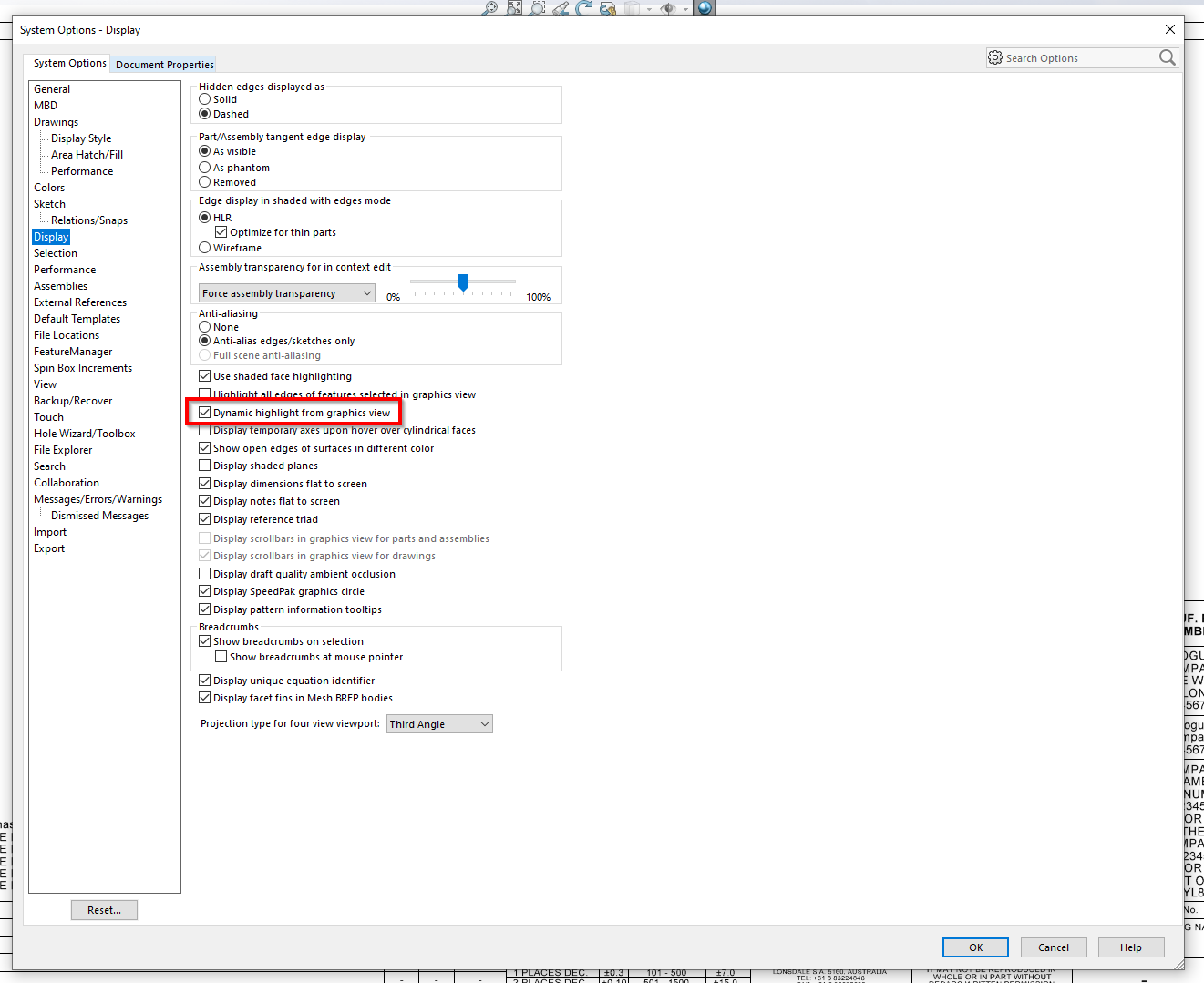
If this doesn’t work, the work around is to click and hold on the cell you are trying to link, drag your mouse a little bit. The cursor will change and you can click the cell.
I hope this helps!
If anyone is looking for a cleaner solution, Versa Note supports linked BOM table item numbers in your drawing notes, and goes beyond by allowing you to link to ANY cell in the BOM table.
This is, of course, just one of many, many features. Might be worth a look for anyone looking for a truly integrated drawing note management tool.
And of course, you can try it for free with no commitment. Just visit the CAD Innovations site for more information. Cheers!