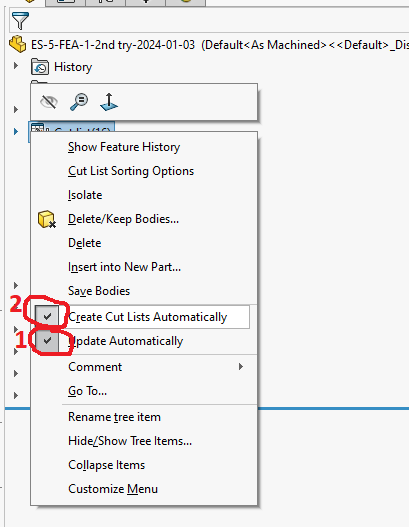
Doing a Simulation and for some reason the Simulation study is taking 16 bodies and condensing them into 6 and all duplicate parts are only under 1 label and only 1 is selectable any ideas on how to ungroup vs saving each part new with a separate label?
image.png
as you can see solid body 3 is 4 items yet I can only select 1 to add force to it.
Found the Solution, you need to not create a cut list automatically (uncheck 1 & 2) and then delete the cut list and all the bodies are treated separately.
You will have to start a new simulation to get it to work.
Unfortunately, it combines the parts after you add a new study so this is a one and done fix so may have to rename files with a -1,-2,-3, etc to get it to work with multiple studies.