SW2024. I cant for the life of me figure out how to grab section arrowheads & move it (vertically) for clarity like how dimensions can be dragged. Once you highlight it, what is supposed to happen? Is there a gripper near the point? or on the vertical line connecting the arrowhead? Nothing seems to slide around.
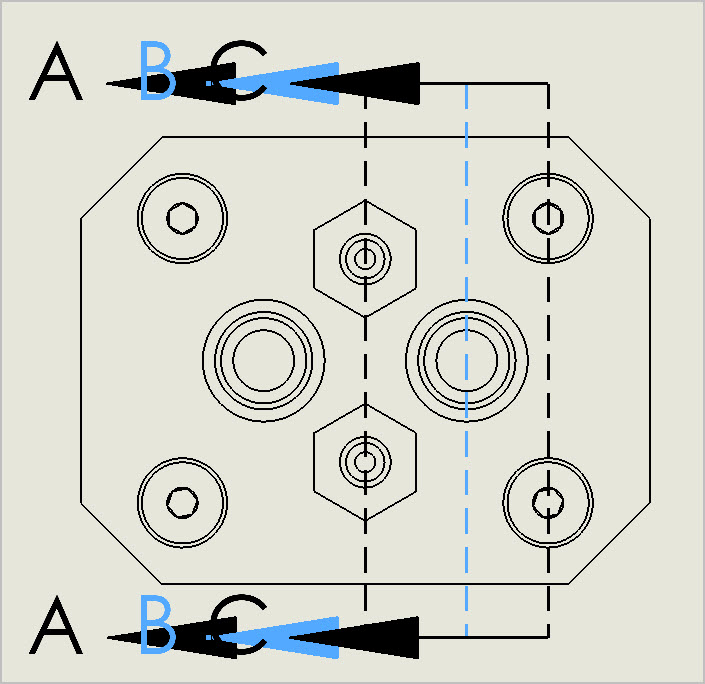
You should resize the section line (the vertical one) grabbing its end points.
Arrows are mainly aesthetics or just used to reverse the side.
From the drawing tree expand the section view, and you will see the section line.
Right click it and select edit then extend it.
Doing it from the drawing view is a pain.
Thanks but I don’t quite follow. If I click the the section line, or control point on arrowhead, seems like I can only move it horizontally. Ideally I’d like to stagger A,B,C vertically so the arrowheads don’t overlap. I tried clicking/hovering over different elements of the section line but I don’t see anything that moves (vertically).
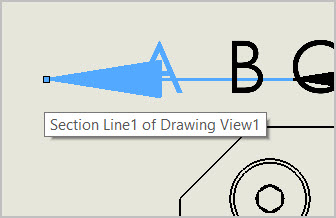
Hi Petertha,
The way I have always done that is by RMB on the section line and choose either Edit Cutting Line or Edit Sketch (depending on what is available:
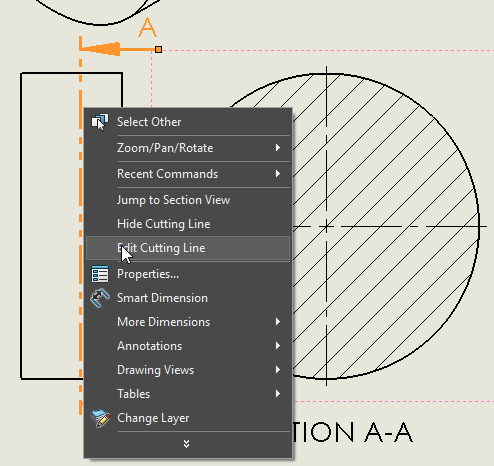
In the first case you get in the property manager Edit Sketch
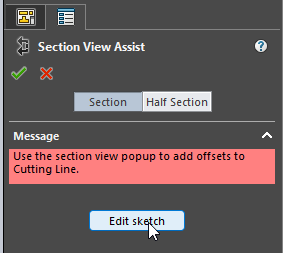
In the second case you can edit sketch immediately:
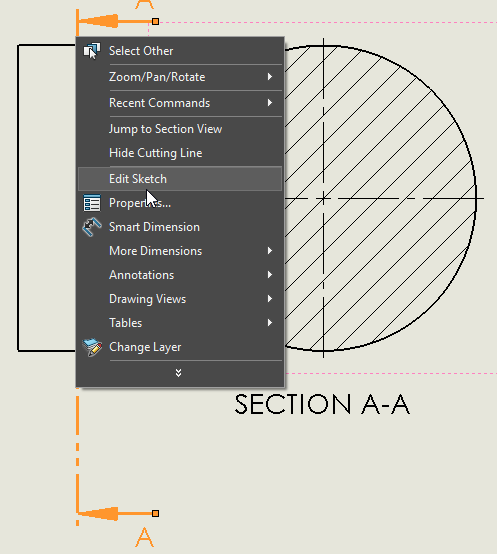
Once you get on the sketch level you can act as in any sketch fi. you can drag the endpoints of that line or even put dimensions to the model so that the cutting line can be controlled completely
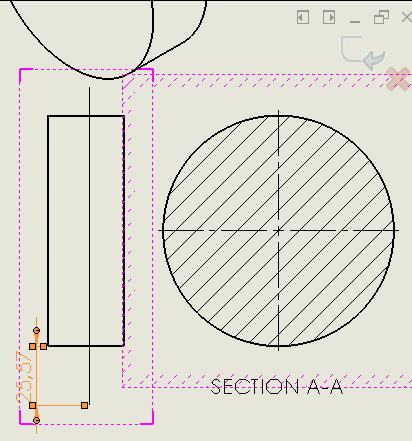
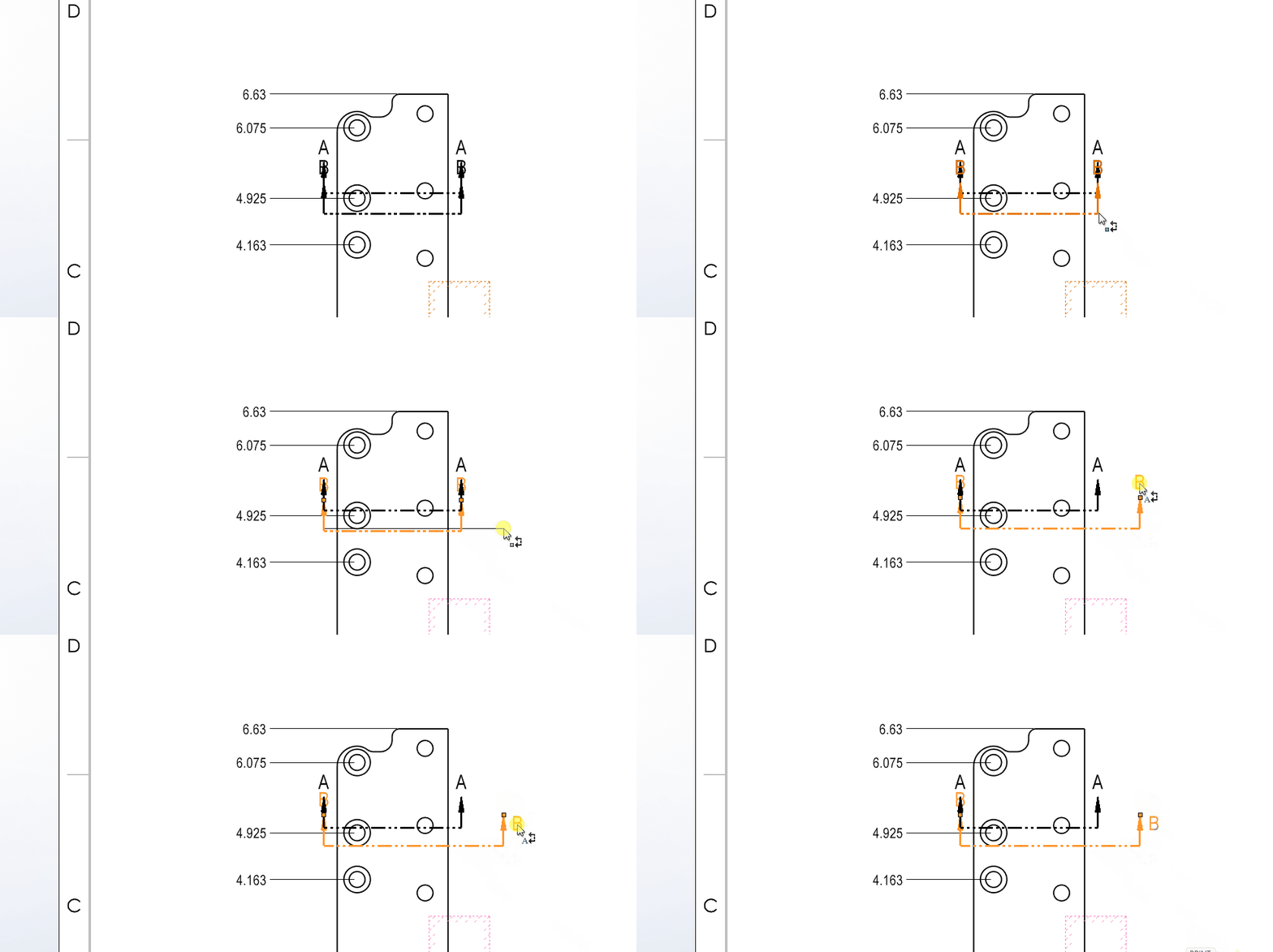
3 Likes
Thank you all. I was under the impression the adjustment was real time rubber banding, arrow & all, by holding mouse button. Now I see the subtlety - a skinny line shows up indicating displacement extent path, then it actually goes there once you let go. I think this action was being masked by my initial triple overlying section lines. And the other menu methods were useful too, didn’t know about that. All good!
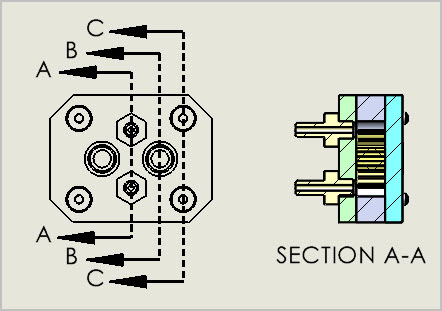
Never understood why there is a distinction made and sometimes you get one and sometimes the other. The worst part is the “Edit Cutting Line” often causes SolidWorks to crash if you try to exit out of it rather then click “Edit sketch”.
I don’t know either, so I added them both for completeness.,
I haven’t encountered that exit out bug yet…