I thought that if I had a drawing set up with a drawing view and a BOM that I could copy that drawing and then replace the model in the view that the BOM would update to the new View.
SW 2024 sp-5.
Go to the BOM properties. Expand the “Configurations” tab and change to a different configuration.
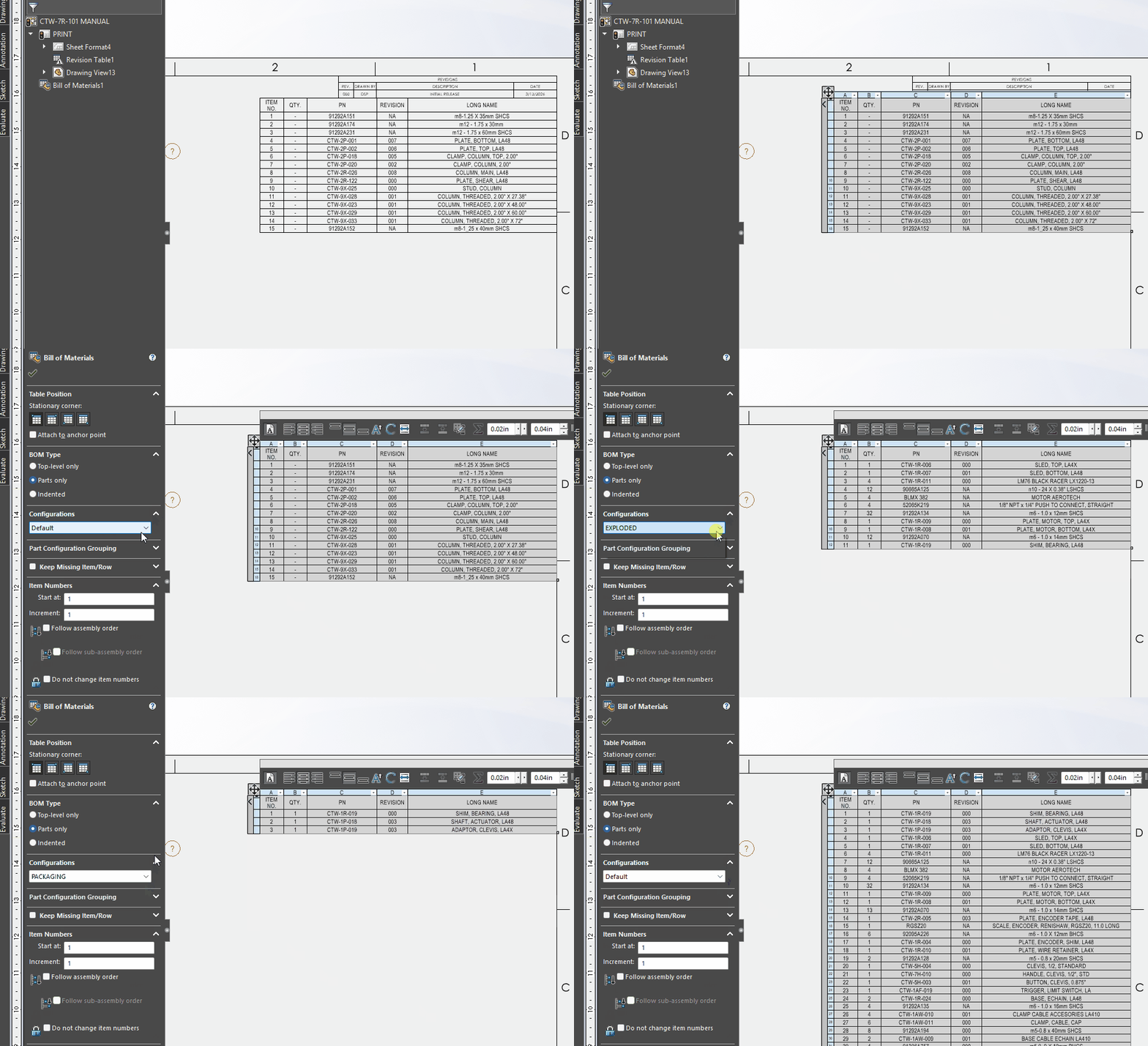
that would work if there were configurations I am changing out the model to another one.
Have 2025sp3 and the BOM updates when replacing a model.
No. BOMs are not tied to views. You do have to select a view when creating a BOM, but all that does is help to specify initial properties of the BOM. Once the BOM is created, it no longer has any connection to the view. SW doesn’t even know which view was used to create it. In fact, you can delete the view and indeed all views from the drawing and the BOM will remain.
EDIT: Can’t find the strikethru, but I retract most of the above. I was going on some old info apparently. Although it is true that you can delete all the views and the BOM remains.
another reason to upgrade.. I hope we do soon they say we will get new computers.
I replaced the model also. To get it to update in 2024SP5 I had to change the configuration. Could you create a dummy config in the part temporarily to force the update?
Thanks I was hopping that I was doing something wrong. But your answer is the best so far. I may have to try SPermans idea on the next set of drawings.
I’ll try that when I do the other side with one of the files.
Wrap the text in two tildes at each end for strikethrough
I use the replace reference method while opening the drawing, and this helps to link to the BOM to the desired model.
Thanks.
That would work great if I was not doing the drawing from scratch.
From what I understand so far is that newer versions took care of this.
I thought that I may have been doing something wrong because I think that if I did that it used to work with updating the BOM.
Thanks