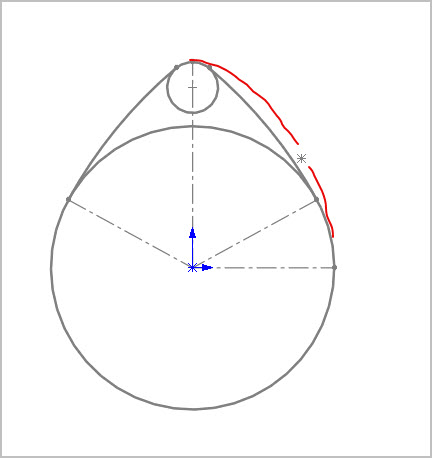
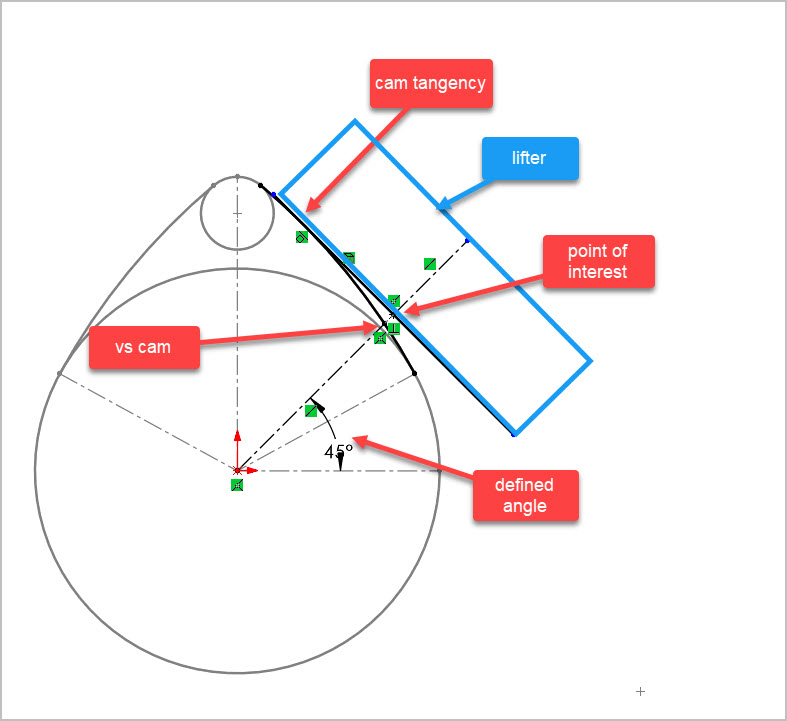
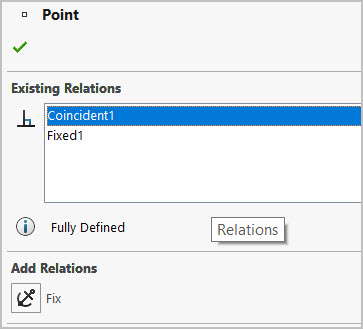
I’ve had this same issue come up & have not found a good solution. Hopefully the example makes sense. I have sketches for a [cam] profile, a sketch [ang pos] with a lifter of defined width positioned & angle, and a [trace] sketch I want to record resultant points of interest. I specify an angle, it finds tangency to the cam, then I save the point of interest, Rinse & repeat for a incremental series of angles. Ultimately I want to generate an intercept curve from points like red curve shown. The problem is if I fix the point, then increment the angle to a new position, SW gives me an error message. How do I ‘record’ them?
cam vs tappet size.SLDPRT (53.9 KB)
Maybe answering my own question. Is it as simple as deleting the automatic coincident relationship leaving the fixed? If so, Duh.
Your point of interest does not touch the cam.
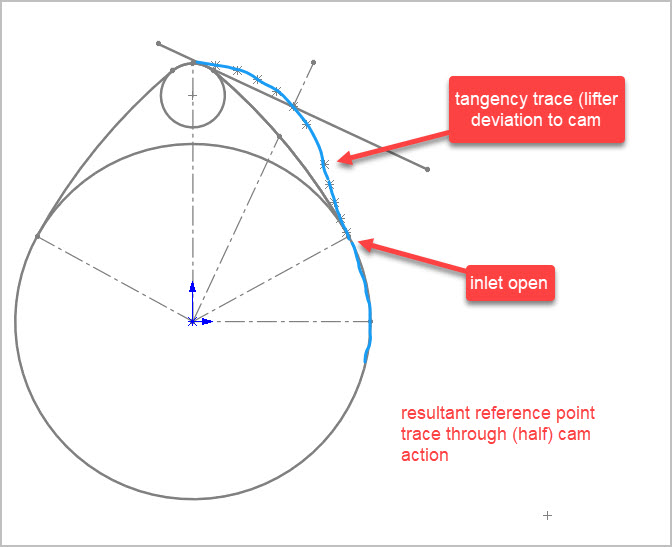
Something like this?
You got it exactly. Tangency shifts from the cam flank to the cam nose. Its ‘on’ the cam at the beginning of lift and at 12:00 position on nose, but it creates some deviation shape in between. I was trying to mark positions at incremental angles, eventually blue line.
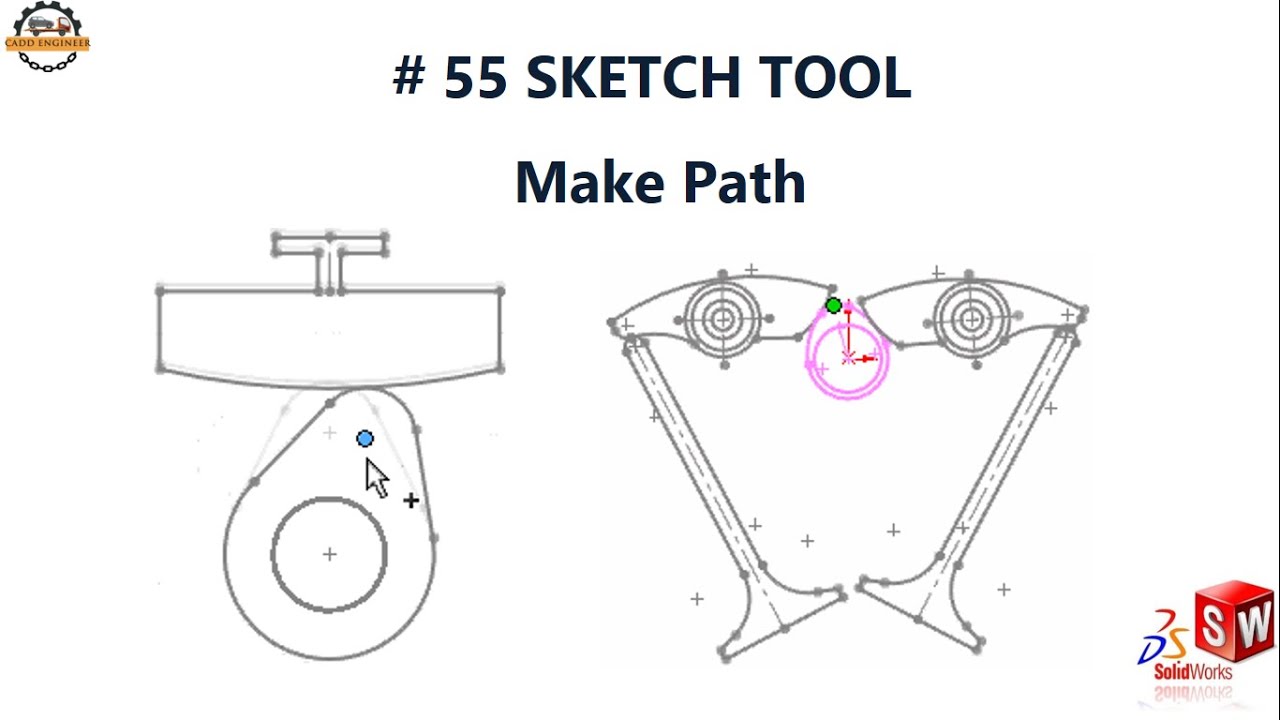
I think making the collection of arcs into a path would do what you want.
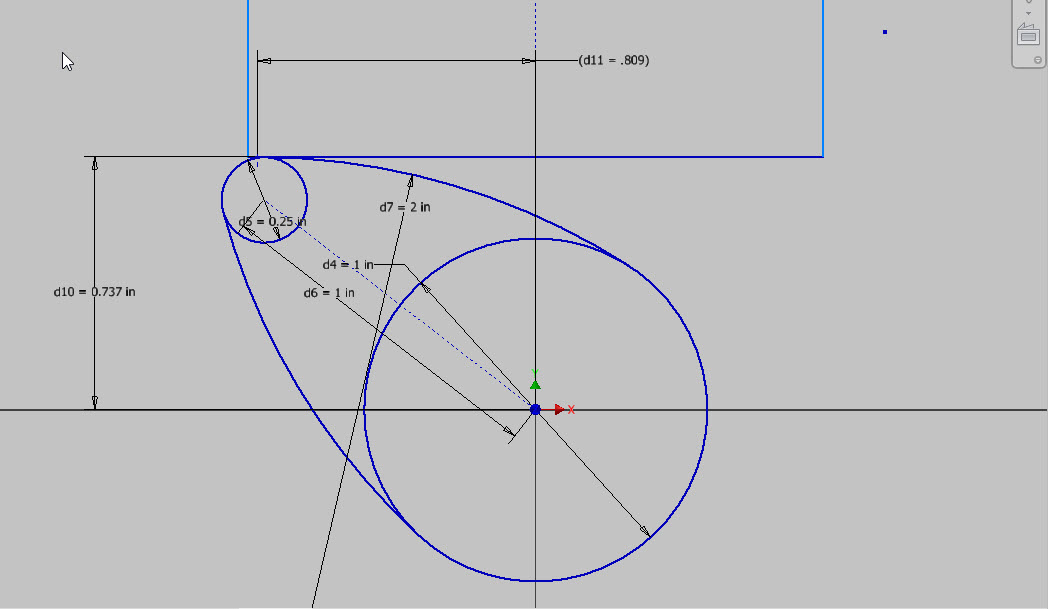
I have d10 0.737” as driving, d11 is driven. Change d10 and you’ll get d11. You can get any coordinates to plot the whole thing.
Thanks for video link. I use to use Blocks for cam modelling which simplifies the cam/lifter action & is more intuitive to actual parts orientation. Somewhere around v2023-24 some cam / path features broke in the Blocks routine. I submitted a ticket but apparently forgot this has (I think) been fully resolved. I’m still on 2024 SP5.0, I should confirm this myself.
You don’t need to use blocks to make it work, just the “make path” command.
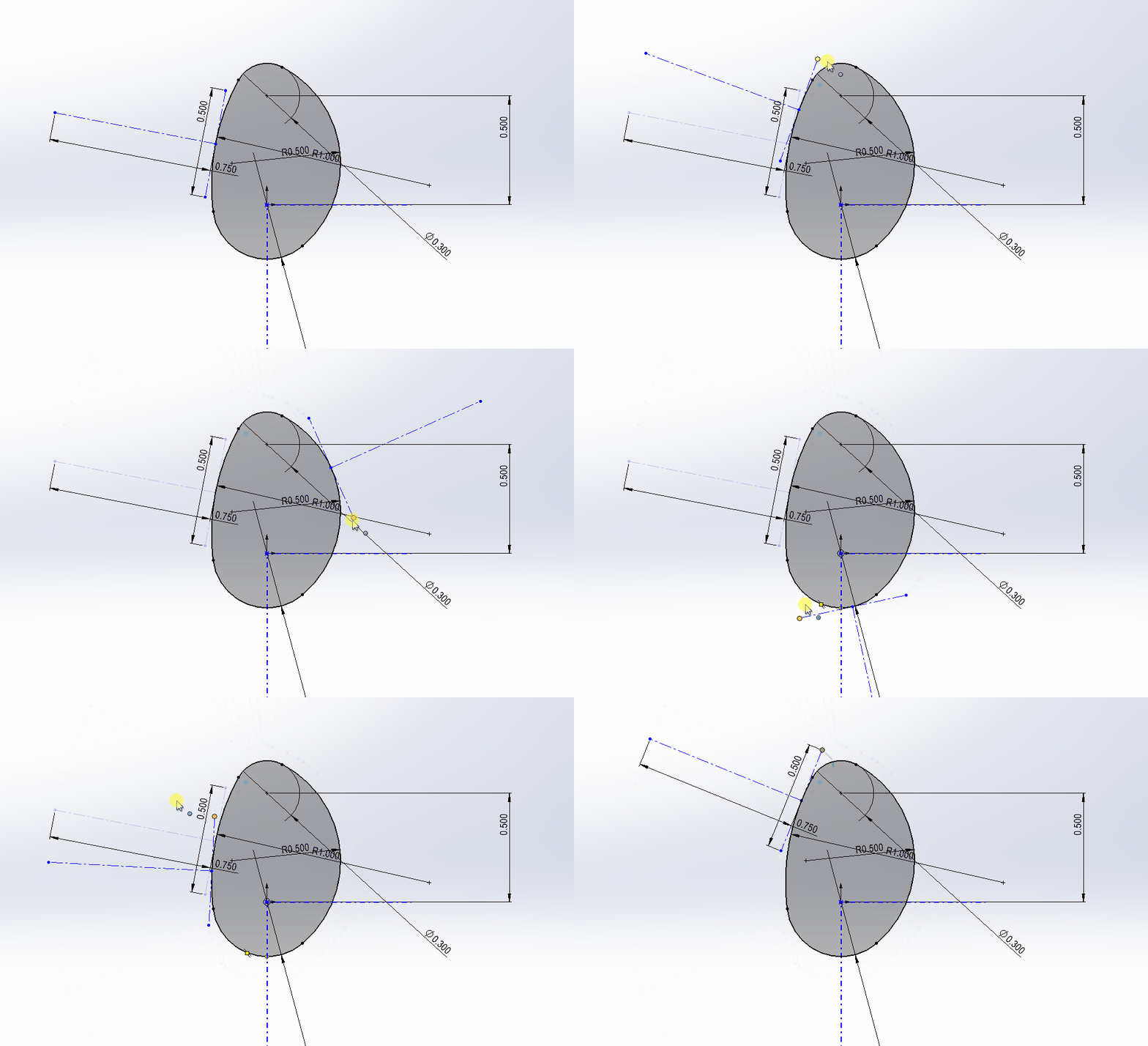
Thank you for pointing that out Sperman! I never used Path before, very useful!