SolidWorks 2020, when users here try to run the Video Screen capture the lower button selections do not show up, has anyone experienced the same? We cannot scroll down the window in any way: See the attached image
Thanks,
Brian
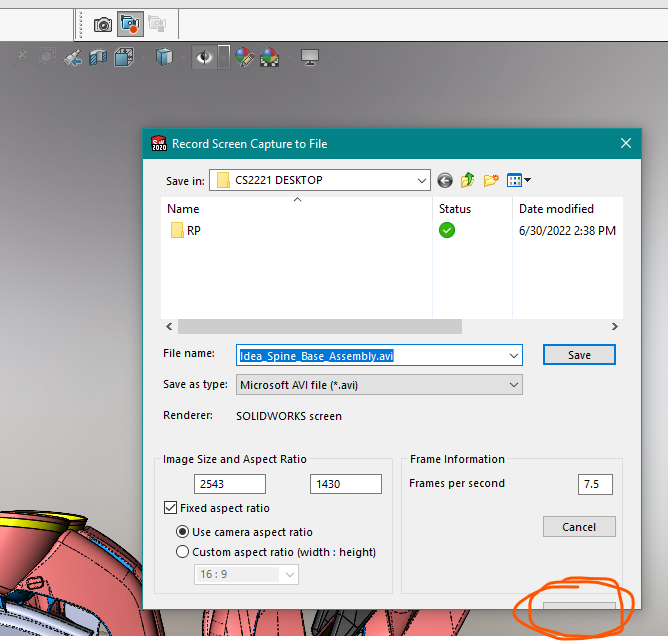
SolidWorks 2020, when users here try to run the Video Screen capture the lower button selections do not show up, has anyone experienced the same? We cannot scroll down the window in any way: See the attached image
Thanks,
Brian
Does the tab key move between items on the window?
It does, but stops at the orange circled selection, If I hit enter once that tab is highlighted it just goes to the SolidWorks Help Topic
You might try changing your screen resolution and see if that helps.
Doesn’t make a difference, will try on an older laptop
Tried on an older laptop, same deal, various users here, same deal
You could keep tabbing and entering to see what happens. I assume it jumps to other buttons, even though you can’t see them.
A couple of alternatives I’ve used are Screen2Gif and ShareX.
Thnaks, have tried this, but stops at whatever the button is that is partially hid, thinking it was the last in the list but it just goes to the SolidWorks Help Topic
BTW, this does work properly in SW2022, which we are upgrading to end of next week, so i guess this question is moot now, but still curious
thanks for the replies