Hi Mathias,
works fine here.
I’m using these options in the solidworks save dialog (default settings):
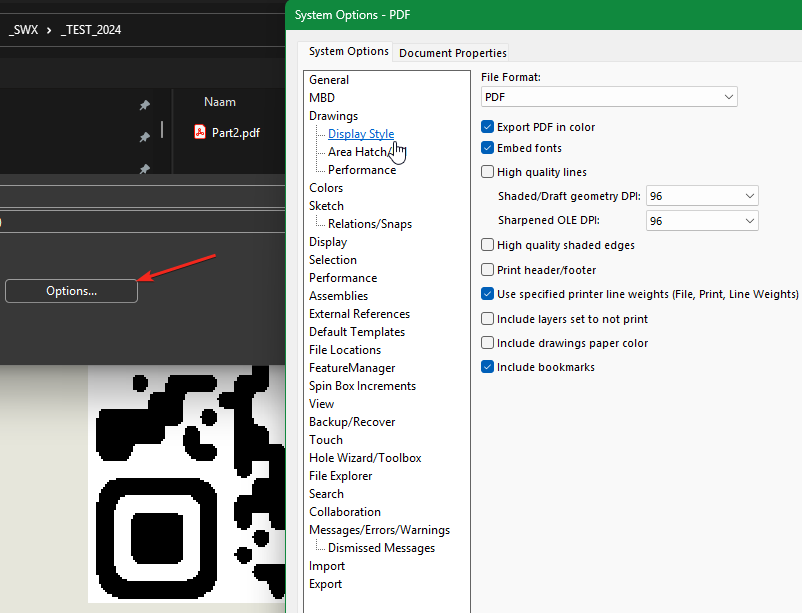
SolidWorks 2024SP5

What solidworks / acrobat reader version are you using?
I just tested it with SOLIDWORKS 2025 sp3 and get the same results as you have.
So it must be a solidworks bug. can you make an enhancemetn request for this?
You don’t make enhancement requests for bugs. You report them to your VAR, who verifies behavior, (ideally) checks known issues to see if it’s reported already, and then either adds you to the SPR so you get notified of updates, or creates the SPR.
Does that still work like that? I thought you had to create an idea on the swymp nowadays and gather votes for it to get implemented.
Contacting my VAR on a bug i encountered didn’t do much…
Nope… If your VAR isn’t doing the above, they’re not doing their job. But they do have to be able to replicate it, so it may depend a bit on how detailed your report is.
I just noticed that Solidwokrs 2025 sp 4 has been released, updated and tested it.
The bug is resolved here and saving the pdf works fine for me.
That did the trick. Thanks man!
Hi all. New version v0.5
Added: clear and view registry settings
QR Code Generator v0.5.zip (290.9 KB)