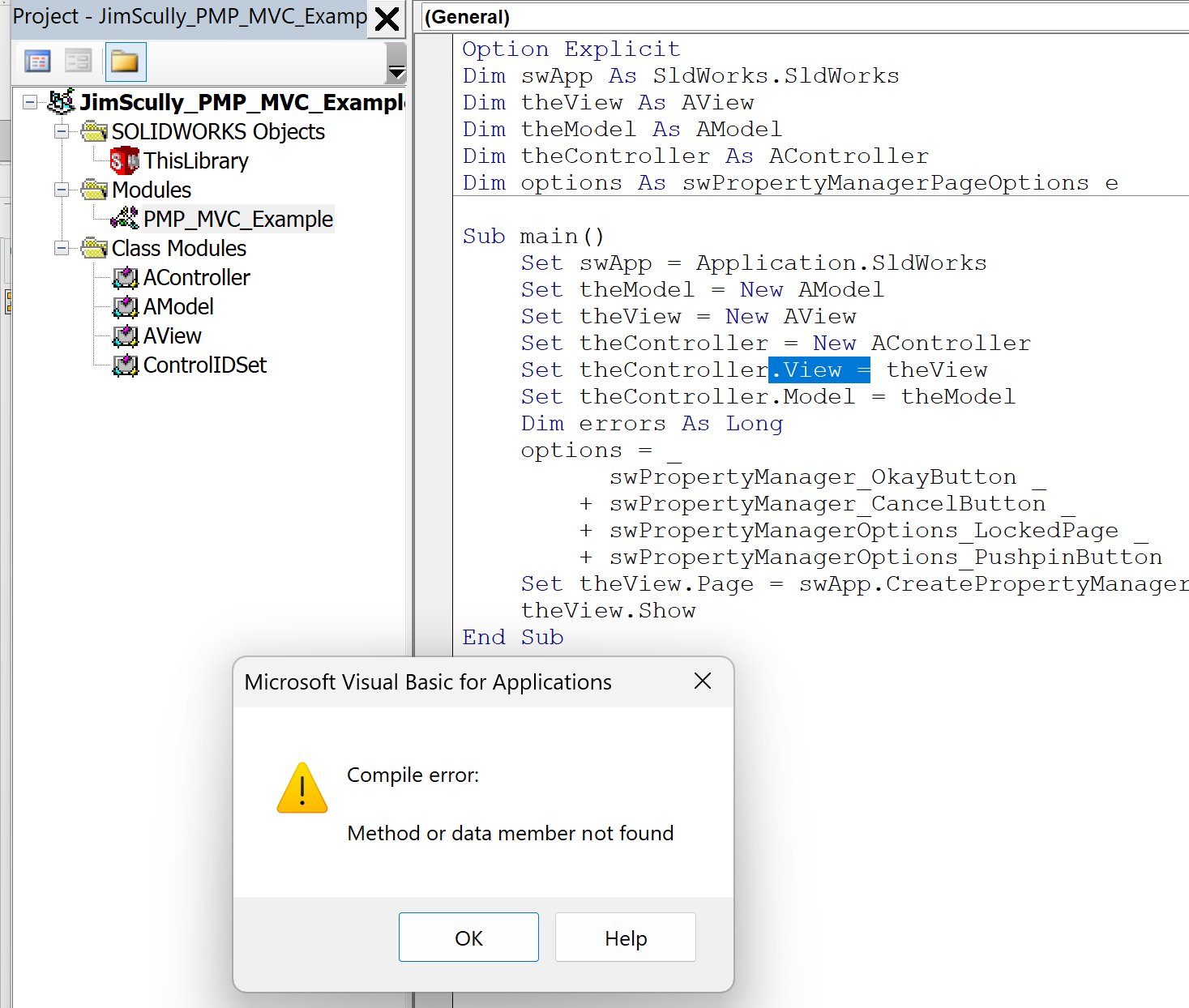
You can create a separate class to contain all of your IDs. Here’s a simple MVC example. It consists of one modules and four classes:
The module, named PMP_MVC_Example, which is the macro entry point
Option Explicit
Dim swApp As SldWorks.SldWorks
Dim theView As AView
Dim theModel As AModel
Dim theController As AController
Dim options As swPropertyManagerPageOptions_e

Sub main()
    Set swApp = Application.SldWorks
    Set theModel = New AModel
    Set theView = New AView
    Set theController = New AController
    Set theController.View = theView
    Set theController.Model = theModel
    Dim errors As Long
    options = _
          swPropertyManager_OkayButton _
        + swPropertyManager_CancelButton _
        + swPropertyManagerOptions_LockedPage _
        + swPropertyManagerOptions_PushpinButton
    Set theView.Page = swApp.CreatePropertyManagerPage("MVC Test", options, theController, errors)
    theView.Show
End Sub
The first class (named ControlIDSet) holds the IDs and makes them available as read-only properties:
'Single class to hold IDs for all controls
Option Explicit
Public Property Get SOME_OPTION_CHECKBOX() As Long
    SOME_OPTION_CHECKBOX = 0
End Property
Public Property Get SOME_OTHER_OPTION_CHECKBOX() As Long
    SOME_OTHER_OPTION_CHECKBOX = 1
End Property
The second class (named AView) which is used to build the PM Page:
Option Explicit
Private ControlIDs As New ControlIDSet
Private myPage As PropertyManagerPage2
Private someOptionCheckbox As PropertyManagerPageCheckbox
Private someOtherOptionCheckbox As PropertyManagerPageCheckbox

Public Property Set Page(ByVal newPage As PropertyManagerPage2)
    Set myPage = newPage
    InitPage
End Property

'Delegates to Show2 of PropertyManagerPage2
Public Sub Show()
    myPage.Show2 0
End Sub

Private Sub InitPage()
    'First checkbox
    Set someOptionCheckbox = myPage.AddControl2( _
        ControlIDs.SOME_OPTION_CHECKBOX, _
        swPropertyManagerPageControlType_e.swControlType_Checkbox, _
        "Some option", swPropertyManagerPageControlLeftAlign_e.swControlAlign_Indent, _
        swAddControlOptions_e.swControlOptions_Enabled + swAddControlOptions_e.swControlOptions_Visible, _
        "Some option tooltip")
    'Second checkbox
    Set someOtherOptionCheckbox = myPage.AddControl2( _
    ControlIDs.SOME_OTHER_OPTION_CHECKBOX, _
    swPropertyManagerPageControlType_e.swControlType_Checkbox, _
    "Some other option", swPropertyManagerPageControlLeftAlign_e.swControlAlign_Indent, _
    swAddControlOptions_e.swControlOptions_Enabled + swAddControlOptions_e.swControlOptions_Visible, _
    "Some other option tooltip")
End Sub
The third class (named AModel) which holds the state for the view and methods to do things with the state:
Option Explicit
'Model state property variables
Private bSomeOption As Boolean
Private bSomeOtherOption As Boolean

'Model state property getter/setters
Public Property Get SomeOption() As Boolean
    SomeOption = bSomeOption
End Property

Public Property Let SomeOption(newValue As Boolean)
    bSomeOption = newValue
End Property

Public Property Let SomeOtherOption(newValue As Boolean)
    bSomeOtherOption = newValue
End Property

Public Property Get SomeOtherOption() As Boolean
    SomeOtherOption = bSomeOtherOption
End Property

'Example of model logic that does something with model state
Public Sub PrintData()
    Debug.Print "Some option value was: " & SomeOption
    Debug.Print "Some other option value was: " & SomeOtherOption
End Sub
And the final class (named AController) that handles the events from the view and changes the model state accordingly:
Option Explicit
Private ControlIDs As New ControlIDSet
Private myModel As AModel
Implements PropertyManagerPage2Handler9

Public Property Set Model(ByVal newModel As AModel)
    Set myModel = newModel
End Property

'================================= PropertyManagerPage2Handler9 Implementation ========================'
Private Sub PropertyManagerPage2Handler9_OnCheckboxCheck(ByVal id As Long, ByVal Checked As Boolean)
    Select Case id
        Case ControlIDs.SOME_OPTION_CHECKBOX
            myModel.SomeOption = Checked
        Case ControlIDs.SOME_OTHER_OPTION_CHECKBOX
            myModel.SomeOtherOption = Checked
    End Select
End Sub

Private Sub PropertyManagerPage2Handler9_OnClose(ByVal Reason As Long)
    myModel.PrintData
End Sub

'============================== Unused PropertyManagerPage2Handler9 Methods =========================='

Private Sub PropertyManagerPage2Handler9_AfterActivation()
End Sub
Private Sub PropertyManagerPage2Handler9_AfterClose()
End Sub
Private Function PropertyManagerPage2Handler9_OnHelp() As Boolean
End Function
Private Function PropertyManagerPage2Handler9_OnPreviousPage() As Boolean
End Function
Private Function PropertyManagerPage2Handler9_OnNextPage() As Boolean
End Function
Private Function PropertyManagerPage2Handler9_OnPreview() As Boolean
End Function
Private Sub PropertyManagerPage2Handler9_OnWhatsNew()
End Sub
Private Sub PropertyManagerPage2Handler9_OnUndo()
End Sub
Private Sub PropertyManagerPage2Handler9_OnRedo()
End Sub
Private Function PropertyManagerPage2Handler9_OnTabClicked(ByVal id As Long) As Boolean
End Function
Private Sub PropertyManagerPage2Handler9_OnGroupExpand(ByVal id As Long, ByVal Expanded As Boolean)
End Sub
Private Sub PropertyManagerPage2Handler9_OnGroupCheck(ByVal id As Long, ByVal Checked As Boolean)
End Sub
Private Sub PropertyManagerPage2Handler9_OnOptionCheck(ByVal id As Long)
End Sub
Private Sub PropertyManagerPage2Handler9_OnButtonPress(ByVal id As Long)
End Sub
Private Sub PropertyManagerPage2Handler9_OnTextboxChanged(ByVal id As Long, ByVal Text As String)
End Sub
Private Sub PropertyManagerPage2Handler9_OnNumberboxChanged(ByVal id As Long, ByVal Value As Double)
End Sub
Private Sub PropertyManagerPage2Handler9_OnComboboxEditChanged(ByVal id As Long, ByVal Text As String)
End Sub
Private Sub PropertyManagerPage2Handler9_OnComboboxSelectionChanged(ByVal id As Long, ByVal Item As Long)
End Sub
Private Sub PropertyManagerPage2Handler9_OnListboxSelectionChanged(ByVal id As Long, ByVal Item As Long)
End Sub
Private Sub PropertyManagerPage2Handler9_OnSelectionboxFocusChanged(ByVal id As Long)
End Sub
Private Sub PropertyManagerPage2Handler9_OnSelectionboxListChanged(ByVal id As Long, ByVal Count As Long)
End Sub
Private Sub PropertyManagerPage2Handler9_OnSelectionboxCalloutCreated(ByVal id As Long)
End Sub
Private Sub PropertyManagerPage2Handler9_OnSelectionboxCalloutDestroyed(ByVal id As Long)
End Sub
Private Function PropertyManagerPage2Handler9_OnSubmitSelection(ByVal id As Long, ByVal Selection As Object, ByVal SelType As Long, ItemText As String) As Boolean
End Function
Private Function PropertyManagerPage2Handler9_OnActiveXControlCreated(ByVal id As Long, ByVal Status As Boolean) As Long
End Function
Private Sub PropertyManagerPage2Handler9_OnSliderPositionChanged(ByVal id As Long, ByVal Value As Double)
End Sub
Private Sub PropertyManagerPage2Handler9_OnSliderTrackingCompleted(ByVal id As Long, ByVal Value As Double)
End Sub
Private Function PropertyManagerPage2Handler9_OnKeystroke(ByVal Wparam As Long, ByVal Message As Long, ByVal Lparam As Long, ByVal id As Long) As Boolean
End Function
Private Sub PropertyManagerPage2Handler9_OnPopupMenuItem(ByVal id As Long)
End Sub
Private Sub PropertyManagerPage2Handler9_OnPopupMenuItemUpdate(ByVal id As Long, retVal As Long)
End Sub
Private Sub PropertyManagerPage2Handler9_OnGainedFocus(ByVal id As Long)
End Sub
Private Sub PropertyManagerPage2Handler9_OnLostFocus(ByVal id As Long)
End Sub
Public Function PropertyManagerPage2Handler9_OnWindowFromHandleControlCreated(ByVal id As Long, ByVal Status As Boolean) As Long
End Function
Public Sub PropertyManagerPage2Handler9_OnListBoxRMBUp(ByVal id As Long, ByVal posX As Long, ByVal posY As Long)
End Sub
Public Sub PropertyManagerPage2Handler9_OnNumberboxTrackingCompleted(ByVal id As Long, ByVal Value As Double)
End Sub
As you can see, the model knows nothing about the view or the controller. The view knows nothing about the model or the controller. The controller knows about the model only.