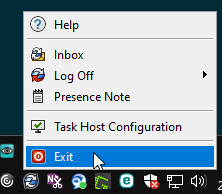
There are times that I need to log out of PDM as my user account, and log back in using the Admin account. I almost always have to reboot for this to work. If I try and log out of one account and log into the other, the PDM login screen hangs.
Alternatively, since permissions are implemented on the fly, you should be able to hop into the Admin Tool and put yourself in the admin group. Then you can do admin stuff without needing to log out/in/out/in. But it comes with risks or side effects; forgetting to take yourself back out of the admin group or if the actions log user name maybe you want it to be logged as admin instead of you.
One thing I’ve noticed in PDM Pro is that when you log out and wait a few seconds, the login dialog appears automatically. If you manually try to login before that dialog pops up, there is basically a second dialog and then things often go sideways. A reboot is typically not required. Just restarting the one or more Windows Explorer tasks in task manager is enough.
Even worse if you disconnect VPN to your company network or put your computer to sleep. PDM doesn’t recognize the connection loss well and mitigate the constant popups. End up with a bunch of login screens, or disconnect messages dialogues. Seems like I have to close it 15 times.
Here’s the batch script I use to kill Explorer and all PDM processes. Just put that in a txt file with the BAT extension. You lose all open folders but everytihng is cleanly shutdown, a reboot shouldn’t be required