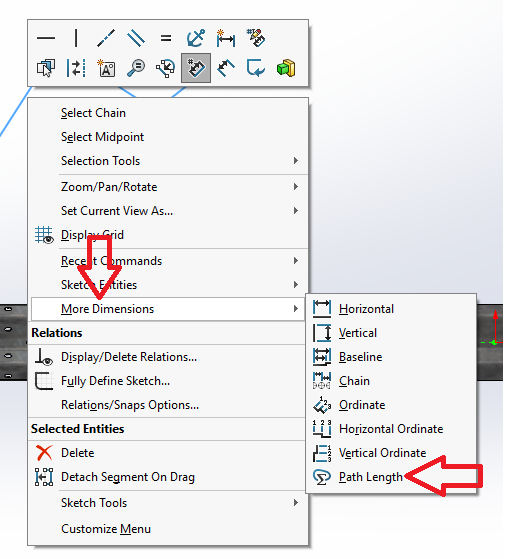
I saw in the help there is a path dimension available in sketch mode where you can click on a line/arc and get the total length. I tired to do it on a drawing and it doesn’t work. I was wondering if anyone has tried it or has a way to give a dimension along a path?
Could you create the path dimension in the part, and then link it to a custom property to be referenced by the drawing?