I’ve been asked by our saw operators to indicate grain direction in our parts.
Not a drawing or sheet metal part and I’m not thinking of a decal or appearance.
How do YOU represent grain direction in your PART files?
I’ve been asked by our saw operators to indicate grain direction in our parts.
Not a drawing or sheet metal part and I’m not thinking of a decal or appearance.
How do YOU represent grain direction in your PART files?
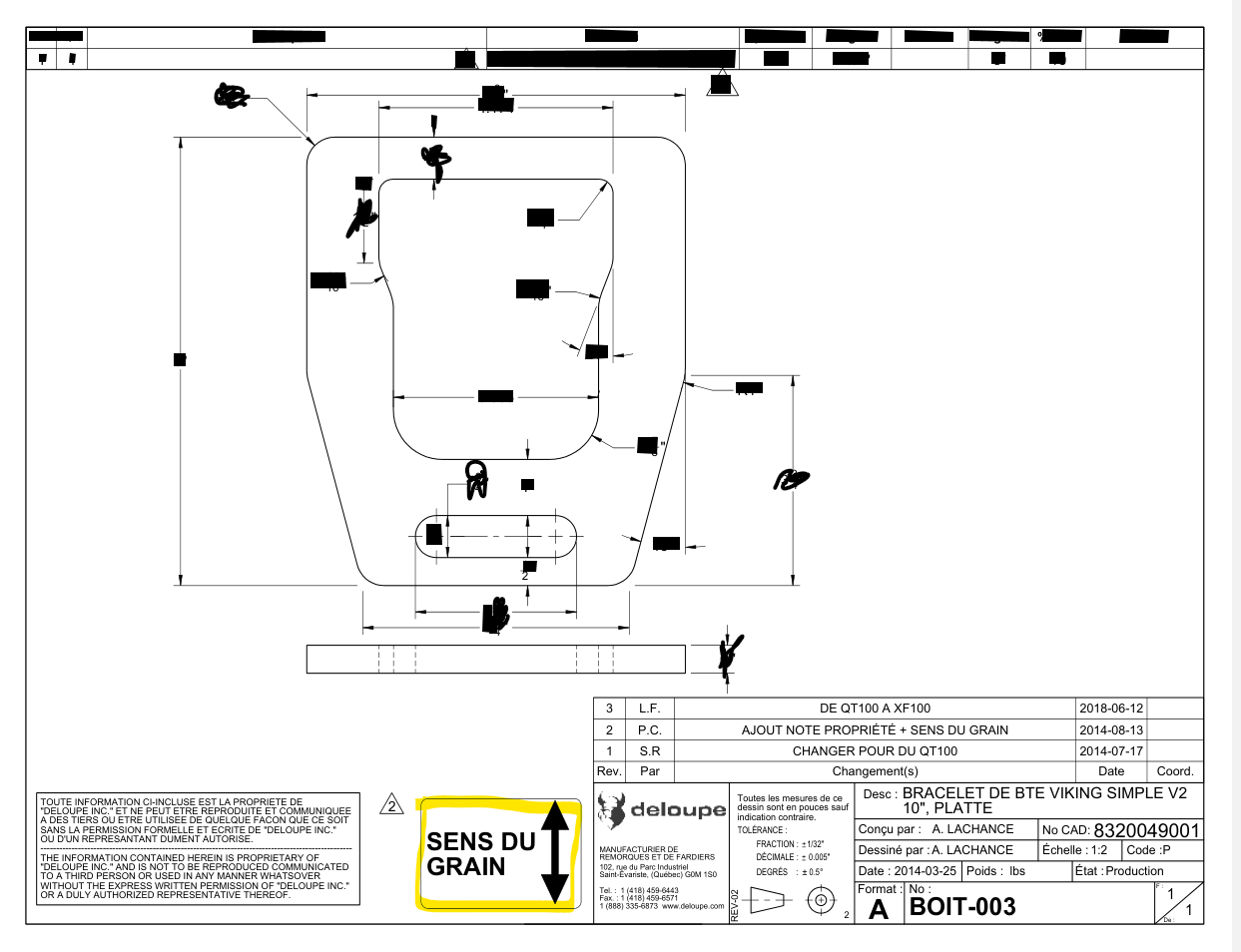
This is how we do it when required.
It is only there when the grain direction has an importance.
Edit: It is a block we have created in our library that is dragged and dropped in drawings when required.
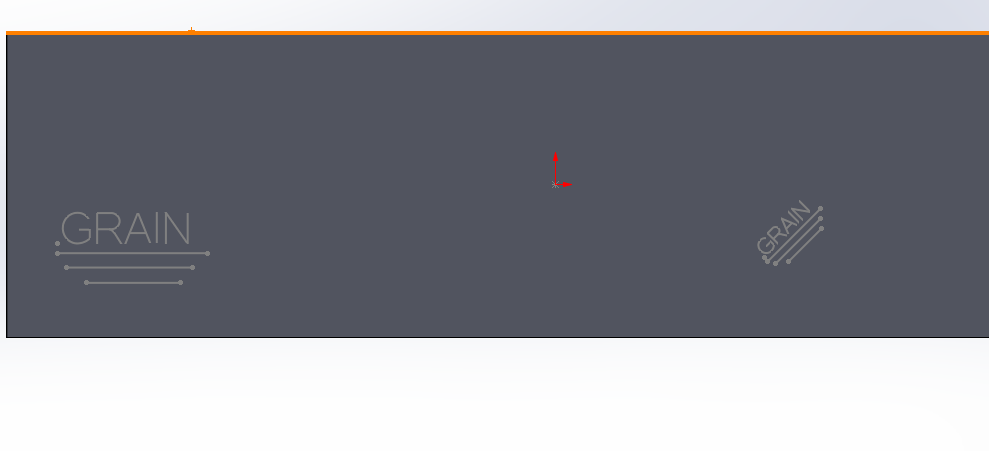
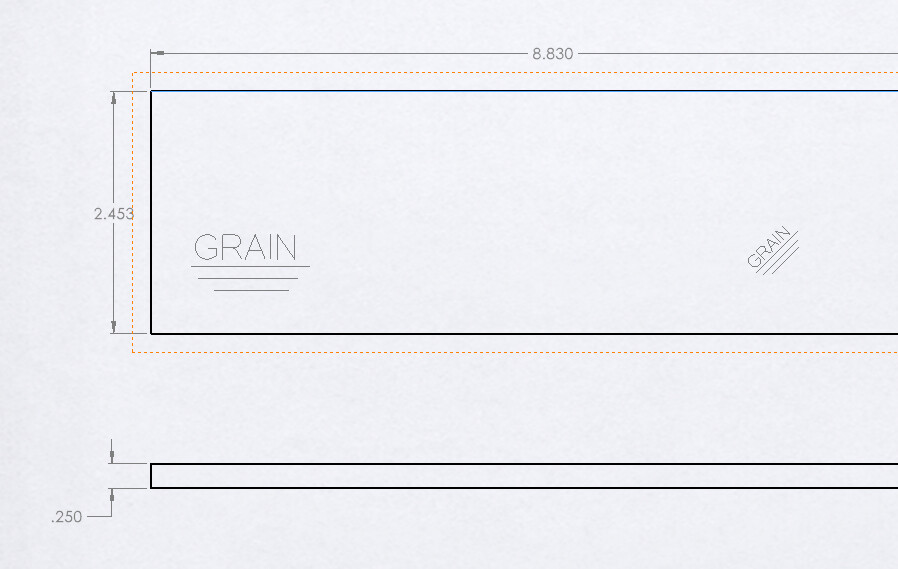
You can make a block using a few lines and some text using the stick font OLF Simple Sans. Put it in the design library and then drag/drop/scale/rotate in a model sketch as needed:
The sketch can also show up in the drawing:
I noticed recently That our 2023 installation on windows 11 has no OLF Simple Sans available when making text sketches. I struggling to understand why and that font was included with SW in the past, but not now?
olfsimplesansoc-regular.ttf.zip (21.3 KB)
From a quick google, seems to occur to a bunch of people but seems to happen at random times. Don’t really know what could trigger it.
It was suddenly broken on my Windows 10 SW 2017 install when I went to make my post above. Instead of the stick font it was the actual OLF font. Not sure when or how it got messed up. Switched to my Windows 11 SW 2025 VM and it’s fine.