As I’m re-learning NX, I am coming across things I’ve really missed since working exclusively in SW.
I will start adding them here, for those that are interested.
As I’m re-learning NX, I am coming across things I’ve really missed since working exclusively in SW.
I will start adding them here, for those that are interested.
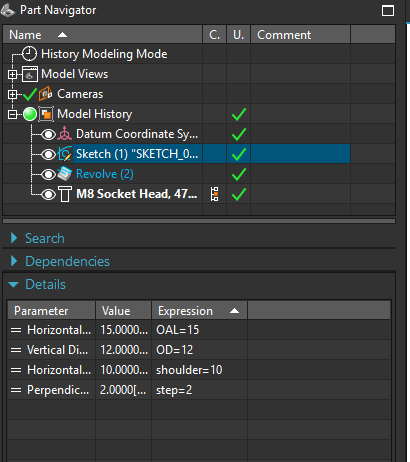
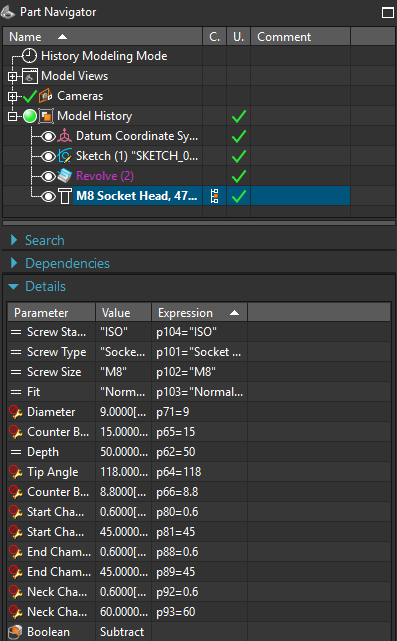
This didn’t exist when I last used NX4. I love table views for data like this though.
With all the new “Web” UI influence lately, it seems like table views have gone away in favor of “grandpa remote” size buttons and simple views.
I don’t doubt that what you showed is a nice feature, but you can edit sketch values in SW without editing the sketch also. I do it all the time.
A single click on the sketch (or feature) in the tree will display the dimension values in the graphics area (assuming you have Instant3d turned on). You can single-click on the value and change it to whatever you want. The change will take effect as soon as you click away, without the need for a manual rebuild.
I do that all the time too. I prefer the NX approach.
One of the reasons I tried NX student version a while back, apart from curiosity, was
‘Algorithmic Feature’ (nice example of it’s use here), but it’s not available in that version.
Despite that, it was a fun experience 
SDRC Ideas had a really neat feature where a revolve could also include a translation along Z, thus creating a helix as simply as any other revolve.
We went from that to NX where helix’ were created using law curves. Law curves are extremely powerful, but overkill for creating a simple helix.
The Algorithmic feature looks incredible. I expect it only comes with a package that makes the already insane pricing even more unreachable.
According to some sources on the Internet, depending on NX bundle and if it’s SaaS or on-prem version, the license for it is ~300-11000$, and the annual subscription is 0-2500$, apparently,
which is quite a spread
I think a unique features of NX that SW should adopts is the “don’t crash every 5 seconds from random crap” feature. 
I’ve used NX pretty heavily over the last 10 days. The good news is it hasn’t crashed on me once.
The bad news is that I don’t love it nearly as much as I did 10 years ago. I think part of it is the change to be more like Solid Edge, but a big part of it is a less efficient workflow. Solidworks does things with much fewer mouse clicks.
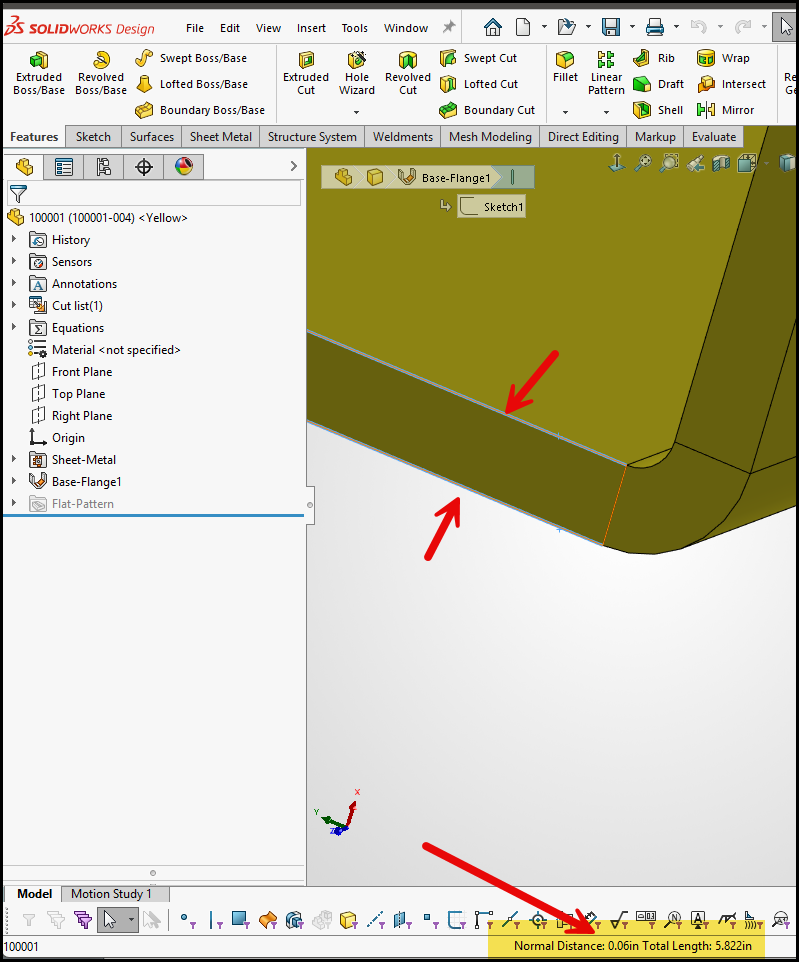
Measuring, for example. In SW pick two parallel faces and you get a distance. (Fusion 360 is the same way.) NX requires you to open the measurement tool to measure anything.
In SE you always do this with PMI. SE have also a toolbox with different measuring tools like area , volume, minimum distance etc.
The neat thing with PMI is that it will persist in the 3D view until you delete it. In SW you have sort of the same idea → MBD or whatever its named. Anyway it sucks, in other words its in pair with the rest of the application.
I think whats he’s saying, in SolidWorks if you just select faces or edges, if display some measurement information in the bottom bar. You don’t have to invoke the measure command like you do in NX and Solid Edge. This is nice for quick analysis of the model on the fly.
Adding reference dimensions or PMI could be useful in some cases where you want to monitor live data, but for quick checks its extra steps to create and delete it.
There’s lots of little things. There is no slot feature in the hole wizard.
If you want to move a part in an assembly, you have to right click it and select the move button.
There are a few breadcrumbs, but nothing like what is available in SW.
Believe me, I never thought I would be bragging on solidworks, but there are things it does better than NX.
I haven’t used NX in so long, I figured a lot of those gaps had been closed. The UI certainly looks better than it did. One of the things from years ago that used to drive me nuts was the NX version of “Convert Entities” and “Offset” sketch. In SolidWorks, you can trim it and modify a piece of it and the rest will still update. In NX, it breaks all association.
At one time, SolidWorks took user workflow and UI more seriously. But then they seemed to stop without finishing. Guess the time and money is in the swamp somewhere.