Need some ideas from the braintrust for a really cool project!

Happy Sunday, fellow SolidWorxians.

I’m a bit of a geeky guy, and like to follow the site https://hackaday.com/ for amusement purposes.

While perusing through some of the articles, I came across this: https://www.decarpentier.nl/carpentopod#comment-5654

Holy, shazbot, Batman! That’s REALLY cool, beyond cool, cold, frozen… LOL!

Anywho, I was sufficiently motivated enough to put the eleventy-seven other projects I’m working on aside, and replicate his work in SolidWorks. Fairly straightforward, there are a couple of nuances that took a wee bit of thinking, but here it is, at least one of the six “legs”
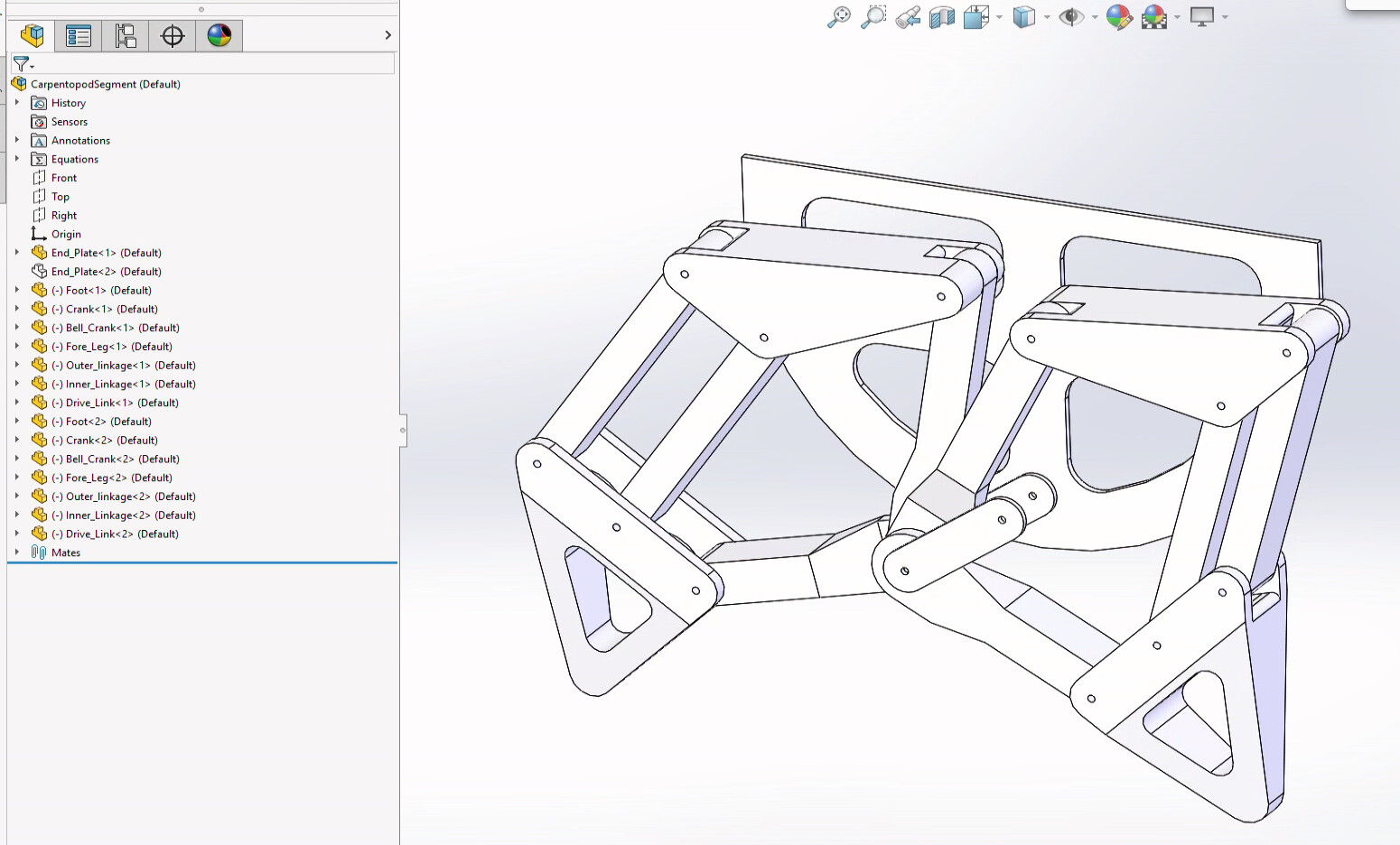
image.png
I’d like to try to 3D print up one of these to futz around with it. Trouble is the individual pieces are quite a bit larger than my printer. So I thought I would try scaling everything. That seemed to work fine. The challenge is there are some 8 unique pieces in the assembly, and tweaking the scale on each one is a tad tedious.

So, I thought I would drive this with an equation, right? That’s what they are for. Trouble is, SolidWorks doesn’t provide the ability to do so. :cry:

I did some looking around and yea verily this feature is not available.

If push comes to shove, I’ll write a macro, but that seems like a brute force solution to the problem.

I’d love to hear any ideas from the braintrust on an elegant way of scaling this thing down (or potentially up!)

The unfortunate part of all this, is it has REALLY whetted my appetite for a CNC router. Damn, another rabbit hole…

thanks all!
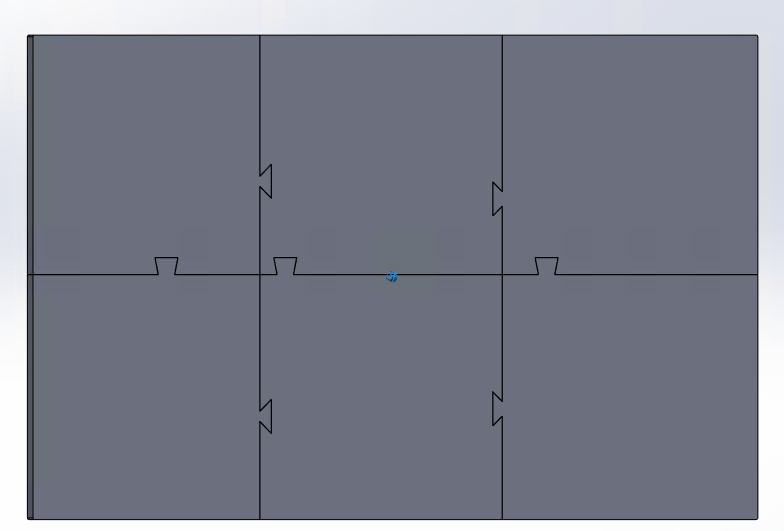
When I need to print parts larger than my print bed, I use dovetails. With a little tweaking, you can get a fit that can be pushed together, but doesn’t require adhesive.
image.png

1 Like

Why not just finish them with the scale feature and then tweak it from there? Shouldn’t be that demanding to tweak around 8 objects..?

1 Like

Does your 3D print software offer scaling? I’ve been using GrabCAD Print and it’s got a lot of post processing tools that can help.
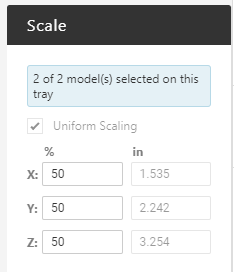
Select all bodies and scale all at once.
image.png
Edit: Aside from that, I remember a macro floating around that scaled all dimensions in the model by your scale so it was true to size and not using the “Scale” feature to modify the body size. I don’t know if I’ll be able to find it though.

1 Like

Yeah, Cura does do scaling. Good Idea.

I would like to see the macro if’n you can lay your hands on it.

cheers

I think that at the end of the day, this is prolly the best solution.

The challenge is designing these bits and bobs so that I can actually manufacture them with the limited capability at my disposal.

I wouldn’t even begin to attempt to build a full sized-ish version of this with some sort of automation, hence the CNC router.

That’s not going to happen in the sort term, so when it does deal with it then.

Cheers

Model them at correct size.
Scale will change radius and holes size. Also clearance between parts.
It’s difficult to scale a drill down.

1 Like

I believe it’s ModelRescaler in this list of Lenny’s tools: http://www.lennyworks.com/solidworks/default.asp?ID=20

RotateViewPro is a simple SolidWorks macro that is based on a recent request for help found on the usenet newsgroup “comp.cad.solidworks”.

I haven’t thought about usenet newsgroups in a couple of decades.

Whoa,

I thought Google killed usenet…

Was a faithful denizen at one point, a long time ago.

LOL.

Awesome.

Most of the macro’s have been removed, but a long time ago I grabbed the entire lot.

It’s called ModelRescaler.

Now let’s see if it still works.

cheers

Wow.

Still works.

Had to make one variable declaration.

I’ve attached a copy if anyone wants to try it out.

Theo Jansen was at SW World one year, and brought a contraption that was a wind powered walker


https://youtu.be/Pj-NqWDH2qE?feature=shared

Yep, that’s the one year I went. It was in San Diego.

Hey Sculley,

Is the macro that was attached to my message still floating around?

I can’t find my version (of course) and was hoping the one I posted was still here.

Happy New Year!

It appears in the database table for attachments:

select att.physical_filename,att.real_filename,us.username from cadformattachments as att inner join cadformusers as us on att.poster_id = us.user_id where att.poster_id=1488 and real_filename like '%Rescaler%';
+---------------------------------------+-------------------+----------+
| physical_filename                     | real_filename     | username |
+---------------------------------------+-------------------+----------+
| 1488_28166b75a2ca51203767e490b94f00c7 | ModelRescaler.swp | doobes   |
+---------------------------------------+-------------------+----------+
1 row in set (0.000 sec)

but the physical file is missing from the transfer from CADForum to CADmunity:

ls -la 1488*
-rw-rw-rw-. 1 jim jim  98656 Apr 29  2025 1488_05742e0d303103188a772186dabee27c
-rw-rw-rw-. 1 jim jim  55296 Apr 29  2025 1488_0f02caef1f7283b7c36e2f860c11eda2
-rw-rw-rw-. 1 jim jim 178588 Apr 29  2025 1488_0f19f8bdbdbe1d9cdf8e2824890fda54
-rw-rw-rw-. 1 jim jim 145331 Apr 29  2025 1488_8274589c71d97c94570ca67b059cfda7
-rw-rw-rw-. 1 jim jim  62632 Apr 29  2025 1488_87390c6716d98a0665a65bd8662a72a6
-rw-rw-rw-. 1 jim jim  46730 Apr 29  2025 1488_8a7fabf0fa4d7eaf5d02bedcdf336822
-rw-rw-rw-. 1 jim jim 470841 Apr 29  2025 1488_a1d3733625613d87da6ce51b54ab60a1
-rw-rw-rw-. 1 jim jim 782601 Apr 29  2025 1488_d220ad4052991a9471c1340f11a9821a
-rw-rw-rw-. 1 jim jim 770884 Apr 29  2025 1488_d6f6723496f501b47df26831435f592c

For some reason some attachments went missing.

Ok,

Thank you

The rescaler macro is still available on Lenny’s site, if that is the one you are referring to.

http://www.lennyworks.com/solidworks/default.asp?ID=20

ModelRescaler.zip (59.5 KB)