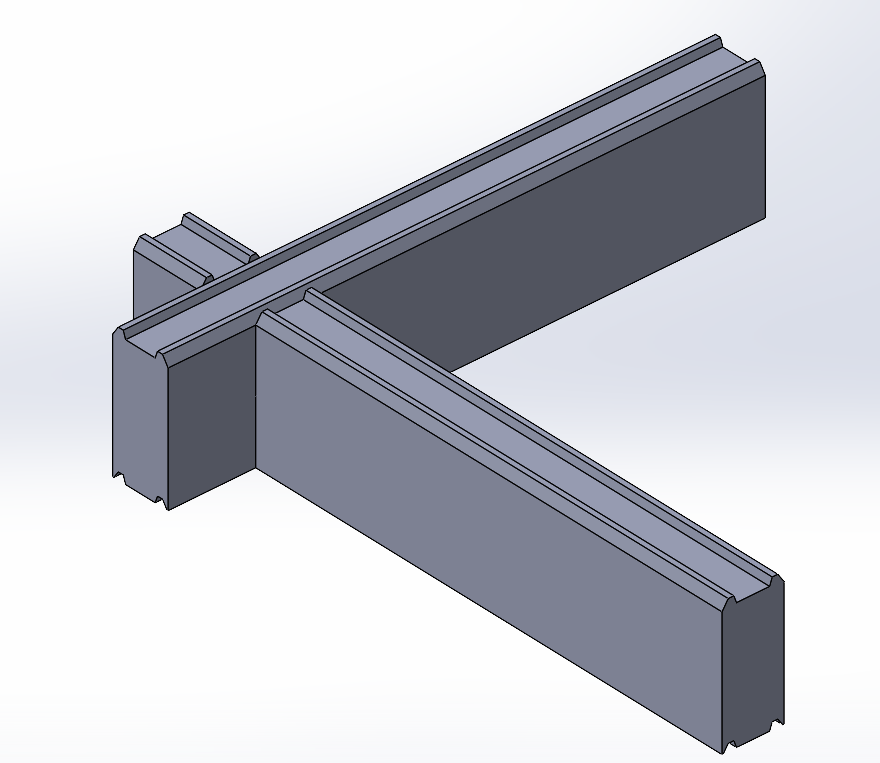
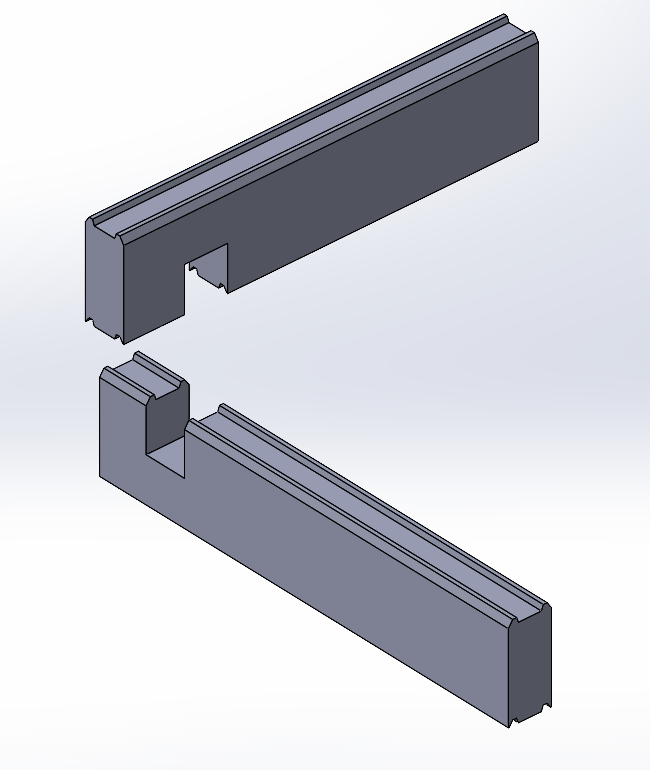
I am trying to automate a workflow for cutting half-lap notches in wood beam joinery, like in the images below (the rectangular cut where the two beams intersect):
While it looks super simple, when there are hundreds of such joints in the model, it can become extremely laborious. Each cut requires at least one sketch and two cut-extrudes - lots of clicks.
I tried making a Library Feature for it, but even the most simple approach requires selecting at least 2 planes and 4 edges to locate the cutting sketch, and unfortunately the two cut-extrudes fail to cut one body each, requiring to edit them and re-select bodies individually.
I thought I could reduce reference selection by using Convert Entities on the ends of the beams and using them to make the cuts, but unfortunately that doesn’t result in Face reference, but a bunch of Edge references.
Can anyone suggest a way to automate these cuts (without macros)? Ideally I’d like to drag a Library Feature over, select the bodies to cut, and have the Library Feature figure it out based on the intersection between the two beams.
I’m not at the computer right now, so I can’t try it; I’m just giving you an idea. You can use a block. A location point is used to position a rectangle where you’ll be cutting. You select the wood face, place the location point at the corner of the wood, and create a cutting extrusion.
Yeah, this could be done, but I’m not sure it’s much faster than just drawing a rectangle and attaching it to two intersection points of the beams. Problem is, drawing that rectangle is just one small step out of many:
Select side of the beam;
Open a new sketch;
Draw rectangle / position block;
Attach to one intersection;
Attach to another intersection;
Create cut-extrude;
Specify direction;
Specify body to cut;
Confirm;
Expand the cut feature and select the sketch again;
Create another cut-extrude;
Reverse direction to cut;
Select the other body to cut;
Confirm.
Some of these actions are more than one click, so realistically that’s like ~20 clicks to create one cut as I showed in the screenshot. Multiply that by a few hundred cuts like that, and it gets really unmanageable, especially when you need to make changes, move beams around, etc. Some of that can be simplified (for example use one shared sketch for multiple cuts if they are on the same plane), but it’s still a lot of work and not flexible.
When I think about it, the task is pretty simple, just take the intersection volume, split it in two in the Y direction, and subtract each piece from each beam. This would be super simple if Library Features supported Boolean operations (Combine), but they don’t. It feels like there must be a simpler solution than the 20 clicks I described.
It’s like an equation with too many unknowns, and for now, there seems to be no solution other than clicking a lot.
So, doing it without clicking a lot is like having someone do the clicking for you (artificial intelligence).
Frankly, I’m starting to wonder too. I’ll be eagerly awaiting positive results. Someone might be able to take on this challenge. (At least, that’s what I hope.)
I would probably just add cuts to the beam, without external references or library feature. Then use “save as” to make different beam lengths/cut locations etc or maybe with configurations. Or maybe Smart component would work.
Interesting idea. I obviously want to do this as a multibody part, but perhaps the cuts could be added in assembly via smart components. Problem is, that would prevent me from using patterns of already notched beams in the part, and that could end up being much more work in the end.
As for pre-cutting the beams, I’m afraid that won’t work since the location and number of the cuts is different every time…
Smart Component would probably work. You would need a top beam and bottom beam. Maybe you can get creative with sketch relations and make it do both in the same file.
Applying Smart Component to each joint would be a nightmare. And they can’t really be patterned. Perhaps it could be done via assembly-level pattern and then using Cavity to cut out all the patterned joinery pieces from the multibody beams part, but I can already imagine how much would SW struggle with such a heavy operation.
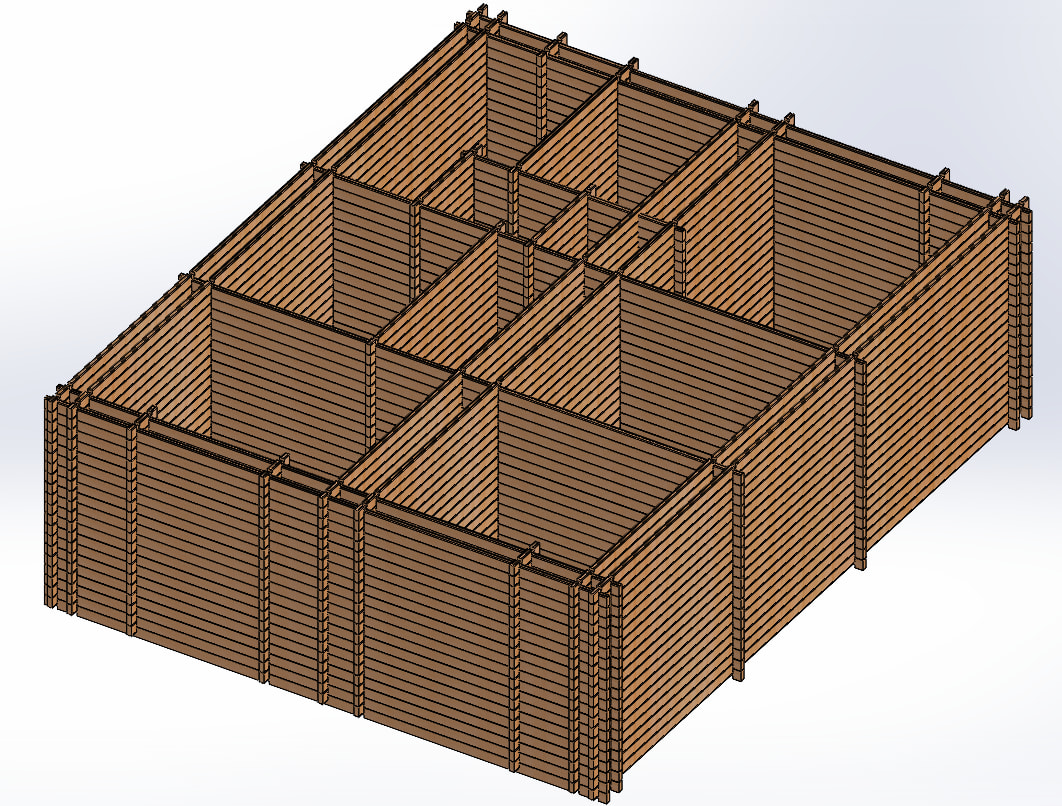
That is why I wanted to make these joints in part level, before any patterns. But even in the relatively simple structure as in this screenshot, even on one level it would be like 30+ joints before any pattern can be made.
You can see why I’m looking on how to automate this
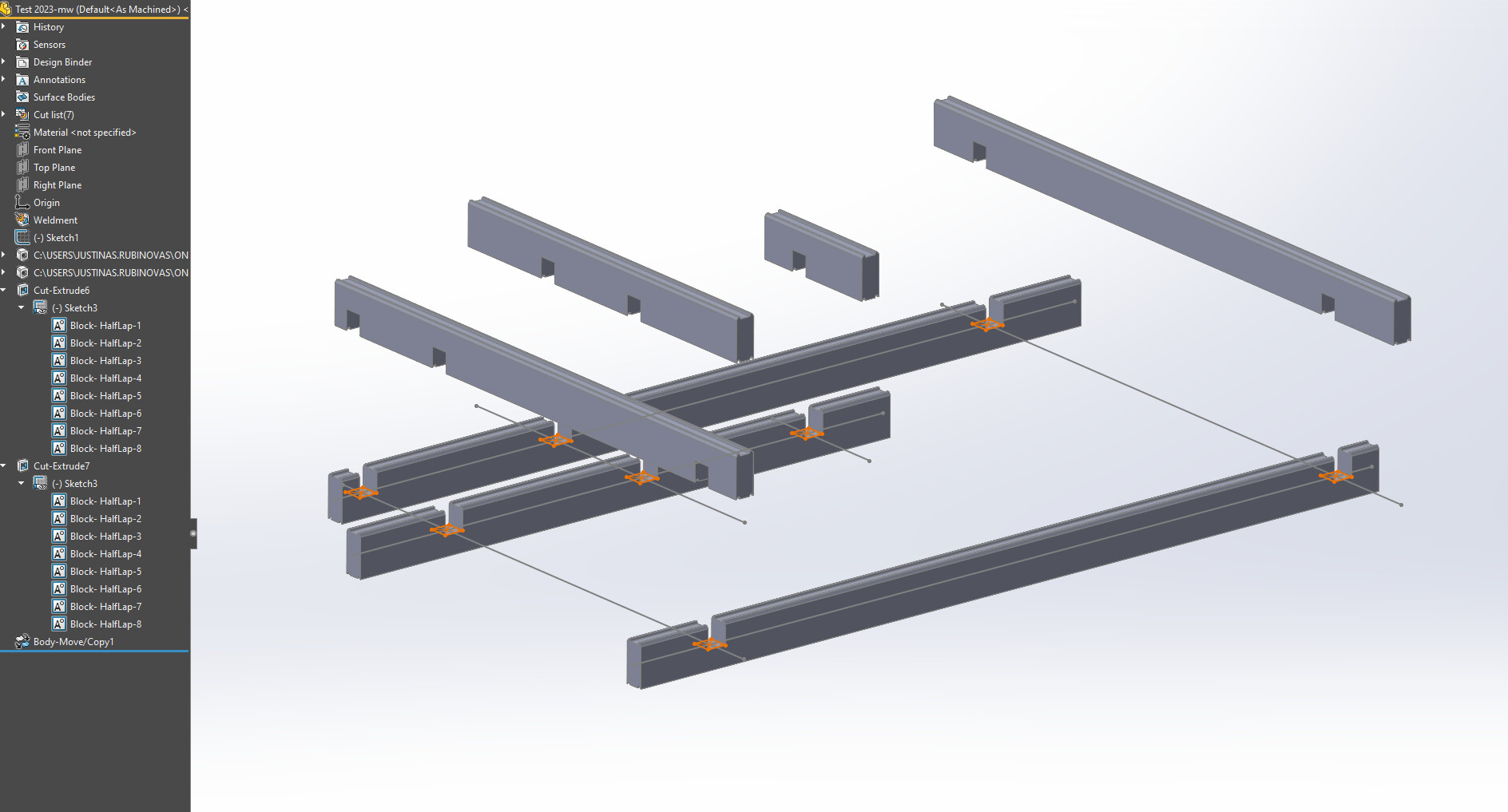
For the part you are showing, I think I would be inclined to do something like this. I tried to save this in 2023 from SW2024, I am not sure that worked.
Thank you, that is quite smart! Definitely a massive improvement over my attempts. One issue is that the sketch block wouldn’t self-update if I changed to a differently-sized profile, not sure if that can be circumvented except for exploding the blocks and re-sizing them, or replacing them with other blocks (both of which is a lot of clicks).
just an idea: an approach we used (with Siemens NX not SW) was the “false body” (in assy modelling): every component included the main body and a second body which was used to cut the pocket.
Imagine a bolt model: you have the bolt body and another body shaped to cut the bolt hole.
you position the bolt and then you cut its hole with the secondary body.
You can do the same in swx with Smart Components, however it only works in assemblies. With the number of parts in his assembly, it may get bogged down as it creates top down like references.
When I first saw this I was thinking the cavity command would be the way to go, but that would not work great. I think that I would go with parts with configurations for the length and derived configurations for the cuts. as once you get the first few layers done it would be easy to use a pattern to get to the height.
This looks like a very expensive build. To mill that many boards and cut that many slots in each one I would hope that you already have the tools and trees to be able to cut all the material that you need then it is just very time consuming and back breaking work to move and stack all the material.
Yeah, that’s how I understood it previously, but like I said, it wouldn’t play nice with multibody part and patterns. Maybe that could be done via Insert-Part to keep everything inside the part, but again, positioning (mating) the false body to make these cuts, then making the right selections for Combine operation, and making sure the false body is of correct size when beam size changes, sounds like even more work than simple cut-extrudes…
After much thought, I still don’t see how to make this work in assembly environment, at least in a way that keeps it all flexible (cuts adapting to beam size changes). Also assemblies tend to work much slower with inter-part relations than just simple multibody part. Maybe I am missing something though.
And yeah, it’s not cheap, but quite common build method in my region. It does have it’s advantages.
Don’t explode the block, just edit the block. Edit one and the rest will update. Something I noticed is that the insertion point wasn’t coincident with the center intersection, it just picked up the line. Edit the block to make the insertion point the intersection point. and then you can change dimensions. I tried to infer the block to the profile, it didn’t work. I also tried to link values, that didn’t work either. It might be possible to set up a global variable, I will maybe try that. As it is for this part, if you change the profile, you need to change one dimension in one block and all the cuts update.
Blocks can be a little hairy, but also very powerful. if you need to edit the block, you can start a new sketch anywhere, insert the block, edit the block, and when done editing, you can exit the sketch without saving.
Another option would be to use a sketch driven pattern. Then you can reference your profile for your cutting sketch, and it would update when your profile changes…
Same, I think cavity can be used here as well, an intersection cut using false/copy bodies. And MattW has the simple/easy way which is works very well for the weldment bodies and bring into an asm and pattern. I’ve watched this notched beam building online, it’s super laborious but looks kewl!
Different locations and number of cuts etc are easy to handle with configurations and you have no external references = fast. And you can still use patterns in assy.