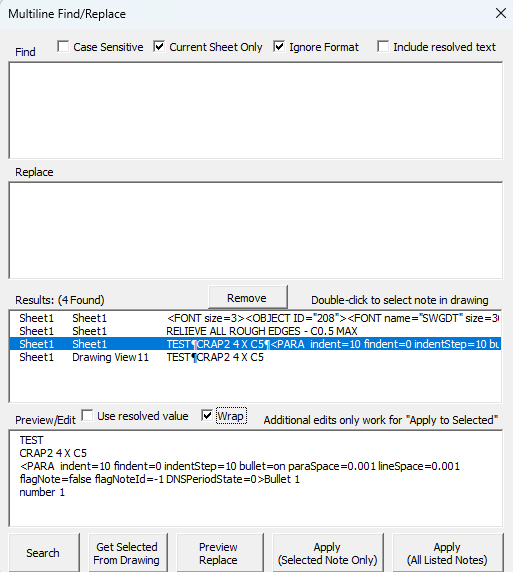
As pointed out in a recent SW forum post, the Find/Replace function for annotations in drawings can’t handle carriage returns in either the find text or the replace text. This one does handle it. It also has several added features for searching resolved link text vs the actual link text, ignoring the template, current vs all sheets, etc… The built-in find/replace function will search the resolved value of any linked notes, and if you use replace on one it will just destroy the note.
It also allows you to directly edit the text in the preview box, as well as display either the resolved text or the actual text behind the note, which includes all the SWML that generates the note formatting that (as far as I know) can’t be viewed in any way in the UI.
If you don’t specify a value to “Find”, it also functions as a list/editor for all notes in the drawing, including inactive sheets.
FindReplaceInDrawings.swp (101.5 KB)