It might be best for you not to play with the Tree Back and Forth. But to create your features at the end of the tree (if there is a FlatPattern, it will be more at the end of everything) and pass them (Feture Object) to the move function, which will move them Up without searching for this place.
' Demonstration procedure
Sub Demo_CreateAndMove()
    Dim d As ModelDoc2, feat As Feature
    Set d = Application.SldWorks.ActiveDoc: If d Is Nothing Then Exit Sub

    Set feat = CreateBossOnTop(d, 0.1, 0.01) ' D100 mm, Extrude 10 mm (in m)
    If Not feat Is Nothing Then
        If Not MoveFeatureToTop(d, feat) Then Debug.Print "MoveFeatureToTop failed for: "; feat.Name
    End If
End Sub

' Move before Origin (to the very top of the tree)
Function MoveFeatureToTop(d As ModelDoc2, f As Feature) As Boolean
    If f Is Nothing Then Exit Function
    MoveFeatureToTop = d.Extension.ReorderFeature(f.Name, "", swMoveToTop) ' swMoveToTop = 4
End Function


' ========== AUXILIARY ===============
'Auxiliary functions that for a specific example create an elongated round boss on the plane Above.
Function CreateBossOnTop(d As ModelDoc2, ByVal dia As Double, ByVal depth As Double) As Feature
    Const swEndCondBlind As Long = 0
    Dim sm As SketchManager, fm As FeatureManager
    Dim ok As Boolean, r As Double
    Set sm = d.SketchManager: Set fm = d.FeatureManager
    r = dia / 2#

    d.ClearSelection2 True
    ok = SelectTopPlaneOrFirst(d)
    If Not ok Then Exit Function

    sm.InsertSketch True
    sm.CreateCircleByRadius 0#, 0#, 0#, r
    sm.InsertSketch True

    ' Simple Blind Draw, Merge Bodies = True
    Set CreateBossOnTop = fm.FeatureExtrusion2(True, False, False, swEndCondBlind, swEndCondBlind, _
                                               depth, 0#, False, False, False, False, 0#, 0#, _
                                               False, False, False, False, True, True, True, 0, 0, False)
End Function

' Select Top Plane for example
Private Function SelectTopPlaneOrFirst(d As ModelDoc2) As Boolean
    Dim ext As ModelDocExtension: Set ext = d.Extension
    Dim names As Variant, i As Long
    names = Array("Top", "Up") 'Or your super original name
    For i = LBound(names) To UBound(names)
        If ext.SelectByID2(names(i), "PLANE", 0, 0, 0, False, 0, Nothing, 0) Then
            SelectTopPlaneOrFirst = True
            Exit Function
        End If
    Next i
End Function

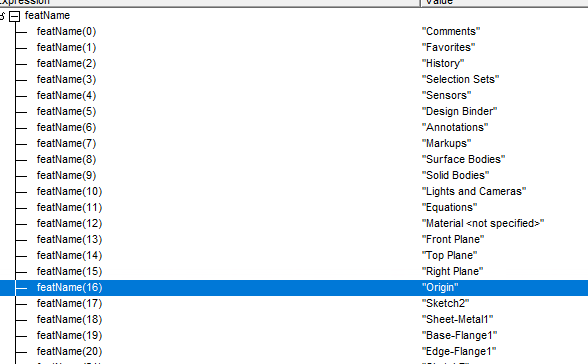

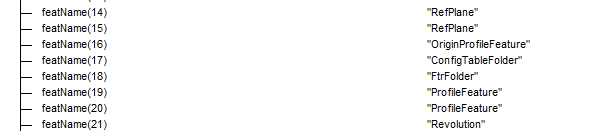
 :
: