Do any of you have a macro for hiding all planes in an assembly including nested planes in assemblies, subassemblies and parts for SW2025?
The Tick’s macro has been around a while. Not sure if it traverses or if it’s just for the active document…
You got one of those where people left planes on all the parts?
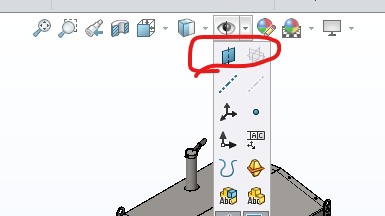
Not quite the same. We instruct our users to hide all references geometry (Planes, axes, etc) before the final save, else it tends to show up in assemblies and drawings when you don’t want them to show. To me that toggle is when you are working and just need to temporarily hide all planes.
Hi Jason and Matt,
Thanks for your replies. I’m aware of Show/hide and use if frequently, and I also do what Jason does as good practice, but what I’m looking for is the ability to, in one shot, change the visibility state of all planes in the assembly at once (from files I receive - STEP). Then I can show just the pertinent one that I want. AI did find a macro for me that seems to do this but is not working correctly. This is particularly useful when dealing with imported STEP files like shown below. the FM filter does not work in the case of nested planes in Assemblies and parts because even thou it filters them, it also shows the Assembly and/or part, and you can’t simply use Ctrl+Shift to select…
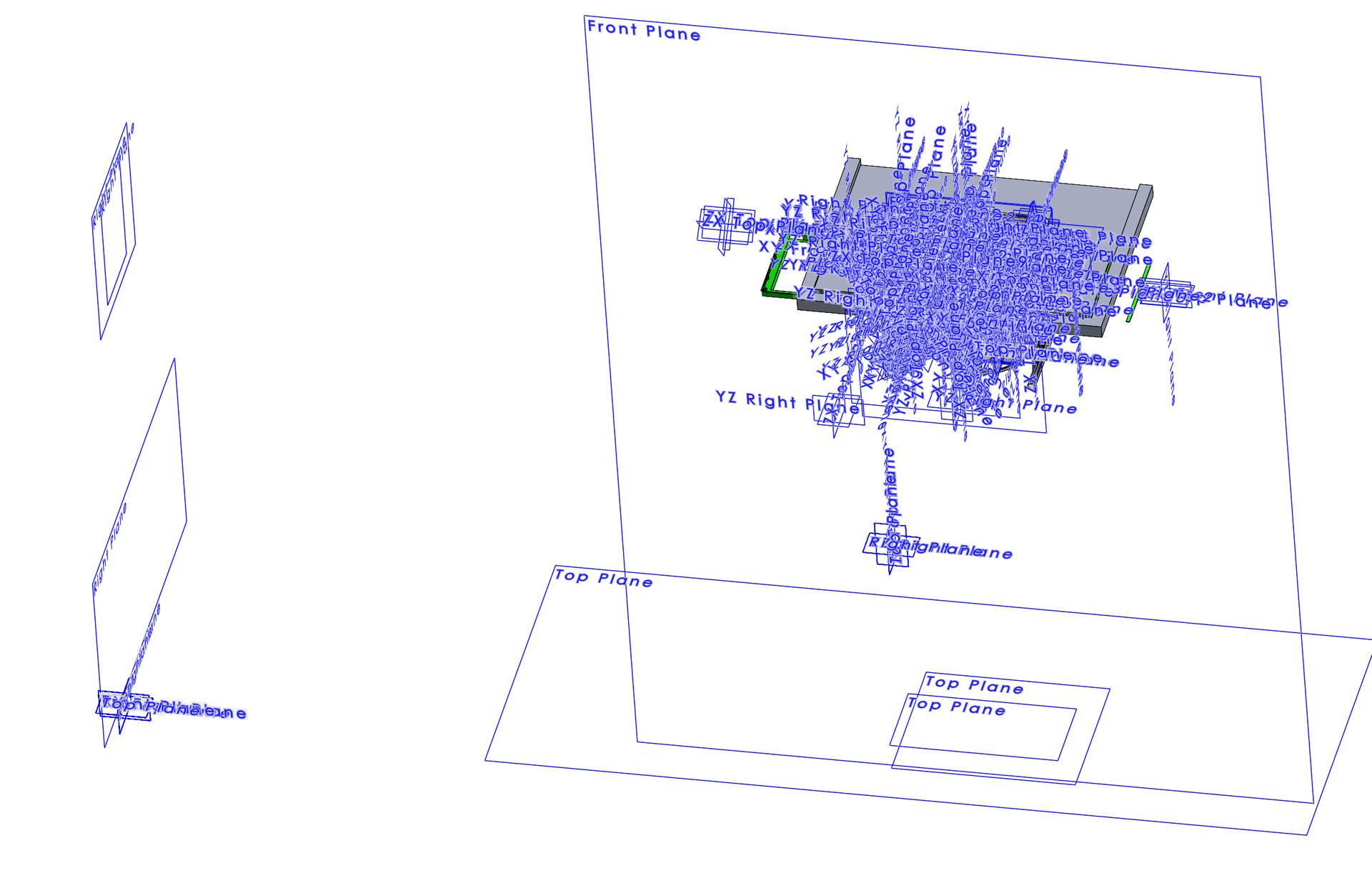
Here is the macro that AI found for me. It seems to cycle thru all the planes but doesn’t actually hide them in the end.
Dim swApp As SldWorks.SldWorks
Dim swModel As SldWorks.ModelDoc2
Sub main()
Set swApp = Application.SldWorks
Set swModel = swApp.ActiveDoc
If swModel Is Nothing Then Exit Sub

' Check document type (2 = Assembly)
If swModel.GetType = 2 Then
    Dim swAssy As SldWorks.AssemblyDoc
    Set swAssy = swModel

    Dim swRootComp As SldWorks.Component2
    Set swRootComp = swAssy.ConfigurationManager.ActiveConfiguration.GetRootComponent3(True)

    ' Run recursive structure scan
    TraverseComponent swRootComp
Else
    ' If it's just a single part document
    HidePlanesInDoc swModel
End If

' Redraw screen graphics to show updates
swModel.GraphicsRedraw2
MsgBox "All nested plane feature attributes set to Hide!", vbInformation
End Sub
Sub TraverseComponent(swComp As SldWorks.Component2)
Dim vChildComps As Variant
Dim i As Long
Dim swCompModel As SldWorks.ModelDoc2
Set swCompModel = swComp.GetModelDoc2

' Check if component is loaded/active
If Not swCompModel Is Nothing Then
    HidePlanesInDoc swCompModel
End If

' Move deeper into child assemblies recursively
vChildComps = swComp.GetChildren
If Not IsEmpty(vChildComps) Then
    For i = 0 To UBound(vChildComps)
        Dim swChildComp As SldWorks.Component2
        Set swChildComp = vChildComps(i)
        TraverseComponent swChildComp
    Next i
End If
End Sub
Sub HidePlanesInDoc(model As SldWorks.ModelDoc2)
Dim swFeat As SldWorks.Feature
Set swFeat = model.FirstFeature
Do While Not swFeat Is Nothing
    ' Look exclusively for Reference Planes
    If swFeat.GetTypeName2 = "RefPlane" Then
        ' Select feature natively and pass state 1 (swIsHiddenInFeatureMgr)
        ' This turns off the eye icon in the feature manager structure
        swFeat.Select4 False, Nothing
        swFeat.SetUIState 1, True
    End If
    Set swFeat = swFeat.GetNextFeature
Loop
End Sub
@David - It’s an imported STEP from CREO.
Thanks Josh,
Looks like this does the trick. This imported STEP had hundreds of planes and the .swp seems to do the trick.
Thanks again.
Mark
you may want to look at your default part and assembly templates to see if those planes are shown or not. When I bring in a STP file I have my settings set to ask for the template and I will not see planes till I want to turn them on.
Thanks for letting us know that the macro Josh sent works. There were a lot of them when I was trying to turn off planes when I was doing some routing for conduit on a model that looked like yours when I tried to turn on planes to get a plane I wanted a sketch to be on.
@David_Matula It’s not a matter of hiding all planes but changing all the planes in the assembly and parts to “hidden”.