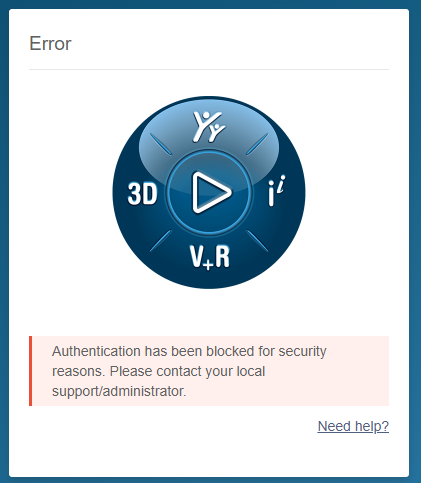
For the past two days, I’ve been unable to view the SWYM Forums or access the SW knowledge base. I can log in to the SW customer portal, but trying to go from there to the Knowledge Base, or trying to access the SW User forum directly gives me this error message:
In the past, a browser restart would often correct the problem. This time it is persisting across browser sessions, browsers (Chrome and Edge) and even persisted across a reboot.
Is anyone else having this issue and if so have you found the cause?
I had not tried in a while. Just gave it a go, forum appears the same as it has been when I log in. Customer portal still requires the secret handshake to get the lock icons to go away, after that access to KB seems to work.
Do you have a specific SR you want? I could look up and send it to ya if you want. But I pretty much need the SR # to find it.
Here’s the thing. Earlier today I posted in the SWYMP forum. Earlier today I looked up information in the KB. Over the weekend, things started ‘working’ again. I saw your pasted reply from Matthew Hall, so I figured I would do a simple test. I close my browser and reopen it. I browse to the SW portal as I’ve always done,. I enter my credentials and I’m logged in:
image.png
Click on Knowledge Base (something I’ve done a thousand times successfully) and it’s straight to the error page:
image.png
There is no opportunity to enter an incorrect password. And before anyone asks, I do not save any passwords in the browser, so it’s not some autofill problem.
However, poking around after this latest test has revealed the double-secret handshake. If I close/reopen my browser and browse to the forums first, I can enter my credentials (which are different BTW) and all is good. I can even then browse to the portal, log in and view the KB.
If I try things in the opposite order, logging in to the portal first, I cannot then see the KB or the forums. They go straight to the security error. Only restarting the browser and doing things in the ‘correct’ order will work.
So, I have a workaround to what is quite clearly a problem on their end. They are most likely passing the credentials I used to log in to the customer portal to the 3DS sites, assuming they are the same. They are not. So, once again, SW needs to fix their s***.
I understand and feel ya buddy, I sent him your response and told him that it isn’t your duty to investigate any further the problem since you’ve figured a workaround.
Please find a way to get in touch or let the problem slip by, either way it, I’ve spent enough time myself doing the middle man to help on the issue.
I had contacted my VAR about this on Friday before I found the workaround. Yesterday, they got back to me with this:
“SOLIDWORKS is asking me for your portal password so they can test this behavior themselves. They did not want change the password on you and lock you out.”
I told my VAR about my findings and workaround and politely declined the request for my password.
I wish I could say I’m surprised by the fact that SW asked for it, but I’m not.
My usual passwords I give, are “F…f” and “are you serious”. Number of times, the person in question tells me in the next mail, the password is not working. We put these mails on the wall, next to the coffee machine.
Wow, what in the actual fuck?! Why don’t they just duplicate your account, change the password of the duplicate and then test it out themselves, rather then ask you for your password.
Jesus, they even send mails specifically telling us “We will never request or ask for your password”


 “Tell me yours I’ll tell you mine”