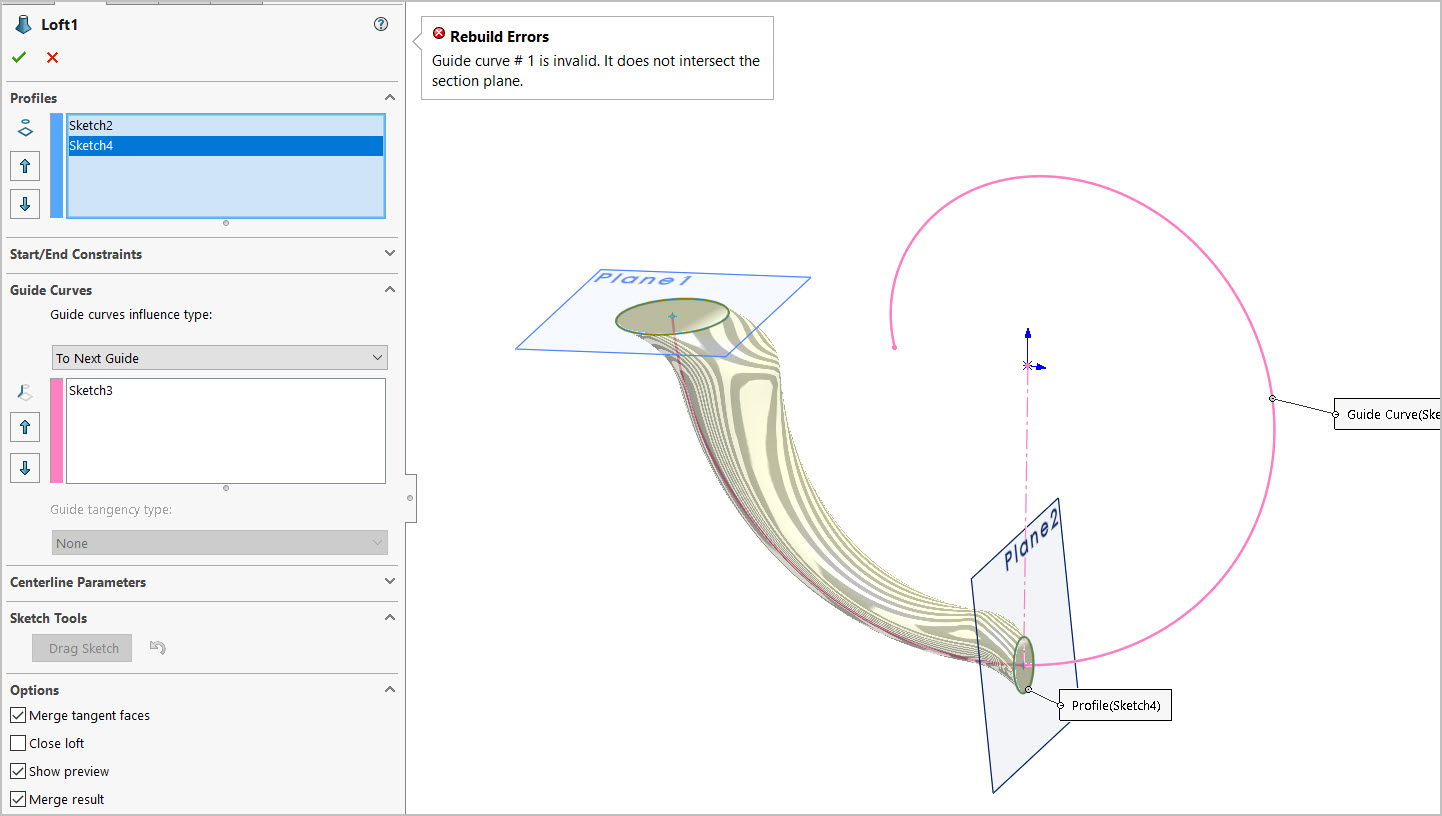
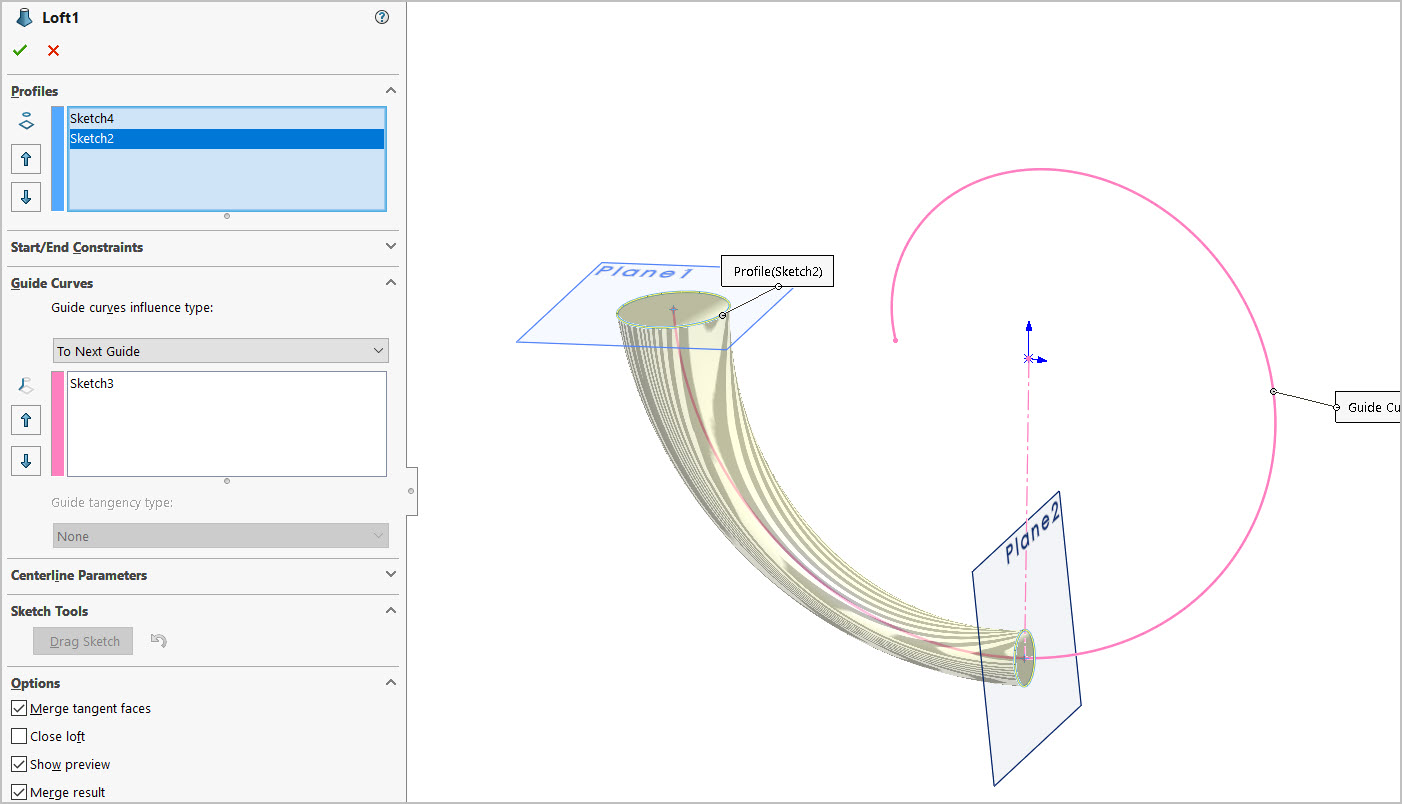
I don’t quite understand the underlying Lofting error issue. If I loft the profile sections like first pic, it fails. If I change the profile order like second pic it works. Same sections & same guide curve. I’ve randomly fiddled with other settings below the profile/guide panel but unless I’ve missed something it only works the second way. I suspect something to do with the planes, but what? Note, I have made the circle sections pierced to spiral curve & the planes are defined perpendicular to curve at the center point.
spiral test.SLDPRT (137.8 KB)
Use a centerline instead of a guide curve and it won’t behave like that.
Thank you Jim. So THATS what that that window parameter is for! Going to remember this tip.
Follow up - I notice the control of green alignment balls can be different. Sometimes they will magnetically snap, for sure on faceted sketches with more distinct corners. Circles & ellipses, I cannot say for sure, maybe not. In some cases of circles & ellipse I have drawn points on specific quadrants, but I’m not clear it is actually snapping or just stopping real close by. Is SW really utilizing the exact position of the green balls or mostly intended as a de-tangler de-twister tool if it does something weird by default to initially?. When I nudge the positions in float mode there doesn’t seem to be much change in surface (just eyeballing the zebra stripes) but maybe that’s just a function of the lofted shape itself.
The handles will not snap to sketch points. They need to be actual vertices on the model or sketch endpoints. For circles and such you can use the segment tool to split the sketch entity into multiple segments.
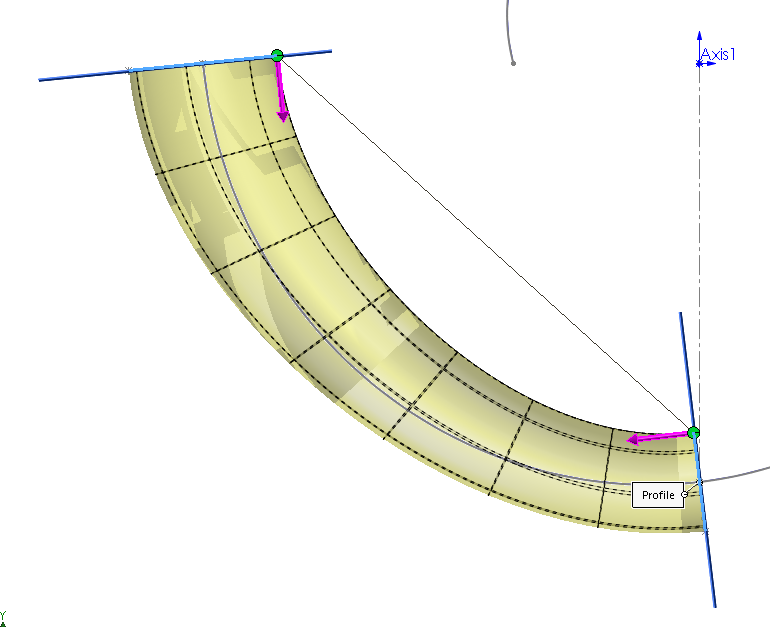
If you turn on ‘Mesh preview’ in the Curvature Display section of the loft property manager you will see the effect that dragging the handles has. The U-V curves will align themselves to the location of the loft handles, which will cause the intermediate loft profiles to turn. When they are close to aligned you get this:
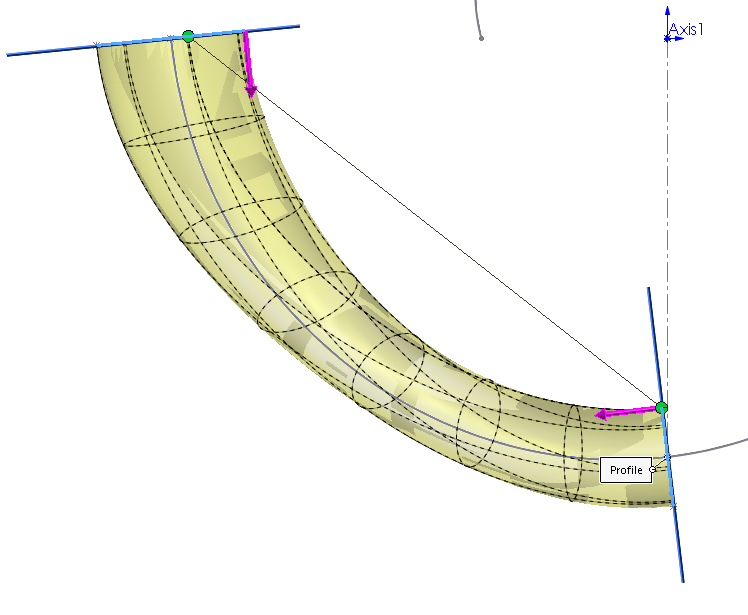
As they get misaligned you get this:
For loft profiles that are closed shapes, if you aren’t using the centerline, you should split the profiles into 2 or more segments and provide guide curves through the sketch entity endpoints that dictate the shape you want.
One of those long time wish list items. In the sketch you can select the sketch quadrants but you can’t from the loft tool for the connectors.