I often think about how SolidWorks would look if it were designed today from scratch, without decades of legacy features, compatibility requirements, old APIs, macros, PDM workflows, and historical design decisions.
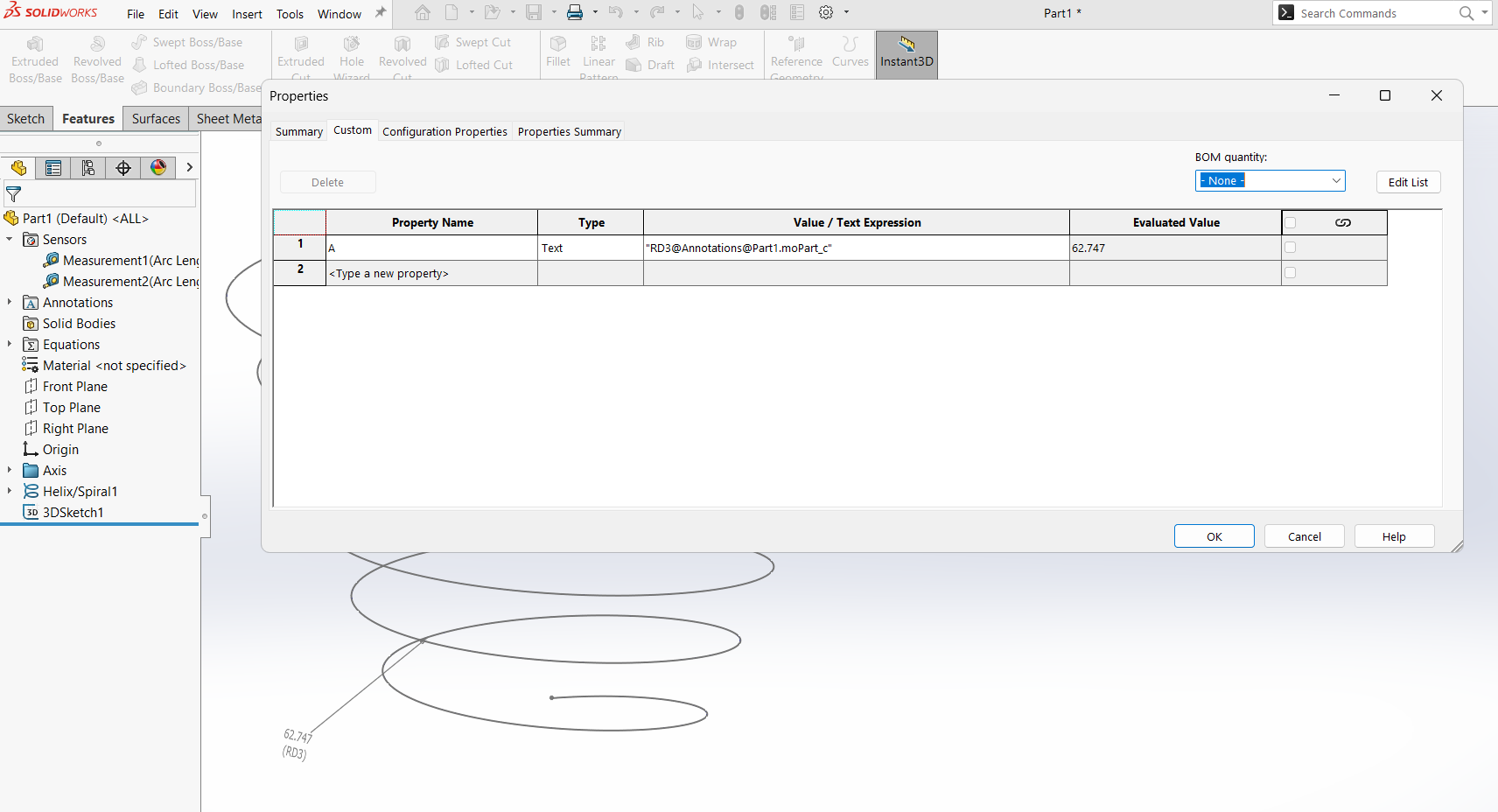
One area where this is especially noticeable is custom properties, equations, configurations, cut-list properties, global variables, design tables, and BOM-related data. All these systems are useful, but they feel like separate worlds that were added at different times. As a result, users often have to build complicated workflows, macros, or add-ins just to make model data behave consistently.
In my opinion, SolidWorks would benefit from a unified Variable Database concept.
Instead of treating custom properties, equations, global variables, configuration-specific properties, and cut-list properties as separate mechanisms, they could all become different scopes of the same system.
For example, variables could exist at different levels:
Document-level variables
Configuration-level variables
Body / Cut-list variables
Component instance variables
Assembly context variables
Calculated variables
System variables
Each variable would have a clear scope, type, value, and possibly a formula. Something like:
Name | Scope | Type | Value | Formula | Resolved Value | Status
For example:
DESCRIPTION | Configuration | Text | Bracket | - | Bracket | OK
THICKNESS   | Body          | Length | 4 mm | - | 4 mm | OK
AREA        | Body          | Area | - | SurfaceArea(Body) | 0.85 m² | OK
NUMBER      | Configuration | Text | - | DESCRIPTION + "-" + ConfigName | Bracket-01 | OK
This would be much more powerful than the current system, where custom properties are often just text fields, equations are handled separately, and cut-list properties have their own logic.
In such a system, an equation would simply be a calculated variable. There would be no need to separate “Equations” and “Custom Properties” as fundamentally different things. A numeric variable, a text variable, or a calculated value would all belong to the same database.
For example:
Length = 1200 mm
Width = 500 mm
Area = Length * Width
Designation = DESCRIPTION + "-" + ConfigName
One important improvement would be proper support for string functions . Today, forming property values like part numbers, descriptions, designations, BOM names, or configuration names often requires API macros, design tables, or complicated $PRP references. A modern variable system should allow formulas such as:
PartNumber = Prefix + "-" + Format(Number, "000")
DisplayName = Trim(DESCRIPTION + " " + VariantName)
Designation = IfNull(DESCRIPTION, "NO_DESCRIPTION") + "-" + ConfigName
Functions like these would be extremely useful:
Left(); Right(); Mid() .....
Another key feature should be a proper distinction between different value states. Currently, a missing property, an empty property, a failed expression, and an unresolved reference can sometimes feel too similar from the user’s point of view.
A modern system should clearly distinguish:
null          - value does not exist
""            - value exists but is empty
Error         - formula failed
Undefined     - referenced variable was not found
Then safe fallback expressions could be used:
Variable2 = Variable1 ?? "Default value"
Variable2 = Try(Variable1, "Default value")
Variable2 = If(IsNull(Variable1), "Default value", Variable1)
Another important concept is addressing variables by their full context path. For example:
Assembly1@Component1<2>@Configuration1@Body3@Variable55
This kind of path would make it clear whether the value comes from the document, configuration, body, cut list, component instance, or assembly context. Today, this is often one of the most confusing parts of working with properties through the API.
The system should also have strict and visible rules for priority and inheritance. For example:
Body variable
Configuration variable
Document variable
Assembly context variable
Global/default variable
Without clear priority rules, the system could become even more confusing than the current one. But with a good interface, the user could always see where the final resolved value came from.
Another major improvement would be stronger typing. Instead of only treating everything as text or number, variables could have types such as:
Text; Number; Boolean; Enum; Material; Date; Reference ....
This would prevent many common mistakes. For example, a thickness should not just be the string "4" . It should be a real length value, such as 4 mm . A surface area should be stored as an area. A mass should be stored as a mass. This would make BOMs, drawings, cut lists, and API automation much more reliable.
In practice, this could become a central Variable Manager in SolidWorks, replacing or unifying several existing tools:
Custom Properties
Configuration Properties
Cut List Properties
Equations
Global Variables
Design Table parameters
BOM variables
Of course, I understand why SolidWorks does not work this way today. It has a long history and must support old files, macros, add-ins, PDM systems, templates, drawings, and company workflows. A radical redesign would break too many things.
But conceptually, I think this is the direction CAD systems should move toward.
Custom properties should not be just text fields attached to files. They should be typed, calculated variables with scope, dependencies, inheritance, and safe error handling.
In short:
SolidWorks needs not only Custom Properties, but a real model-wide Variable Database.
Such a system would make CAD data cleaner, reduce the need for macros, make BOM automation easier, simplify configuration management, and give users much more control over engineering metadata.
I just hope Dassault Systèmes doesn’t decide to come after me and my family for saying this — my apologies in advance