Have you ever seen SW crash when trying to add a BOM to a drawing? This is a repeatable problem.
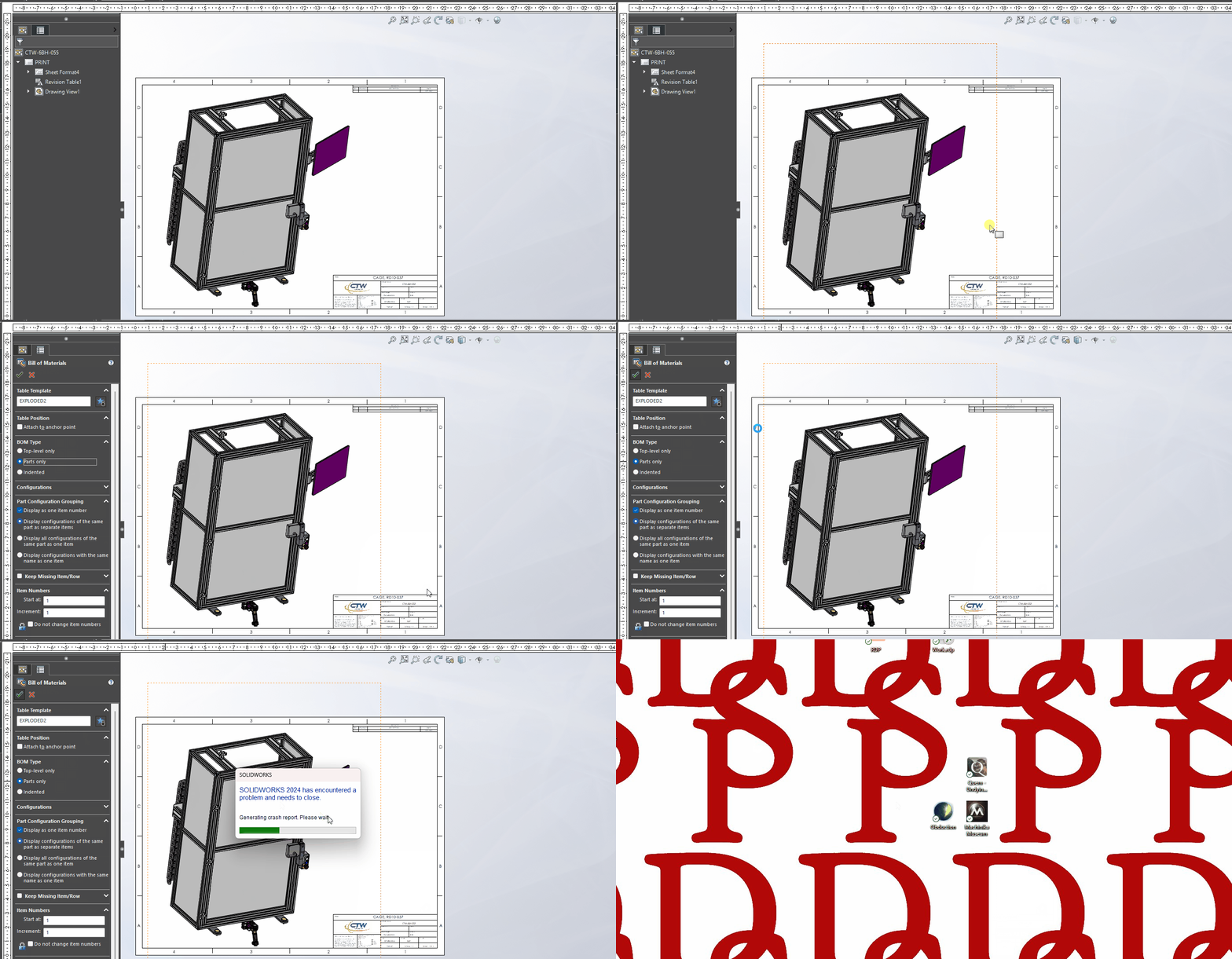
Have you ever seen SW crash when trying to add a BOM to a drawing? This is a repeatable problem.
Does it happen if you use one of the standard BOM templates included with SW?
I don’t see any templates supplied by SW. I did try another of my BOM templates, and it had the same behavior.
The problem is specific to that assembly / drawing. I used the same BOM template without issue 30 minutes before this problem started, and I tried inserting the BOM template into other drawings and it worked.
The ‘standard’ templates should be in:
<sw_install_dir>\lang\english
I would try it just to eliminate the possibility of a wonky template.
Maybe try a Pack and Go of the Drawing to a new folder and see if that will help? Or just saving the drawing with a new name? I’m not saying either will work, but they’re simple things to try.
I saved the assembly outside of PDM, and then created a new drawing based off of that assembly. There were no issues.
I then saved the assembly inside of PDM with a new name. Created a new drawing and there were no issues.
Unfortunately I was just in debugging mode, and not really giving things proper names, so I repeated the above, but gave things proper names/PNs, and it crashed again.
I did all of the above again, but created the BOM off of the default view / scaling / shading and there were no issues. From there, I was able to correct the view / scaling and shading it is still happy.
SMH.
I am sure that I have seen something like this before. There are a few things that I try to do when I find a repeatable crash.
One assembly I was working on would crash as you would do some routing in a logical step, Every time I would add that fitting to the rout it would crash. I went and added something else to the rout, saved it, and then tried to add the fitting, and then it worked.