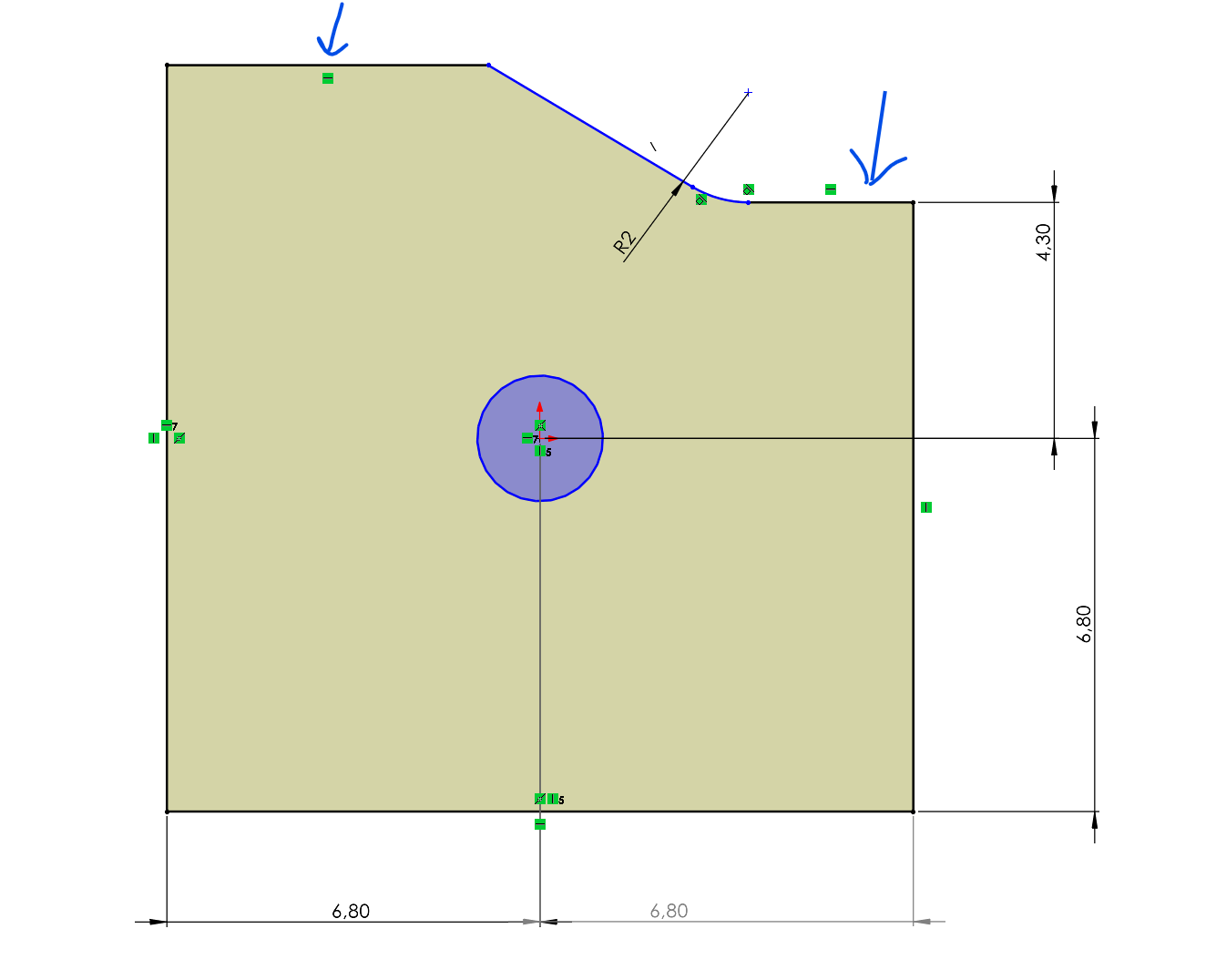
They are black = fully constrained… (witch they aren’t ..)
And in the professional cad system .. They are marked blue = not fully constrained.
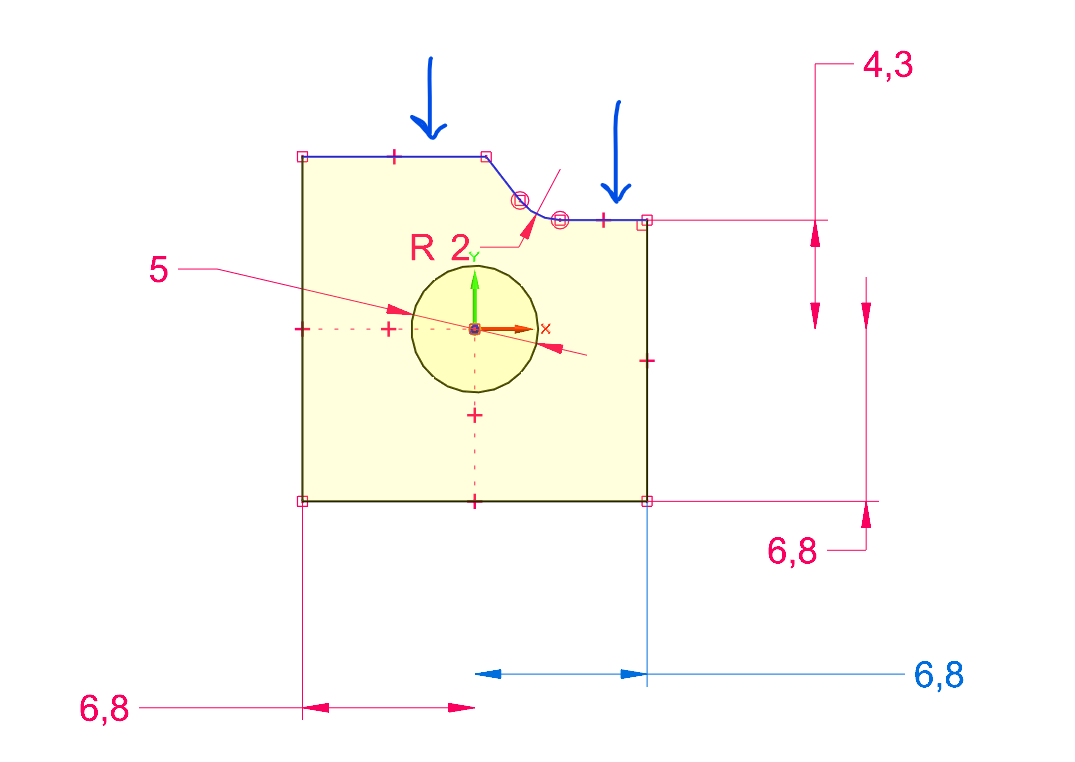
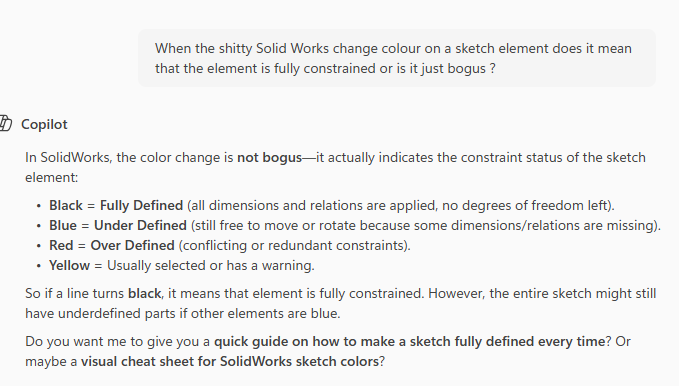
When I ask copilot it gives the impression that SW should keep track on what is going on …
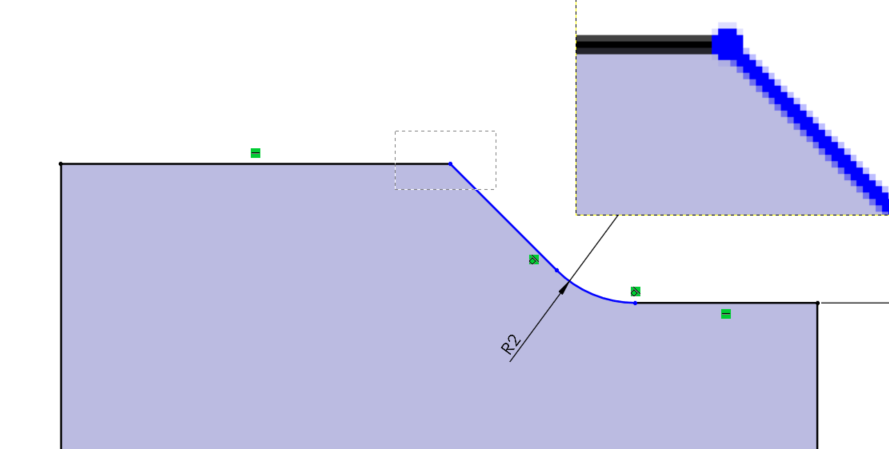
They are black = fully constrained… (witch they aren’t ..)
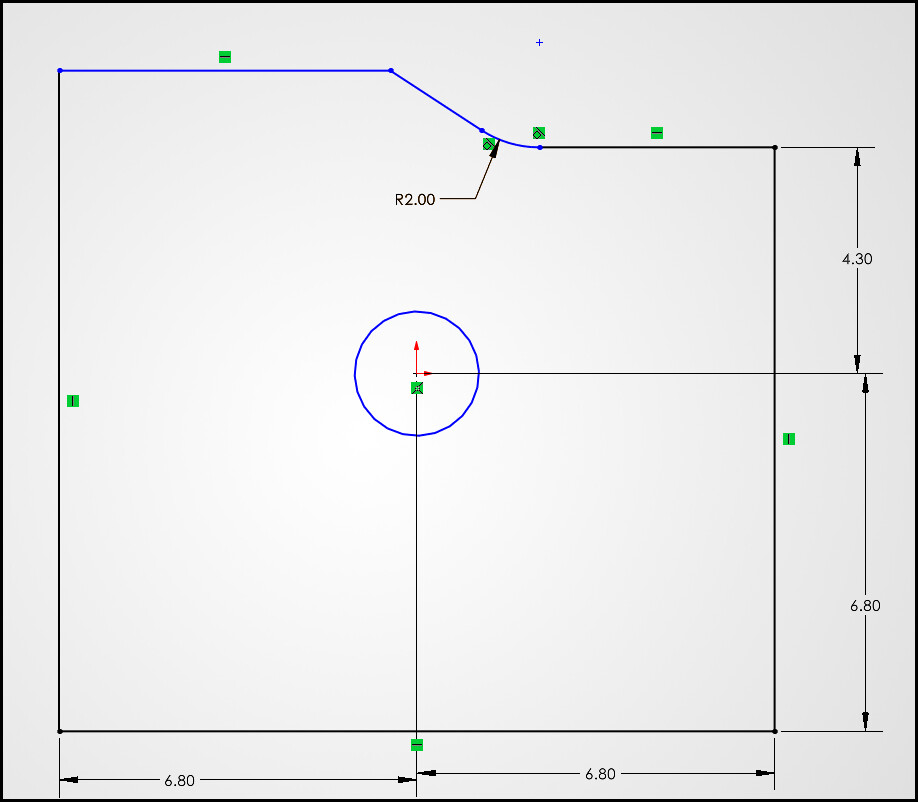
And in the professional cad system .. They are marked blue = not fully constrained.
When I ask copilot it gives the impression that SW should keep track on what is going on …
I wouldn’t trust any AI LLM for technical answers.
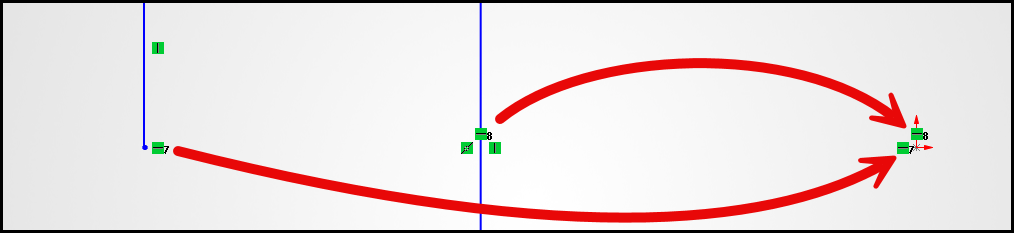
IIRC Solid Edge would consider a line constrained once the orientation defined and both endpoints were located. Solidworks changes line color to constrained once orientation is defined, but if you look closely the endpoints are still the unconstrained color.
Solid Edge sketcher didn’t “Merge” endpoints, it applied and maintained coincident relations to the various points/vertices. Solidworks merges endpoints when a coincident relation is made instead of maintaining the coincident relation, so to split them we must use the “Detach segment on drag”. Then don’t forget to turn it off.
There’s a bunch of other subtle differences.
Yes, every tool is different. Need to learn how they behave.
You won’t expect a Corolla to drive like a Ferrari because they both has 4 wheels.
Hmm.. so SW’s GUI is not compatible with todays 4k monitors …
I’m impressed that after three years, SolidWorks still manages to deliver features that don’t exactly rank high on my list of user-friendly experiences.
Because of the midpoint relation to the origin on the left side vertical line, the top line position is locked. So it should be black and in this case the “professional” software is incorrect, or rather less useful. They most likely show it blue because, unlike SolidWorks, they don’t show endpoint colors.
What are you referring to? There are larger icon sizes for higher rez larger monitor. You are showing a thumbnail zoomed in sketch…is that using some third party magnifying tool?
Its zoomed in just to show the tiny pixel that should tell the user that line is not fully constrained.
I see, all of our office monitors are 1080 monitors… I have two 2k 32" at home. I can see where 4k would make that more difficult to see. Put in an enhancement request to scale them for different monitor resolutions. Or make it user adjustable would be better.
That sketch you have shown in SolidWorks shows everything you could possible need to know on what isn’t constrained, what is and what needs to be done to fully constrain.
Nothing wrong with what it is telling you.
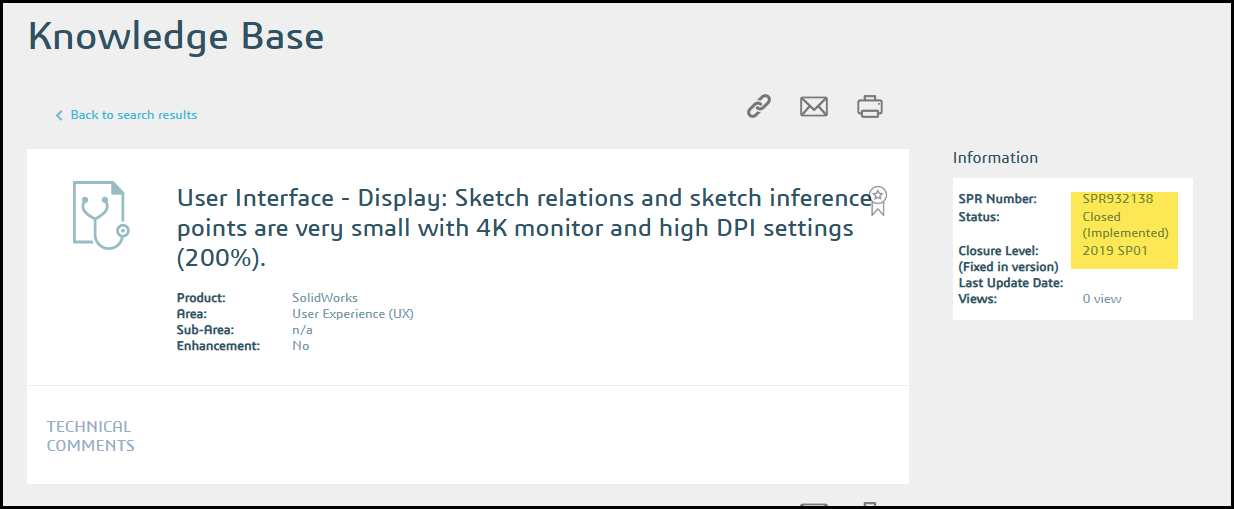
Which version of SolidWorks are you on? I found this in the Knowledge base that says they fixed something in 2019, maybe it still wasn’t enough or maybe something else is going on with your setup.
That sketch you have shown in SolidWorks shows everything you could possible need to know on what isn’t constrained, what is and what needs to be done to fully constrain.
Nothing wrong with what it is telling you.
I can’t help it that its more clear if the colour on the element is more distinct. In other words no need to look if its neighbour is black or blue. Trying to see what colour its end pixel have is just nonsense.
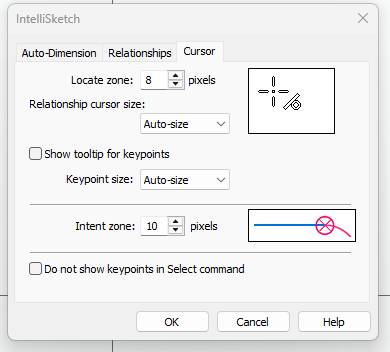
In the same breath I find it very nice by Siemens to include for the user to select the search area around the mouse pointer.
So no need the to be exactly pixelwise to select an edge instead of a surface.
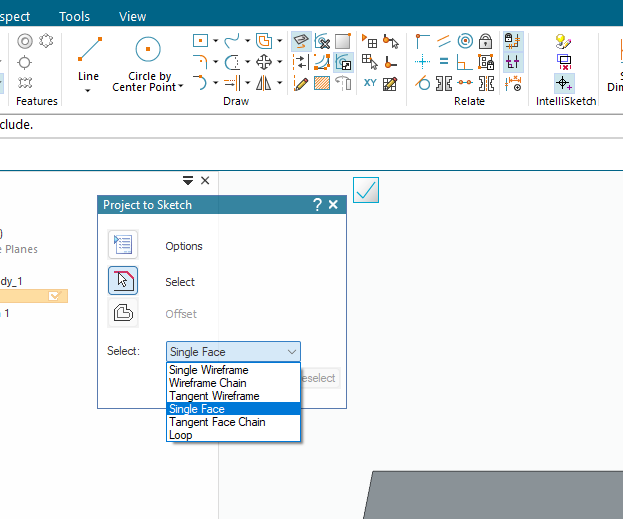
Yes I know you have the dumb filter toolbar in SW .. But why should you be forced to use it .. and why have it to be open all the time ?
Siemens have solved this by give you a simpler filter option every time its valid ..
In this case its equivalent to “convert entitles”.
The popup is also often shown in the same area where you have clicked.. no extra mouse movement.
Overall its a more pleasant workflow.
Which version of SolidWorks are you on? I found this in the Knowledge base that says they fixed something in 2019, maybe it still wasn’t enough or maybe something else is going on with your setup.
Its 2023 …
This is just the tip of the iceberg of regression when you are coming from another more or less decent cad.
And yes I Amit that this showcase is a silly one. After 25 + years I don’t need colours to see if something is defined or not .
Hmm by the way why are constrains cluttered with numbers ? Seems to be some leftover from debugging.. (and there they have more then they can chew on..)
Learn about the SOLIDWORKS Shortcut Bar.
When you are done with that, learn about Breadcrumbs. They’ll change your life.
We criticize SolidWorks plenty here, I guess NX never has any regressions ever?
For new users, the way SolidWorks displays it is superior. Yes, after years in any software, you need less of those visual cues but most users probably rely on them. Even for more experienced users, in more complex sketches than this its helpful.
It not a bug, if you have several horizontal and vertical relations to points, the numbers help you see which relations go with each other.
Have been fiddling a bit with the shortcut (s-key) but it didn’t stuck. Instead I tested out radial menu . but here I find Siemens version to be more user friendly and versatile. You can for example have dual rings of commands.
Breadcrumbs .. It sort of a must .. just to have the ability to copy a part in an assembly.
Those tools seems more something they just throw it in there just to patching up bad decisions done in the past.
With 4k they become unreadable so you revert back to just skim over what its present and get a feeling of what is connected to what.
Can’t help it SE have a much nicer way to present the same information with less fuss.
Haven’t tried NX .. But I have done some youtube’s on it and my first impression was that its GUI was rather clunky. Many click for simple things that you do over and over again.
Beyond this I have done some Fusion and Inventor. Didn’t gave it so much time.. mostly because they use the stupid mousewheel as view manipulation. I just can’t stand it ..
If by design they are forcing end user to always move their index finger .. they are not thinking throw on how to make a good environment for the end user. That’s it.
the line it’s self are constrained that you are pointing too, the end points that are blue are not, hence you can pull the lines left or right but not up and down becauce of the dims locking in place.
nothing worng in that sketch.
I kind of have to agree on parts of this. Sculley is spot on, SW users will need to get handy with some mix of those tools he mentioned. It does still feel like a band-aid for a backwards workflow. Maybe it’s just because I learned the “choose what to do then select what to do it on” workflow first so the “select something then choose what to do” workflow just seems pointless to me. All of the nifty selection things and bread crumbs that SW have aren’t needed in SE because it applies selection filters based on the active command and what step in the command. But, we’re in Solidworks so better learn how to use the band-aids or shortcuts whichever you want to call them. Complaining about how it’s not what I’m used to isn’t going to accomplish anything. All it’s good for idle discussion, but frankly, most people here already know all these things about the various CAD packages.
By the way, what is the other CAD system you are speaking of? I was assuming Solid Edge.
I struggle with the SE and Creo step by step…feels slower to me but I don’t have the muscle memory down. Was in an extrude command yesterday in SE and somehow during the extrude process and somehow “escaped” out of the command altogether. Then I was like…where’s my sketch? Guess it was lost?
Ironically, NX and SolidWorks are more similar in workflow.
Yes, I don’t recall habitually punching the esc key through my desktop in Solid Edge. I’m guessing it’s muscle memory from Solidworks that’s not helpful in SE.
I think it really boils down whatever the user is most familiar with and muscle memory. I’m not constantly in Solidworks, I’m still struggling with why it wants to select things that have nothing to do with what I’m trying to accomplish. I still need to learn those other tools.