I had a dimension go dangling, and didn’t see it, so I saved as pdf and sent it off (thankfully for review and not for release). Hopefully that won’t happen again.
4 Likes
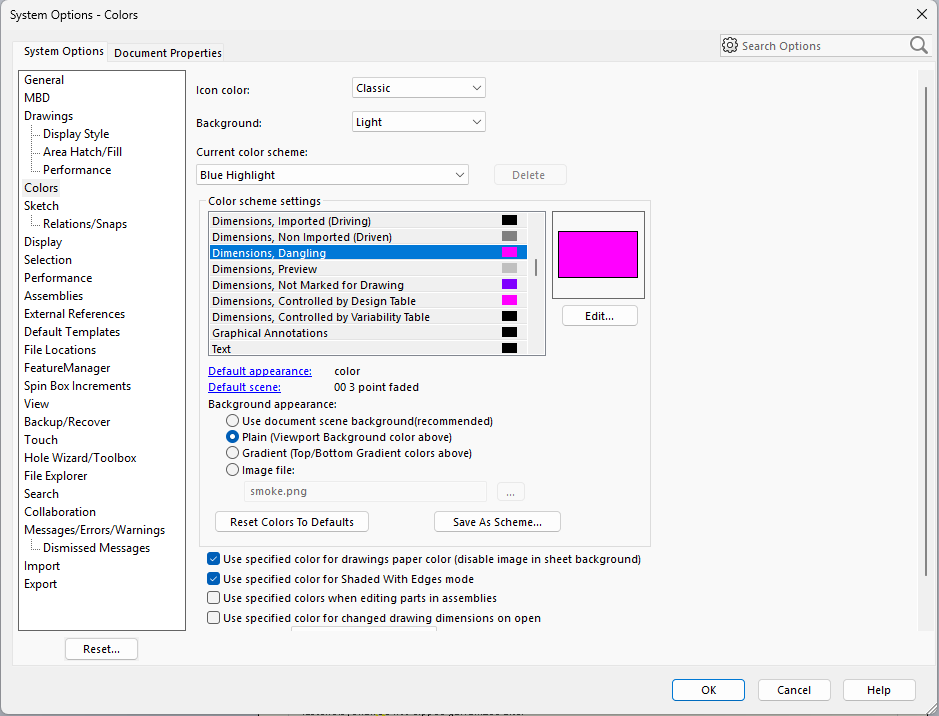
 Funny you mention that, we use roughly the same color for dangling dimensions for about 25 years now. One of the first things I had changed since the ugly puke yellow color is easily missed.
4 Likes
That one jumps out at me as it looks some kind of reddish green color. The one that give me heck it the yellow looking color that is used to show changed dimensions.
I tend to put a rev cloud around them save and reopen to be able to see what the dimensions are and to keep track of the ones that change.
Agreed. We use red, but same thing.
Dwight
1 Like
We also changed the color for dangling dimensions. At first it was red, but then we had a colleague who was color-blind, so we changed it to magenta, which was more recognizable for him.
2 Likes
I use a macro to flag if there are any dangling annotations in the drawing, so even it is hiding behind any color, I can find it 
4 Likes
Red is my normal colour for dimensions so the mustard yellow stands out quite nicely.
Would you be able to share that macro please?
I too can’t tell one color from another, but learned how to tell what was wrong from the default colors. It is really hard to tell what the program is trying to tell you when people change all the colors.
Red Green color blind is kind of common, But you need to look out for those with blue green colors blindness too.
2 Likes
That’s not a problem for me. I’m a one-man show.
2 Likes
I have been waiting on you to call for when you need help! Good thing I have not been holding my breath.
1 Like
Sorry for a delayed response, I just posted in the macro library
3 Likes
Thank you for sharing !