How to delete virtual sharps

I’m working on a new drawing and created two virtual sharps. Much to my surprise (not!), SW broke the virtual sharps. Now I cannot select them, hence cannot delete them. They do not seem to be associated with any drawing views because when I move the views, the sharps don’t move.

What’s the trick? How can I select the virtual sharps?
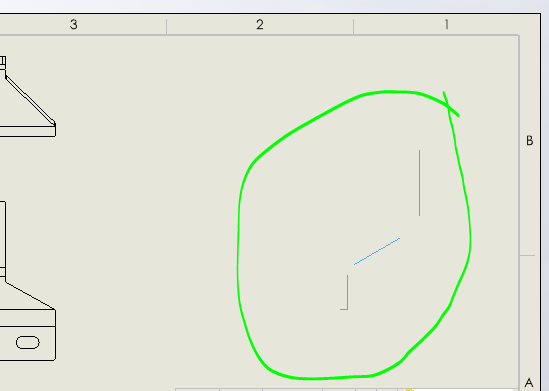
It appears these are graphic anomalies, not virtual sharps, so it’s no longer a problem.

1 Like

I have lots of graphics anomalies in drafting. One of the many joys of being a SW customer.

2 Likes

Perhaps we should try UNsupported graphics cards. Maybe they won’t have so many anomalies. Kidding, of course.

2 Likes