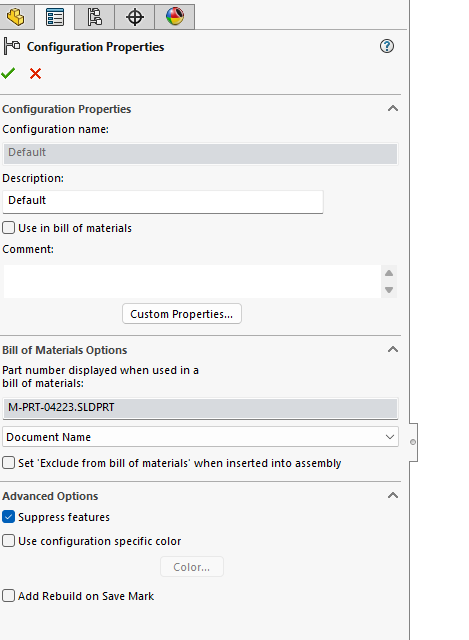
When I have a part with several configurations, and add a new feature, SolidWorks adds the feature ONLY to the active configuration. When I activate any other config, the recently added feature is suppressed. I have to manually right click the feature, select property, untick suppressed checkbox and select All Configuration from the combo box and click OK.
Is it possible to add a feature to all configs?
I need to add any new feature to all configs, not only to the current.
Some setting… workarounds… any suggestion is much appreciated.
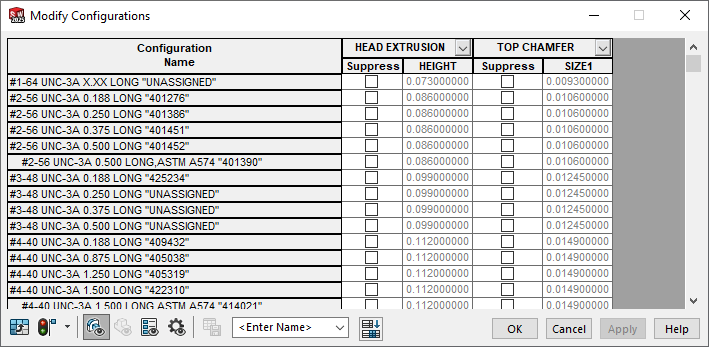
If you have existing parts where you need to quickly suppress/unsuppress features in multiple configurations, you can select one or more features and then right click and select Configure Feature. The modify configuration dialog will appear and you can change dimensions or suppress/unsuppress as needed:
SolidWorks is great that there’s often many ways to skin the cat…
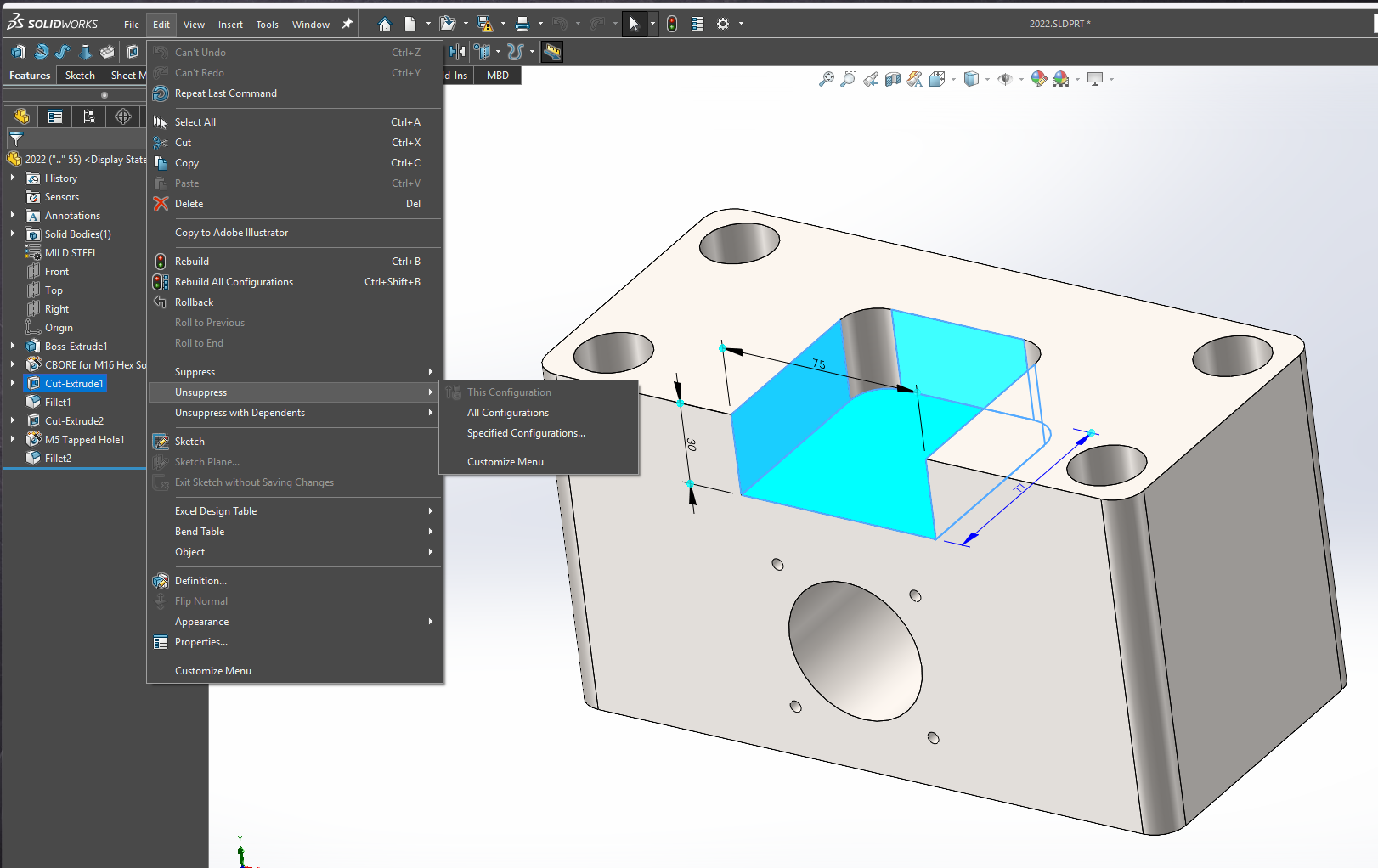
If the feature is already created, and you have more than one configuration, you can pull down the edit menu, select 'Unsuppress, and chose ‘All Configurations’
This works great! But it seems that I never think of it when I need it! I normally would use the method @JimSculley mentioned as that allows you to other features all in one spot.
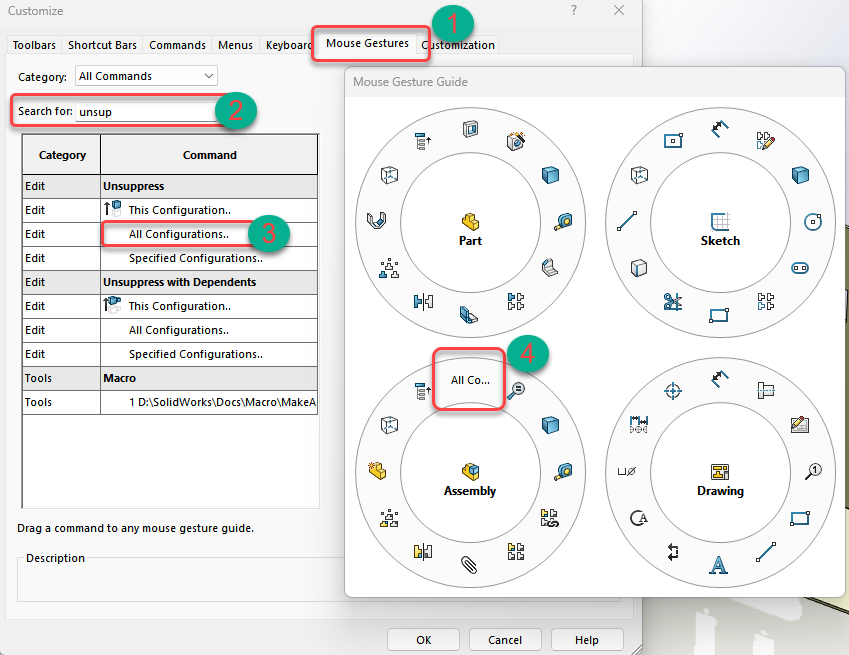
You can add it to your mouse gestures if it helps.
Right click ribbon and select customize, select mouse gestures, search for Unsuppressed, drag All Configurations to parts or assemblies gestures.
IIRC now that configuration tables are automatically created, you may use also the “configuration publisher” to manage suppression state for each configuration.
There are a lot of options, but sometimes being able to Suppress/Unsuppress All configs is a nice shortcut (that should be in the right click menu). In the config table, you must open the table, then change one config to the new value, then grab the excel like dot and drag it down.