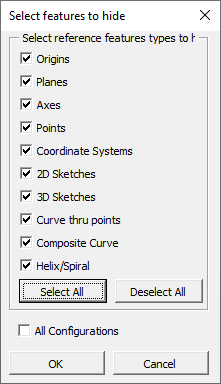
Not sure who created this macro but it is very useful. It will traverse a part tree and hide all reference geometry selected for the configuration or all configurations (if linked to Display States).
Some potential enhancement ideas if there are any takers:
Ability to unhide
Support Display States not linked to configurations
Okay, I got it working… I think. I’m not sure if running it from an assembly really works the way it should so test that out to see if it works the way you want, if you use it at all.
The rest appears to work relatively well in my testing.
Edit: to show additional info
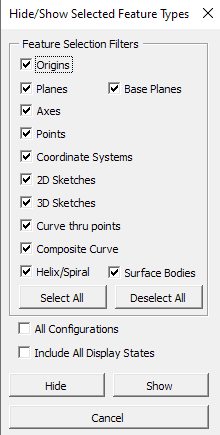
The base plane toggle assumes there are planes labeled Front Plane, Right Plane and Top Plane. If yours differ, these can be modified in the source code.
The “plane” toggle will not show or hide “base planes” and the “base plane” toggle won’t affect other planes.
I’ve added a surface selection that just grabs all surface bodies from the surfaces folder and hides/shows them.
The All Display states toggle will get any available display states for the current configuration and hide/show features within them as well.
image.png
I’m sure there’s a lot more optimization that can be done to speed things up but I don’t have the availability to dig into is on that level.
Edit2: Updated with different assembly functionality. The part needs to be opened to affect display states so this will now only happen when that is checked.
jcapriotti , I updated the file in my previous post with one that seems to work better on assemblies as well.
For read-only files, any changes will be skipped (this assumes these files are checked-in and cannot be changed anyway). There is a prompt that asks for permission to open then close files to affect the inactive display states if that check box is selected.