Hi All,
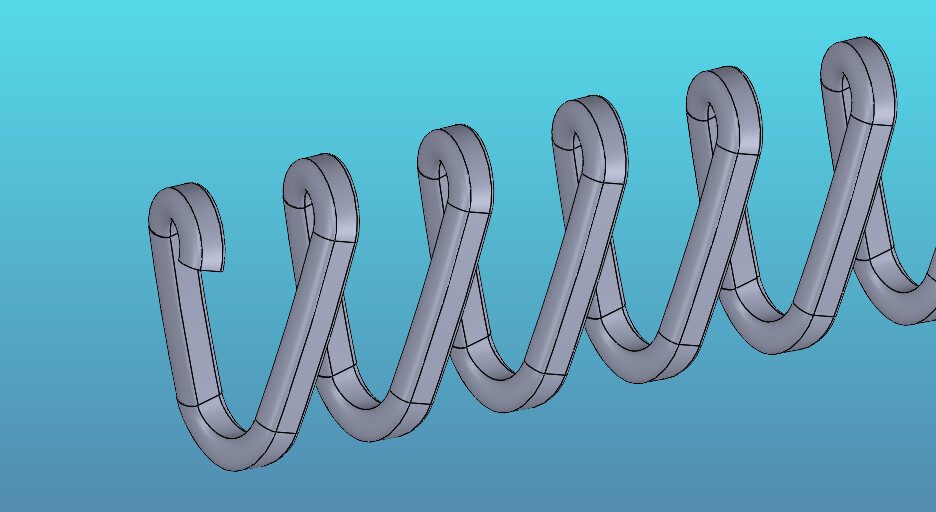
I’m trying to re-model this feature (see image), so I can create various lengths.
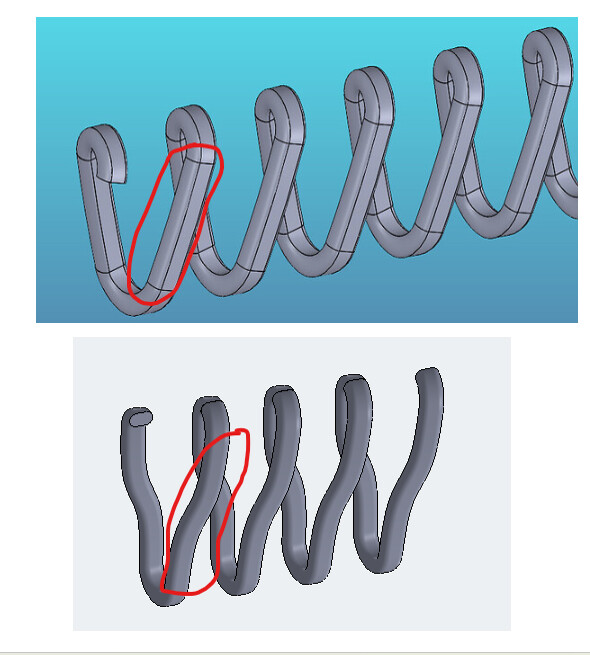
I’m having trouble with the swept surface/3D Sketch, where it does an offset instead of a straight line to connect.
Does anyone have any suggestions on how to fix this?
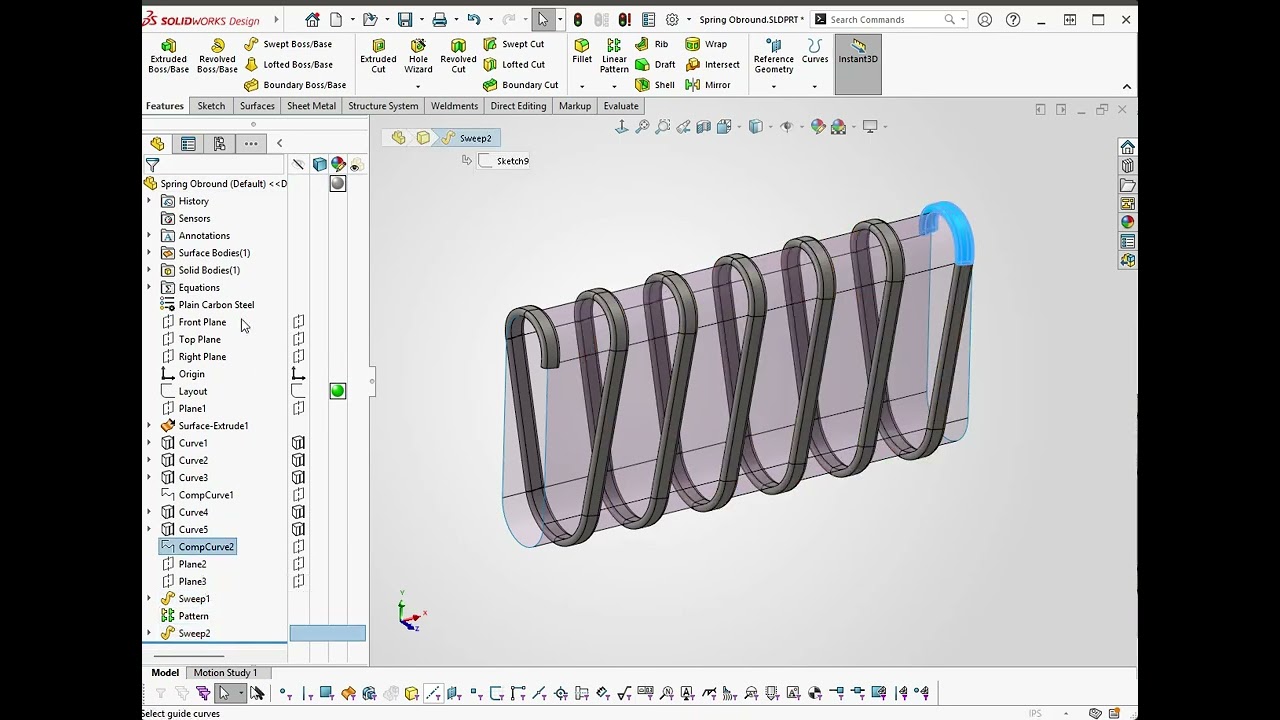
This took a bit but I was determined to make it parametric. Layout sketch drives the size and locations and is the base for the projected curves. Wish SolidWorks would enhance the old curve functions so they didn’t need dedicate sketches but not a big deal. Created global variables and linked the dimension to them to control pitch and length.
I like how you did that. I got so focused on trying to make the other method work and got locked on that path. I’m glad I took a step back and posted here to get a fresh perspective.
I couldn’t open your file (using SW2023), but I should be able to recreate it.
I tried saving it back to 2024 but the sweeps got a little wonky when I open in 2024. Recreating them is the only way to fix. and the Equations error but I don’t see why so they may need to be recreated as well. Apparently the save back versions has issues.