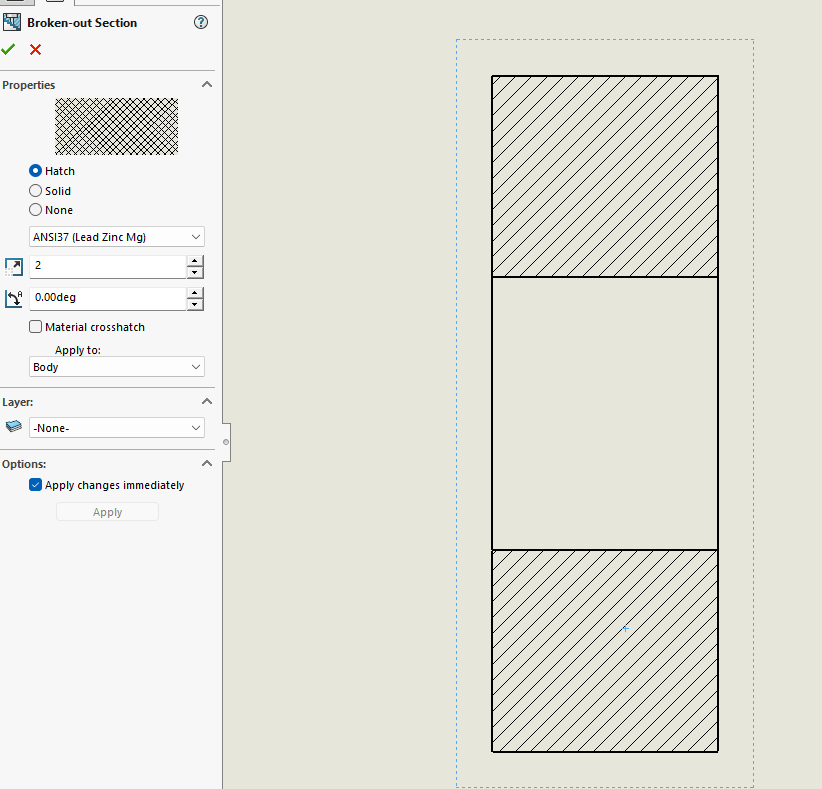
For my entire SOLIDWORKS career (since 1998), hatching in drawings (especially for multibody parts) has been a nightmare. We’ve been using SW2017 until last week, and now that I have SW2025 SP5 I was really hoping that a lot of my hatching misery was due to using an old SW version and that newer versions addressed a lot of the problems.
But somehow, it has gotten WORSE?
I created a simple revolve of a rectangle, dropped it in a drawing and create a broken out section of the entire thing. I click the hatching to change it like this:
I’ve bumped in to this issue again. This is so utterly broken in SW2025. I have a multibody part and I’ve created a broken out section view that encompasses the entire part. It is impossible to change the ‘Apply to’ dropdown in the property manager. I can change it to ‘Body’ in the property manager, turn off ‘Material crosshatch’ and select a hatch pattern, but nothing in the model changes, even after a CTRL-Q rebuild. If i go back in to the property manager, the ‘Apply to’ is reset back to ‘Region’.
I even tried changing it via the API, but that doesn’t work either.