I have this file where I enter the units as inches for a global variable it’s doing a conversion as if I entered them in metric when I try to use the variable. File units are set to IPS, but SW is altering my 1in = .0254 when I try to use the global variable.
Anyone know how to fix this?
Here’s a video showing what I mean:
Global Variable Units.gif
I have also attached the file…Frustrating…
It worked fine for me. I started a new sketch, inserted a construction line, and set its length equal to the global variable. I hate to ask this from an experienced user, but have you re-booted since you first noticed this?
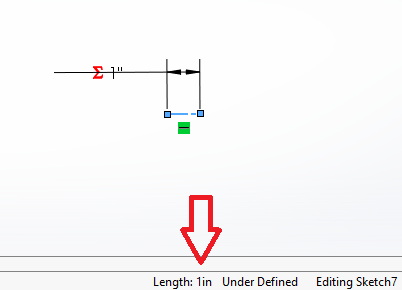
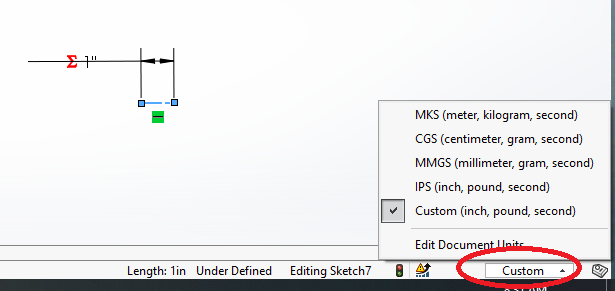
And if yes, and it’s still acting up, maybe change the units from Custom to IPS?
With your file, I made the line in Sketch6 =“rise” and it shows 1". What SW version are you using?
I even looked in the KB and can’t find anything reported for anything similar.
2021 SP5.1
image.png
PEBCAK?
That’s probably it…In a Zoom meeting now, but will try that. It’s been a while since I’ve rebooted.
Not an unlikely guess.
Thanks for the suggestion Glenn Schroeder. I changed from “Custom” to IPS and it fixed the problem. Still confused as to how it happened.
Stupid SW, buggy software…Are my templates now broken? I guess I’ll follow up next week with a coworker and check it out.
I would definitely check them, and if they’re set to Custom I’d change it to IPS.