SW’s hole notes have been an annoyance for decades because there’s an extra space that doesn’t belong. I’m finally tired enough of it to try and fix it. It seems that the calloutformat.txt references something called hw-threadclass It appears that it is the culprit, but I don’t know what it is or where it comes from. Can any of you shed a little light on how this works and where I can find hw-threadclass?

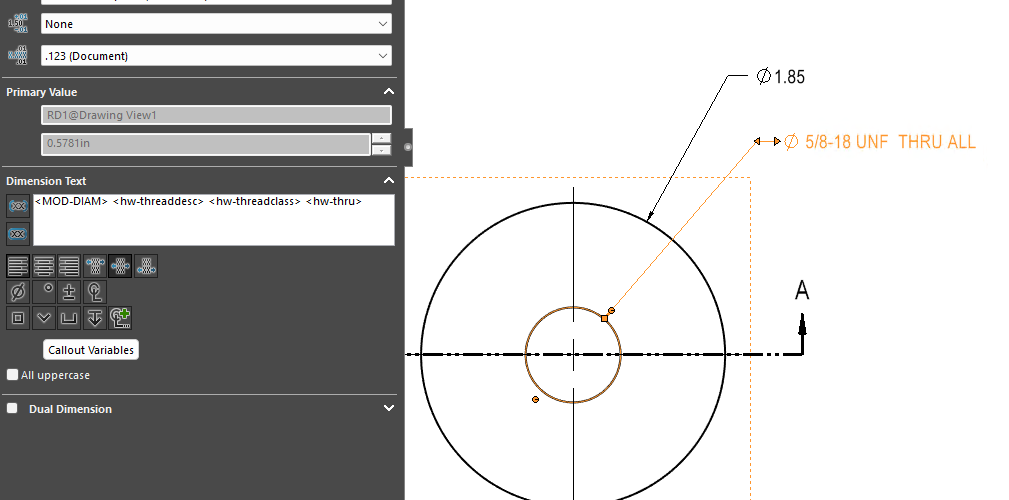
Agreed, and somewhere that variable is stored in a format that includes an extra space. I’m trying to find the source.
I don’t think it is visible to the end user.
It’s the thread class. 2B, 3A etc. If you don’t ever use those on your drawings you can just delete it (and its leading or trailing space) from the calloutformat2.txt file. It’s really a bug, because if you uncheck the Thread class checkbox in the hole wizard, it should remove it from the callout entirely. but instead it leaves it in there with an empty value, which leads to two spaces in a row.
calloutformat.txt file used to have some info at the bottom of the file on how it was all put together one of those things like read to the end and only answer question 2 kind of test. It is a lot of fun to get that thing modified to fit the format that a company wants but once you get it modified right it makes adding the hole callouts easy and less editing.