I have quite big drawing (3 sheets from a large assembly) and can’t tick the “High quality” -option on with some views. If I tick it, it will automaticly come back to “draft quality”. Anybody else having this kind of problem? What’s wrong?
Thanks Alex for your message! There are 2950 components in my assembly. Many of these are not upgraded to 2022. All files are in the Vault and most of them has been approved so can’t upgrade these. Just wanted to hear if others have had this kind of problems and how did they solve it.
Why can’t approved files be upgraded to a future version..? Just wondering..?
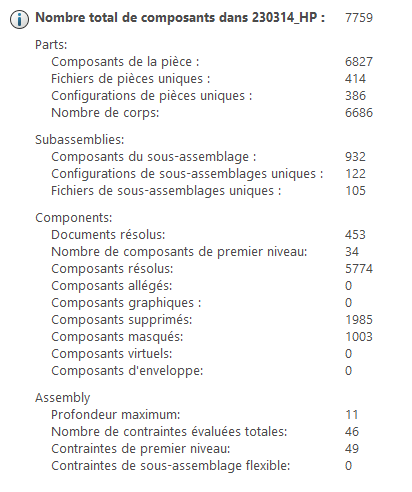
I’ve had files from previous versions cause all sort of weird issues in SolidWorks, which is why I was suggesting updating them to the current version. I don’t think it has to do with the quantity to be honest. Here’s an example of a casual project we work with, as you can see it has over 10 levels of assemblty depth and well over 7500 components. Sorry for the frenchness lol
Found one small component that caused all the trouble. Supressed some items from that part features and now my big assembly drawing works great again! One out of 2950. Heh. ><
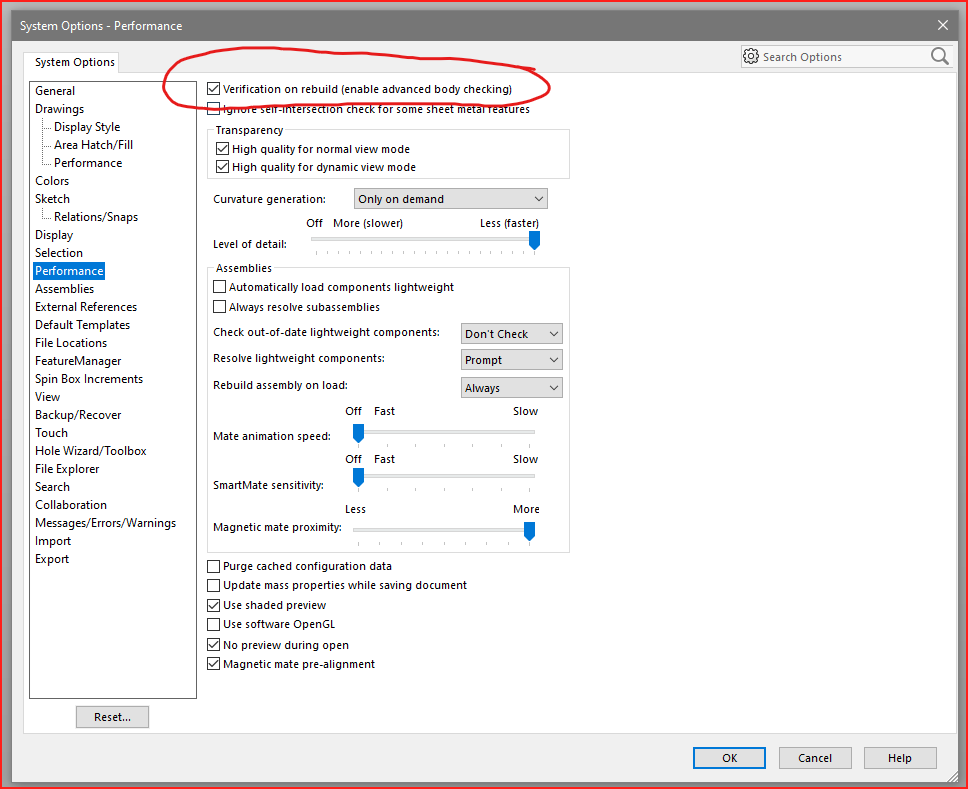
What the problem can maybe be is that 1 part in the whole assembly has a bad rebuild of the model data. This blocks Solidworks converting the model from draft quality to High Quality. How to check and Solve:
1: open the assembly and change the mode to HLR
2: go to View / Display and turn off draf quality
3: If you model dissepears it means there is an error.
4: suppress you feature tree and start unsuppressing from the top
5: When your model dissepears again you open that sub assembly and repeat again
6: you will find the part that makes your model dissepear in HLR
7: Open this model and do a Force rebuild and problem should be solved

 Thanks Alex and Dan! Good to get your value points in praxis!