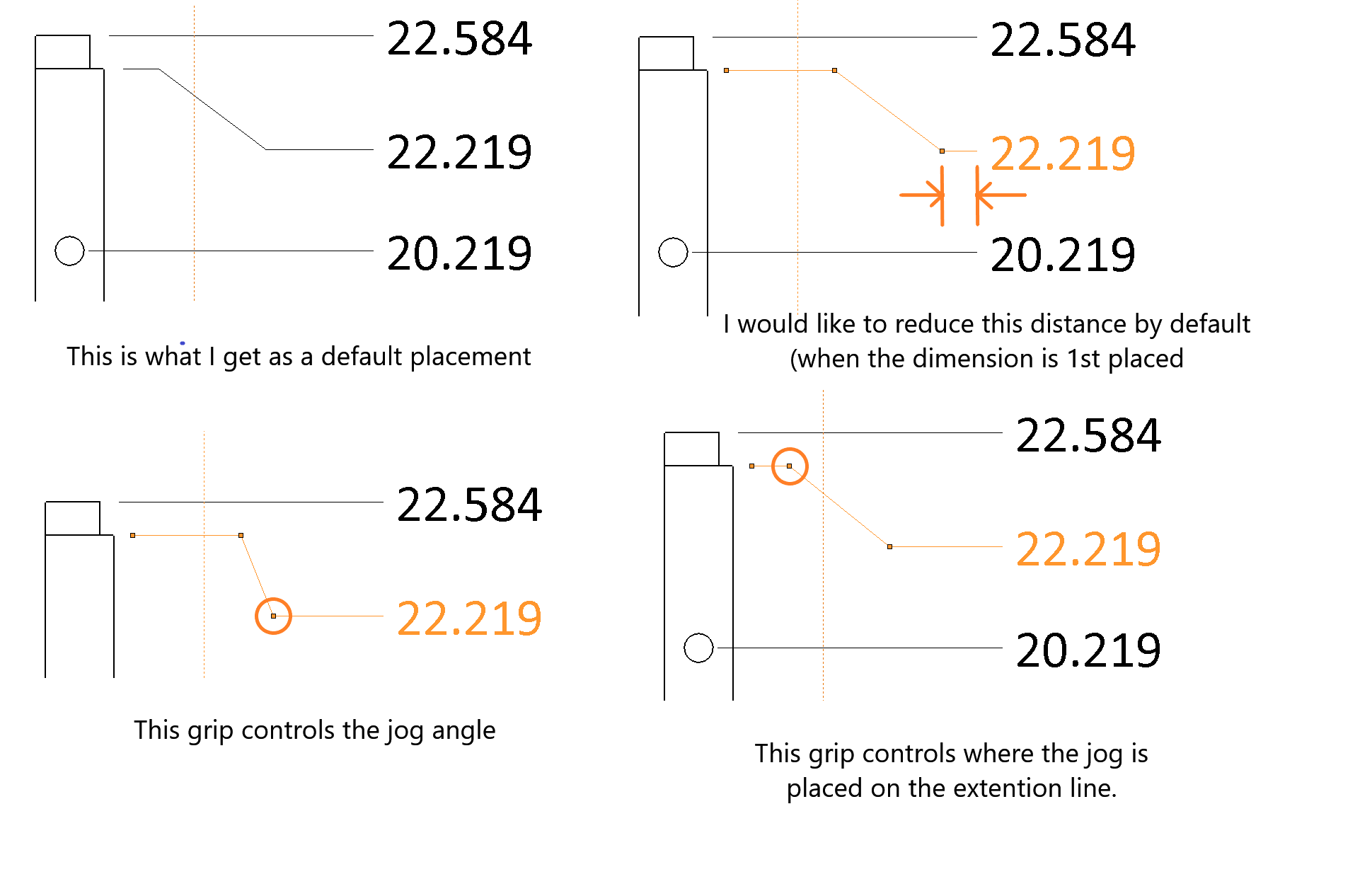
Select the dimension, and then grab one of the bends in the leader. One of them moves both and the other one just makes the bend longer or shorter. I don’t remember which is which, but a little experimenting will show you.
Thank you for that.
I was aware of that control.
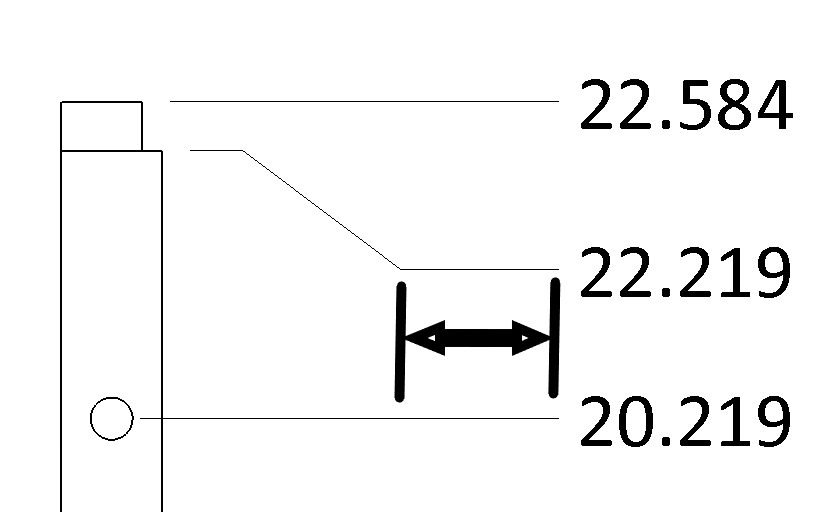
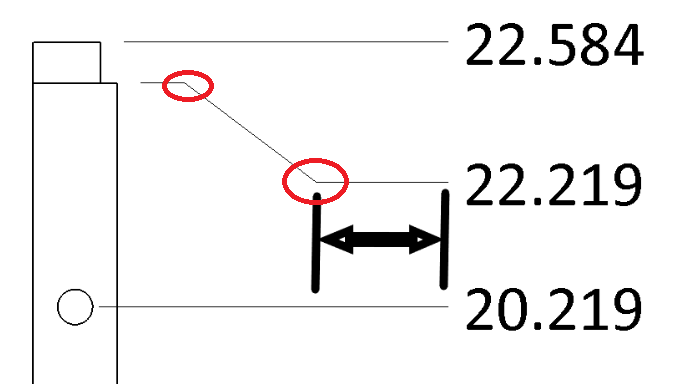
I would like to control the distance to the dimension by default (as shown in the image).
I could place all the dimension without a jog and then manually go back and add jogs but that seems like something I could set.
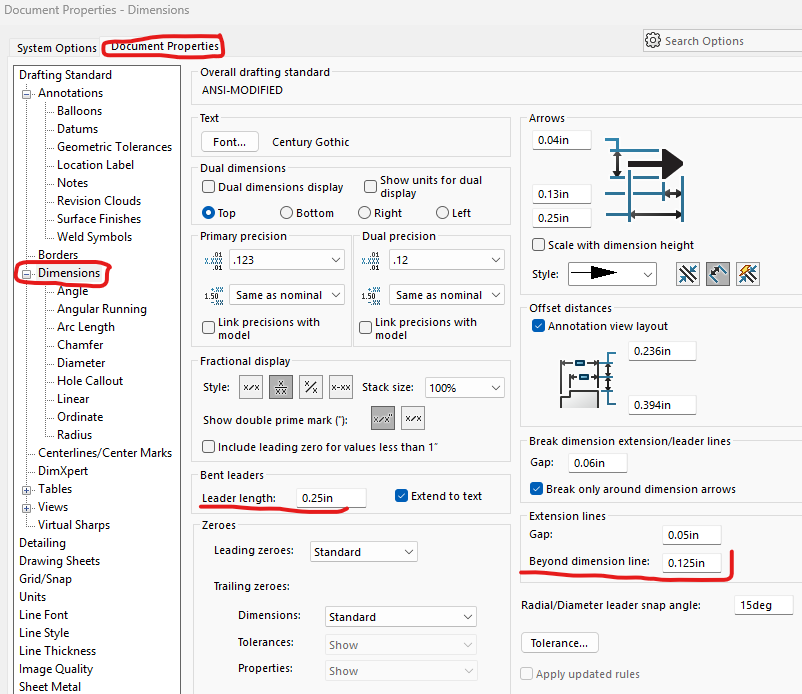
Go to the Document Properties for a drawing and play around with these settings. Do this on an example of your current drawing and then once you get it the way you want save it as your drawing template.