Determining if a point is inside or outside a Body2

Hi, I need to code a function that discretizes a solid body (Body2) into a 3D point cloud with a certain resolution.
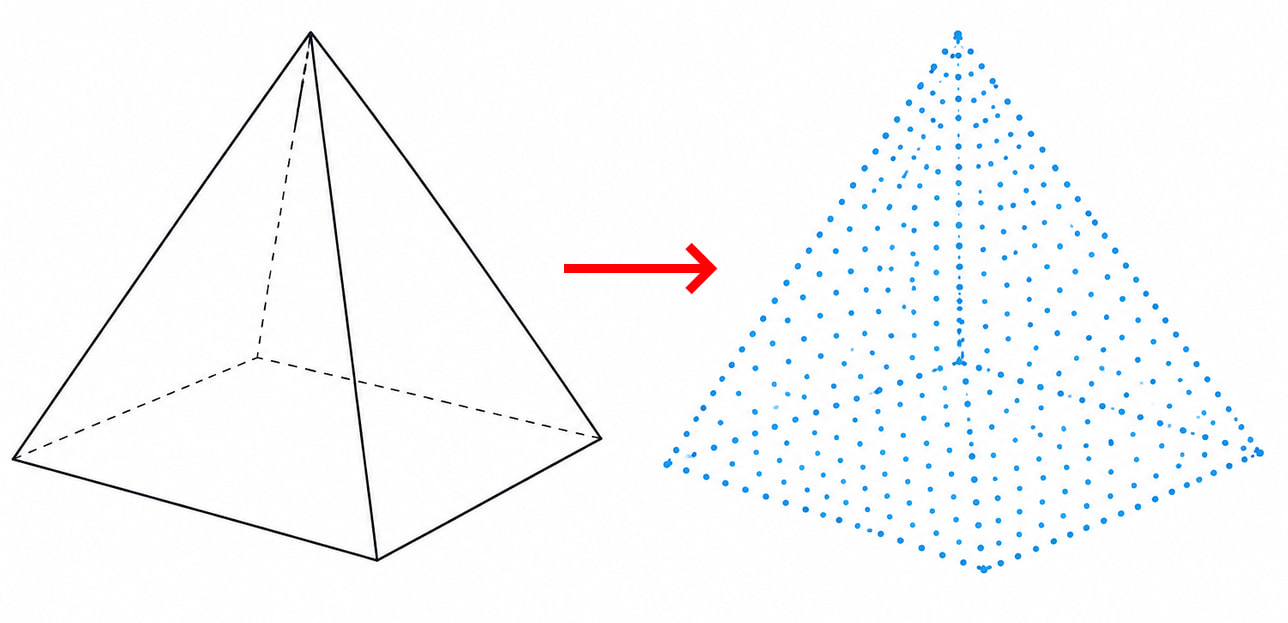
The algorithm would be like this:

  1. Determine the bounding box of the body;
  2. Create a 3D point cloud array;
  3. For each point, determine if a point is inside or outside the body;
  4. Remove all the points that are outside the body.

This can be optimized, but this way it’s easier to explain. I don’t need to visualize these points or output them back to SW, just keep them in my code.

The problem is step #3. I can’t seem to find any API calls on Body2 that would check if a point at certain XYZ coordinates is inside or outside the body. It could possibly be done with rays, but I am expecting to have millions of points to check, so I need this procedure to be as fast as possible, preferably using only one fast API call per point.

Can anyone suggest how to do this?
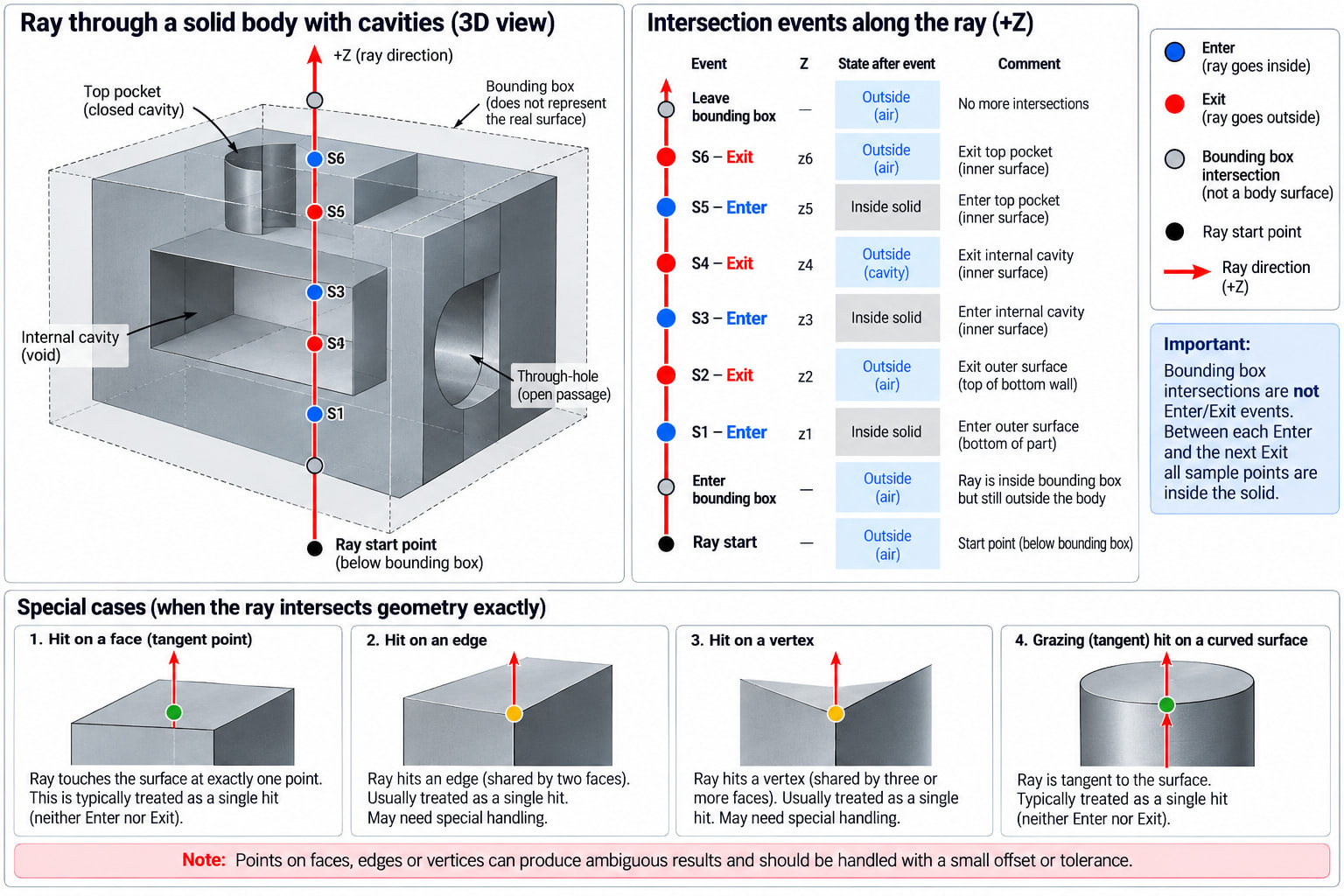
Use IModelDocExtension::RayIntersections.
Instead of checking millions of individual points, cast rays through the body along one axis. For each ray, SOLIDWORKS can return the ENTER and EXIT intersections, so all grid points between each pair are inside the body.

Two main approaches:
RayIntersections with batched rays — easier, uses exact SOLIDWORKS body geometry, and is quite suitable for VBA.
Tessellate the body and perform point-in-mesh tests yourself — potentially faster for very large datasets, but much more complex and based on an approximated mesh.
for a SOLIDWORKS VBA macro, I would choose RayIntersections. It gives the best balance of speed, simplicity, and reliability.

For speed in VBA, use typed Double() arrays rather than Variant() arrays wherever possible—for example, one flat array storing X, Y, Z, X, Y, Z…
Also avoid repeated ReDim Preserve, because it becomes very expensive with millions of points.

batched RayIntersections + flat Double() arrays is probably the best VBA solution.


Or, instead of transmitting millions of XYZ values, you could use more compact data:
X, Y, Z_enter, Z_exit
and have the external module generate the points with the required step size, for example, in C#.

Next, everything depends on whether the points should be in an orthogonal grid; if so, there’s some tolerance for overlap. How do you choose the base plane for the ray flow, etc.?

Thank you very much! This would actually use far fewer API calls than I imagined, I had completely forgotten that RayIntersection can do multiple rays at once, so it’s actually just a few API calls for the entire body, and then lots of internal logic to figure out the points.

By the way, did you have that graphic prepared for cases such as this? It looks like I’m not the first one to ask this :slight_smile:

I’ve been using AI a lot lately—I explain the concept to it and ask it to create an illustration. It only worked on the third try, and even then, there are some inaccuracies in the diagram. But it’s easier to understand the general principle this way.