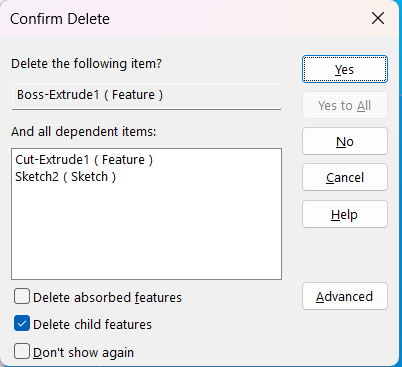
Brain damage is your friend. I’ve noticed that if I highlight more than one feature in the feature tree and then hit the delete key, it unselects everything but the topmost feature.
It has always been frustrating to delete things. If you highlight several things it may delete all of them, but if there are children (I think this is what matters) it will decide to only delete the top most thing that has children. I have never figured out how it selects what to delete and have cursed quite a bit about it. Especially, when you need to delete a large chunk of the bottom of the model and you remember how you could clip delete in Pro/E and delete from that feature to the end of the tree.
There is a check box at the bottom to not show again, if that his been checked it can be brought back in Options, System Options, Messages , dismissed messages.
In my opinion, that is the one message that should not even have a “Don’t show again” option. There are so many variables when deleting something, depending on context, that it should remain active.
(Having this active will eliminate at least one of the issues @CarrieIves mentioned. For one example, when deleting a feature in a Part you can check the box to also delete the sketch that drives the feature.)
I’m remembering the process is that if you select multiple feature types, it only deletes similar to the first selected feature… So if you select a boss extrude and shift select features over or under it, it only deletes boss extrudes (and their kids)… If a plane is selected first, only planes (and their children features), and so on…
I don’t remember if boss and cut are classified as a similar type or not, but if you want to get to the bottom of it, try experimenting with that MO for a while and I’m sure you’ll get it. I did this exercise years ago and did find a method to the madness… but now I’m pretty careful what I delete and what the consequences are.