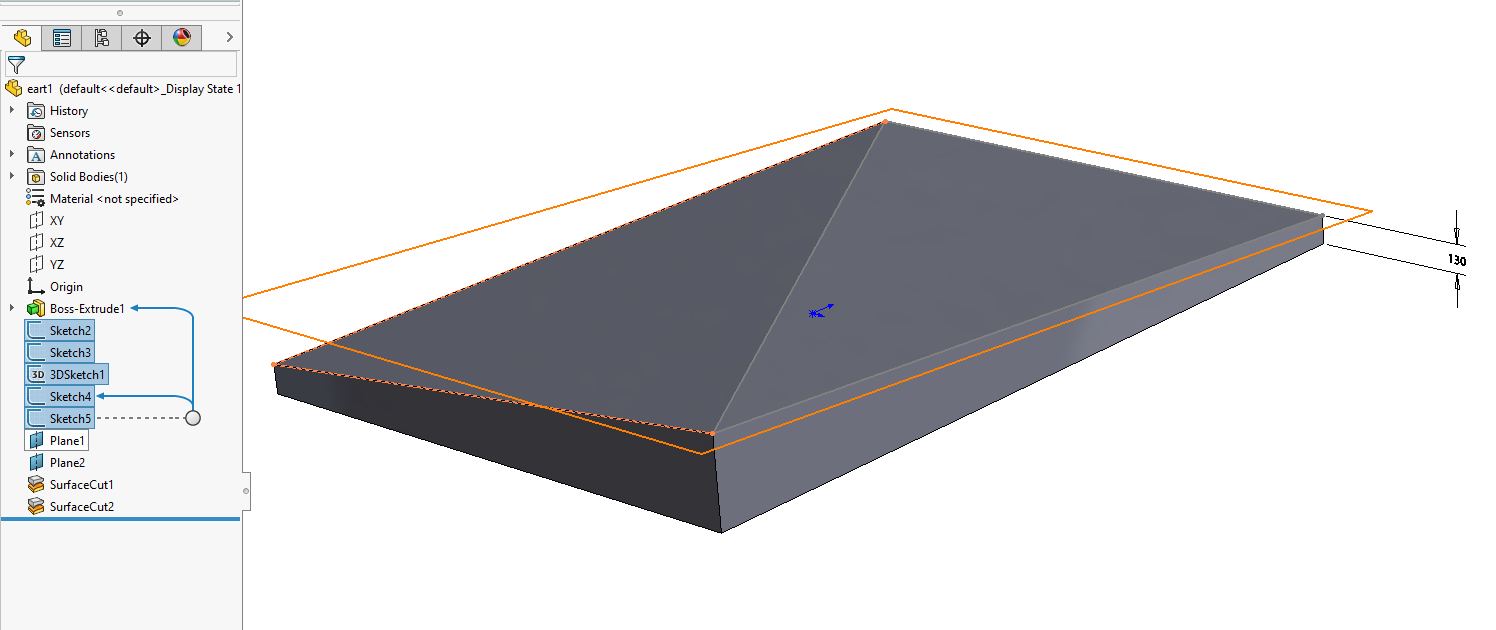
i have an irregular shape which i need to cut on a diagonal.
can do so with a box, but with the irregular shape i cant make it work. i want the cut to go from bottom right corner to top left corner, but as the right side of box is longer than the left face the top face of box is tapered. thus causing trouble.
see attached drawings which will exlaining this better. 20220907115245374.pdf (218 KB)
20220907115245374.pdf
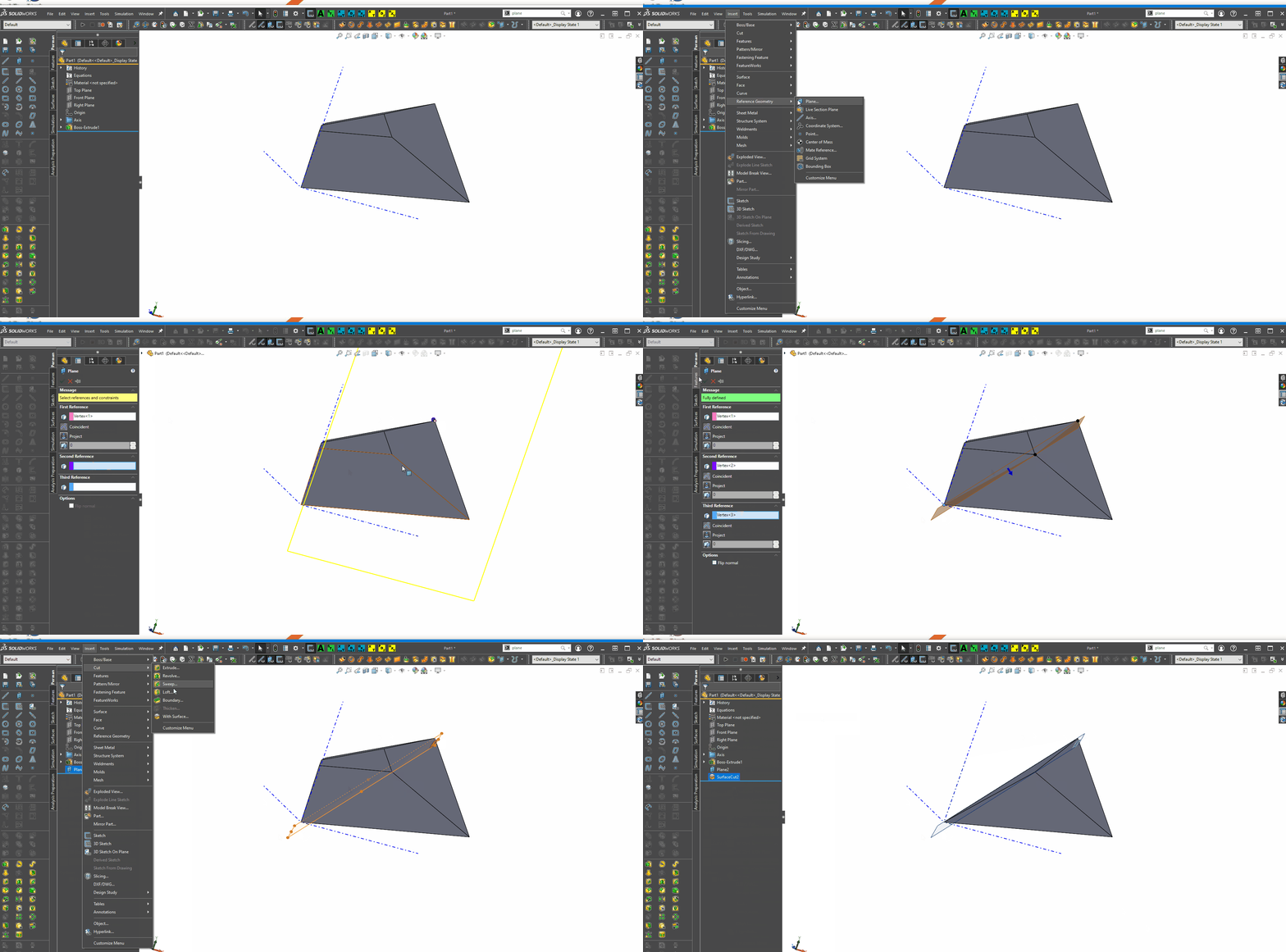
I have merged the topics of “Cut Irregular Shape on Diagonal” and “Shaping Surface” and put them in the How To Questions area. The titles are both not representative, and should be “how to make a planar cut from 3 points”.
I personally like to do extrude up to surface when I have to do something like that, usually seems to work better than a cut does. But either way, pretty much the same process.
Sketch the rectangle and the angled line connecting the corners for the outside of the part, extrude a boss set it too 400mm, use the contour select box and click inside one of the triangles and then accept and it will give you one half, then on the side of the wall that goes from 130 to 400 open a sketch, draw a line from the 400 corner to the end of the 130 and put a dim to lock it at 130, then hit cut extrude thru all and flip the cut direction to up, finish and close. now pic the angled face and hit the mirror feature, select the body box pic the solid body, see the preview and then hit the green check…