I was wondering if someone ever came up with a color chart with the numbers that show up in the configurations for the colors of parts where 7908380 = Green
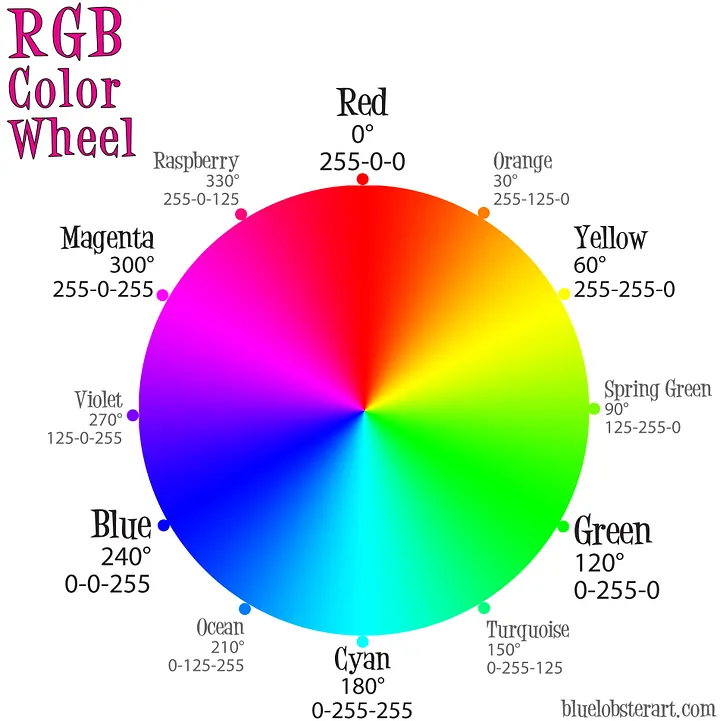
Being color blind I have the hardest time picking the color when someone says make that part orange, red, or some other color. What I see and what they want is always something different.
Then having the # would make knowing what your changing the parts in design tables would make showing the different lengths of the parts more consistent and bit easier.
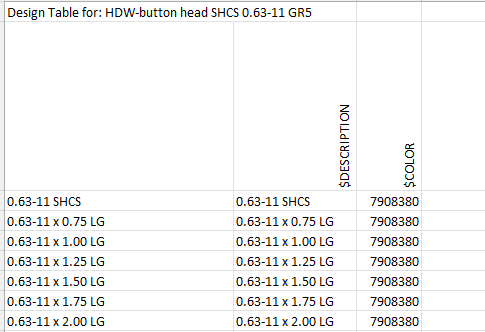
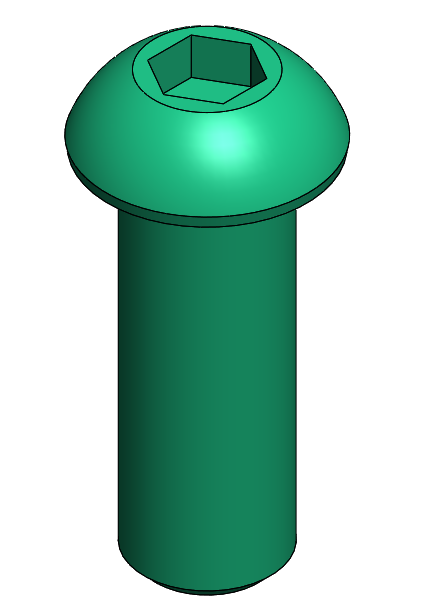
RGB color. Each color has 255 #FF levels
7908380 is #78AC1C in hex
Red 120 #78
Green 172 #AC
Blue 28 #1C
2 Likes
It’s fairly simple. You have red green and blue components. They can have values from 0 to 255. The integer in the design table is just a combination of those red green and blue values into one number. If you want to see the red,green and blue values, an easy way is with the Windows calculator. Change the calculatour mode to Programmer and then enter the number from the design table:
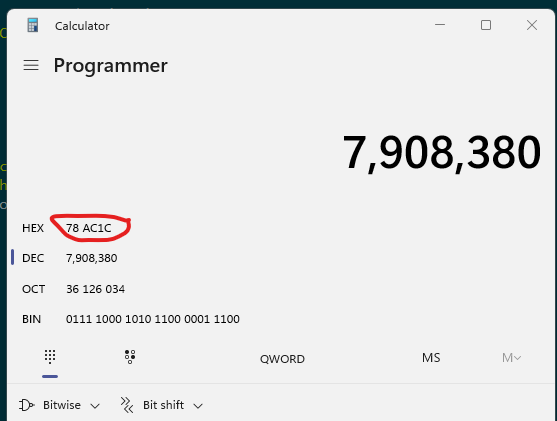
The red, green and blue values are listed in the HEX representation of the number as pairs (in reverse order). So Red is 1C, green is AC and blue is 78. Switch the calculator to hex mode by clicking where it says HEX and you can then enter each HEX value (1C,AC and 78) to see the corresponding decimal values (28, 172, and 120).
1 Like
That’s an awesome tip! Didn’t realize you could do that with the Calc.
1 Like
If you want to go the other way to get the combined integer from the RGB values, you do it like this:
COLOR = R + (G*256) + (B*65536)
1 Like
nice color wheel I can only see yellow blue and brown.
Now you got 12 color you can use.
1 Like
A few more:
1 Like